🎃 Halloween Sale — Scary Good Deals, Up to 20% OFF! Don't be spooked by these prices — grab them before they disappear at midnight.
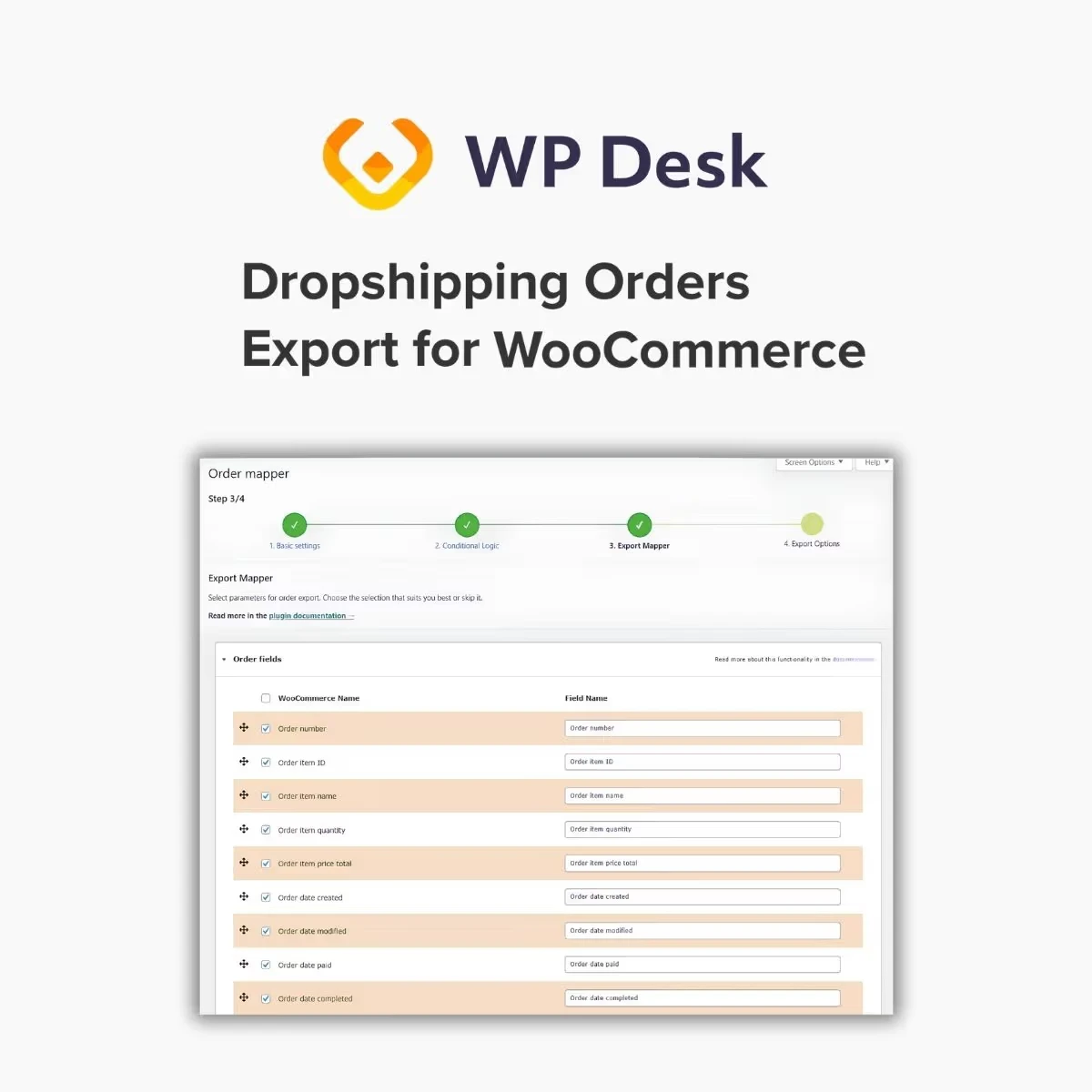
WPDesk Dropshipping Orders Export for WooCommerce is a specialized order-export solution designed to help dropshipping businesses organize and transfer WooCommerce order information to suppliers and fulfillment partners. By simplifying order-data exports, it can help store owners reduce repetitive administrative tasks and streamline their order-processing workflows. For online stores that rely on external suppliers to fulfill customer purchases, an organized order-export process can improve coordination between the store and its fulfillment partners. This solution focuses on exporting order details, selecting relevant fields, filtering orders, and supporting more efficient dropshipping operations.
WPDesk Dropshipping Orders Export for WooCommerce – Efficient Supplier Order Export
WPDesk Dropshipping Orders Export for WooCommerce is a specialized order-export solution designed to help dropshipping businesses organize and transfer WooCommerce order information to suppliers and fulfillment partners. By simplifying order-data exports, it can help store owners reduce repetitive administrative tasks and streamline their order-processing workflows.
For online stores that rely on external suppliers to fulfill customer purchases, an organized order-export process can improve coordination between the store and its fulfillment partners. This solution focuses on exporting order details, selecting relevant fields, filtering orders, and supporting more efficient dropshipping operations.
WooCommerce Order Export: Export supported order information from your WooCommerce store.
Dropshipping Order Management: Organize order data for supplier coordination and fulfillment workflows.
Supplier Order Export: Prepare order information for transfer to suppliers or fulfillment partners.
Custom Export Fields: Select relevant order fields according to your workflow, where supported.
Flexible Export Formats: Use available export formats compatible with your supplier's requirements.
Order Filtering: Filter orders based on available criteria before exporting.
Bulk Order Export: Process multiple order records through a configured export workflow.
Automated Order Processing: Reduce repetitive steps through supported order-export workflows.
Scheduled Exports: Configure recurring exports if scheduling is available in your version.
Supplier Fulfillment Support: Help organize the information required for external order fulfillment.
Export supported order information from WooCommerce to help manage orders outside your store's administration dashboard. This can be useful when suppliers or fulfillment partners require order details to prepare and dispatch customer purchases.
Prepare order records for sharing with the appropriate supplier or fulfillment partner. A consistent export workflow can help reduce manual copying of order details and support more organized communication between your store and its suppliers.
Choose relevant fields for your export where supported. Depending on your requirements, this may help you prepare structured order information that matches the receiving system's expected format.
Before exporting, verify that the selected fields contain the information your supplier actually needs.
Use the export formats available in your installed version to prepare order data for compatible systems. Confirm the supplier's accepted file format, field names, and data structure before transferring records.
Filter order records using the available selection criteria to focus on the orders that need processing. This can help separate relevant orders from those that are already fulfilled, canceled, or otherwise outside the intended workflow, depending on the filtering options provided.
Export multiple orders in a single workflow where supported. Bulk processing can save time for stores handling numerous daily purchases and coordinating fulfillment with external suppliers.
Use available automation options to reduce repetitive order-export tasks. The precise level of automation depends on the plugin's supported features and your store's configuration.
Where scheduled exports are available, configure recurring exports to help maintain a consistent transfer process. Review the schedule and order-selection rules to avoid exporting the same orders repeatedly or missing orders that require fulfillment.
Organize order information in a format that helps suppliers process customer purchases. Before sharing exported records, confirm that shipping details, product identifiers, quantities, and other required information are complete and accurate.
Get Support
Please Sign In to contact our support.