🎃 Halloween Sale — Scary Good Deals, Up to 20% OFF! Don't be spooked by these prices — grab them before they disappear at midnight.
WordPress Awesome Import & Export Plugin is a data management solution designed to simplify importing and exporting information across WordPress websites. It helps website administrators, developers, agencies, and online store owners transfer supported data without relying entirely on manual entry or custom migration scripts. Whether you're migrating website content, updating product catalogs, managing customer records, transferring order information, or organizing large datasets, this plugin provides a structured approach to WordPress data transfers.
WordPress Awesome Import & Export Plugin – Simplify WordPress and WooCommerce Data Transfers
WordPress Awesome Import & Export Plugin is a data management solution designed to simplify importing and exporting information across WordPress websites. It helps website administrators, developers, agencies, and online store owners transfer supported data without relying entirely on manual entry or custom migration scripts.
Whether you're migrating website content, updating product catalogs, managing customer records, transferring order information, or organizing large datasets, this plugin provides a structured approach to WordPress data transfers.
With support for multiple file formats, field mapping, bulk data processing, and scheduled transfers where available, WordPress Awesome Import & Export Plugin can help streamline routine data management tasks and improve operational efficiency.
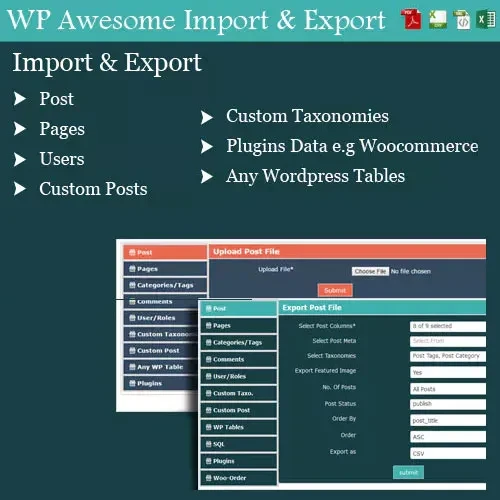
Import and Export WordPress Data: Transfer supported posts, pages, users, and other website records.
WooCommerce Integration: Manage supported product, category, variation, and order data.
Multiple File Formats: Work with CSV, XML, and Excel files where supported by the installed version.
Bulk Data Management: Process large collections of records through structured import and export workflows.
Custom Field Mapping: Map supported custom fields, taxonomies, and metadata to the appropriate data columns.
Scheduled Transfers: Automate recurring imports and exports when scheduling functionality is available.
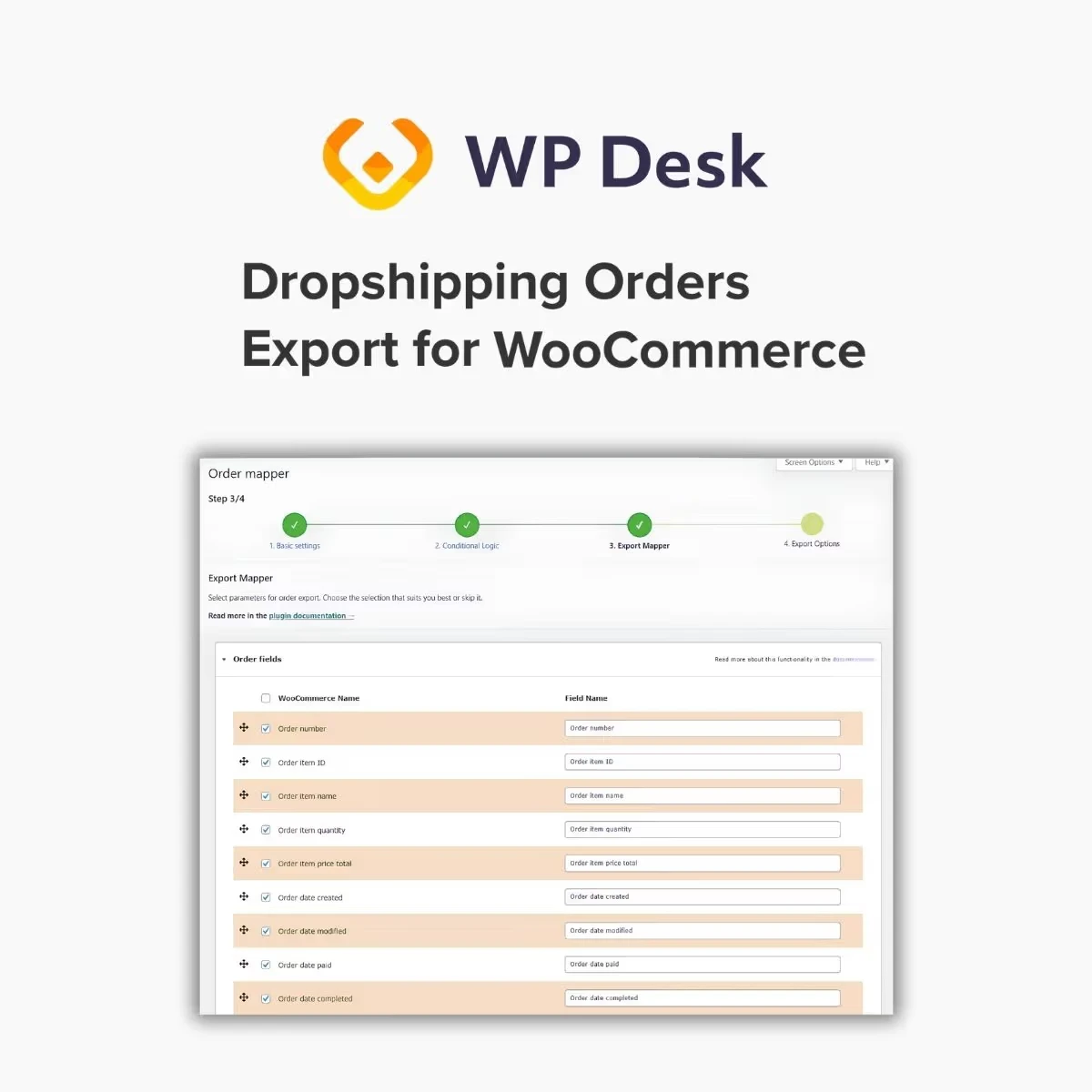
Visual Field Mapping: Use the available mapping interface to associate source data with destination fields.
Website Migration Support: Help transfer compatible content and records between WordPress installations.
Product Catalog Management: Simplify supported WooCommerce product data updates.
Reduced Manual Work: Minimize repetitive data entry and simplify recurring administrative tasks.
Managing website information across multiple WordPress installations can become complicated when large amounts of content need to be transferred. Manually recreating posts, pages, and other records increases the time required and may introduce data-entry errors.
WordPress Awesome Import & Export Plugin is designed to streamline supported import and export tasks through a structured workflow. Depending on the available features, you can prepare a data file, configure field mappings, and transfer records between compatible WordPress environments.
WooCommerce stores often need to update product information, reorganize catalogs, or transfer records between systems. The plugin's described WooCommerce support can help with importing and exporting supported products, categories, variations, and orders.
This can be useful for store migrations, inventory data maintenance, catalog updates, and other administrative workflows. Before importing or exporting order data, verify the available field support and ensure that customer information is handled securely.
Different data sources may provide information in different formats. Support for CSV, XML, and Excel files can provide flexibility when preparing records for transfer.
Before beginning an import, confirm that your file is compatible with the installed version and that its columns, data types, and formatting match the destination structure.
WordPress websites frequently use custom fields, taxonomies, and metadata to store information beyond standard content fields. Correct mapping helps ensure that supported information is transferred to the intended destination.
The available mapping options can help align source columns with the appropriate WordPress or WooCommerce fields. Test the mapping with a small sample to identify missing values, incorrect associations, or incompatible data.
Some websites regularly receive updated information from external sources or need to export data at recurring intervals. Where supported, scheduled imports and exports can help reduce the need to initiate these tasks manually.
This can be useful for recurring catalog updates and other repeatable data management processes. Review the scheduling options and confirm that your hosting environment supports the required execution method.
Moving compatible content between WordPress websites can involve multiple data types and custom fields. A structured import and export workflow can help organize the transfer process and reduce repetitive work.
Get Support
Please Sign In to contact our support.