🎃 Halloween Sale — Scary Good Deals, Up to 20% OFF! Don't be spooked by these prices — grab them before they disappear at midnight.
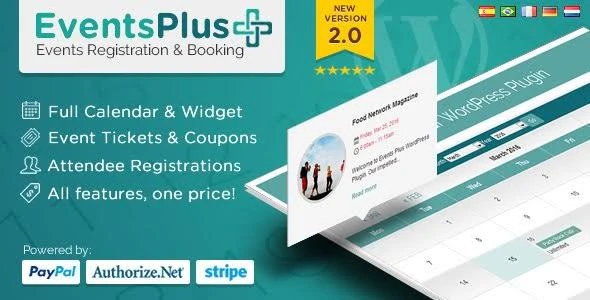
WP EventsPlus – Events Calendar Registration & Booking is a WordPress event management solution designed to help businesses, organizations, event planners, and community groups publish and organize events online. It focuses on event calendar displays, attendee registration, booking management, and event information presentation through a website-friendly interface. Whether you are organizing business meetings, workshops, educational sessions, community gatherings, or other scheduled activities, WP EventsPlus can help you structure event information and provide visitors with a convenient way to explore upcoming events and access available registration options.
WP EventsPlus – Events Calendar, Registration & Booking Plugin
WP EventsPlus – Events Calendar Registration & Booking is a WordPress event management solution designed to help businesses, organizations, event planners, and community groups publish and organize events online. It focuses on event calendar displays, attendee registration, booking management, and event information presentation through a website-friendly interface.
Whether you are organizing business meetings, workshops, educational sessions, community gatherings, or other scheduled activities, WP EventsPlus can help you structure event information and provide visitors with a convenient way to explore upcoming events and access available registration options.
WordPress Event Management: Create and organize event information directly through your WordPress website.
Events Calendar: Display scheduled activities in a calendar format for easier event discovery.
Event Registration: Provide registration options for visitors who want to participate in events.
Online Event Booking: Support online booking workflows using the available booking features.
Event Details Display: Present relevant event information, including descriptions, dates, times, and other configured details.
Booking Management: Organize submitted bookings through the available management interface.
Registration Management: Review and maintain attendee registration information using supported tools.
Upcoming Event Listings: Showcase future events so visitors can explore planned activities.
Event Schedule Organization: Arrange event dates and schedules in a structured format.
Responsive Event Layouts: Present event information in layouts designed to accommodate different screen sizes.
Manage event information through your WordPress website with tools designed to help organize scheduled activities. A centralized event management workflow can make it easier to create listings, update event details, and maintain an organized collection of published events.
This can be useful for organizations that regularly promote activities and need a consistent way to maintain their event information.
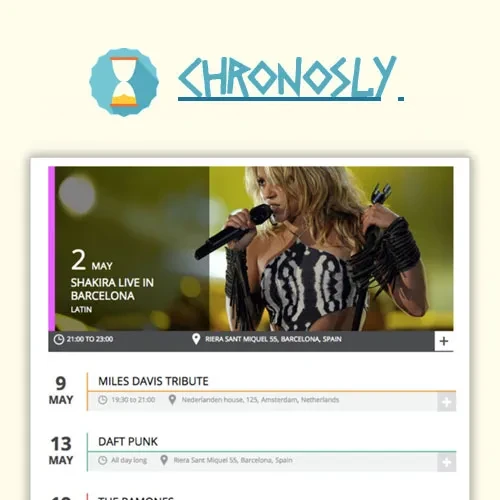
Display events using a calendar-based interface that helps visitors understand upcoming schedules. A dedicated calendar can make event dates easier to browse and help users identify activities that fit their interests or availability.
Configure the available calendar options according to your website layout and event presentation requirements.
Provide visitors with a way to register for events through your WordPress website, where registration features are supported. An online registration process can help organizers collect attendee information and keep participation records organized.
Before publishing an event, test the registration form and confirm that the required attendee details are collected correctly.
Offer an online booking process for events using the supported booking functionality. This can give visitors a convenient way to submit booking requests without relying entirely on manual communication.
Review the available booking settings to understand how reservations are submitted, processed, and managed in your installed version.
Present important information about each event in a clear and structured format. Event listings may include descriptions, dates, times, venues, and other relevant details supported by the plugin configuration.
Well-organized event information helps visitors understand what an event involves and decide whether they want to attend.
Keep track of submitted event bookings through the available management tools. Centralized booking information can help organizers review reservations and maintain a clearer overview of event participation.
The available booking actions and administrative controls depend on the installed version and configuration.
Organize attendee registration information to support event administration. Registration management tools can help event organizers review submissions and maintain records relevant to planned activities.
Check the available registration options to determine how attendee information can be accessed and managed.
Get Support
Please Sign In to contact our support.