🎃 Halloween Sale — Scary Good Deals, Up to 20% OFF! Don't be spooked by these prices — grab them before they disappear at midnight.
WPMU DEV Schedule Selected Content is a WordPress plugin designed to give website owners greater control over when selected content appears or becomes hidden on their websites. It helps automate content visibility so you can plan promotions, publish announcements, manage seasonal campaigns, and display time-sensitive information without constantly updating pages manually. Whether you operate a business website, an online store, a blog, or a client website, scheduled content visibility can help you manage website updates more efficiently. Depending on the plugin version and configuration, scheduling options may be available for posts, pages, widgets, and other supported content elements.
WPMU DEV Schedule Selected Content – WordPress Content Scheduling Plugin
WPMU DEV Schedule Selected Content is a WordPress plugin designed to give website owners greater control over when selected content appears or becomes hidden on their websites. It helps automate content visibility so you can plan promotions, publish announcements, manage seasonal campaigns, and display time-sensitive information without constantly updating pages manually.
Whether you operate a business website, an online store, a blog, or a client website, scheduled content visibility can help you manage website updates more efficiently. Depending on the plugin version and configuration, scheduling options may be available for posts, pages, widgets, and other supported content elements.
The GPL version is advertised through 5ivecode.com, with lifetime free updates and limited email support according to the seller's stated terms.
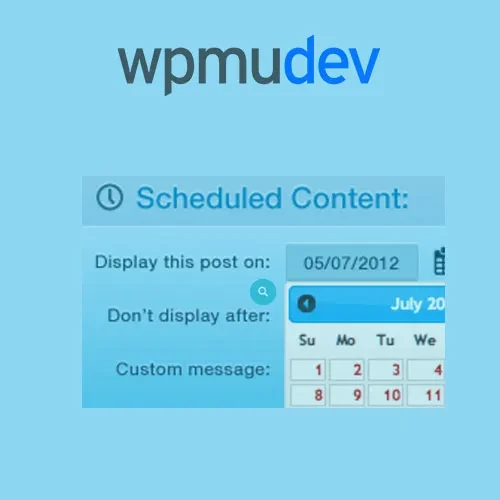
Schedule Selected Content – Configure visibility schedules for supported posts, pages, widgets, and other content types.
Automatic Content Visibility – Set content to appear or become hidden according to configured start and end times.
Promotion Scheduling – Plan limited-time offers, seasonal announcements, holiday campaigns, and special promotions.
Simple WordPress Workflow – Manage scheduling options through the available WordPress administration settings.
Flexible Time Controls – Configure one-time or recurring schedules where supported.
WordPress Multisite Compatibility – Use the plugin in compatible Multisite environments, subject to version requirements.
Reduced Manual Maintenance – Automate eligible visibility changes instead of repeatedly editing content by hand.
GPL Licensing – Use the software according to the terms of its applicable license.
Seller-Advertised Updates and Support – Access the update and email support arrangements described by the distributor.
WordPress includes built-in scheduling for posts, but websites may also need more control over when other types of content are displayed.
WPMU DEV Schedule Selected Content is designed to help manage content visibility according to a planned schedule. This can be useful when you want to prepare content in advance and control when visitors can see it.
Depending on the features supported by your installed version, scheduling may extend to pages, widgets, custom post types, or selected content sections.
Manually enabling and disabling content can become time-consuming when a website runs frequent campaigns or publishes time-sensitive announcements.
With supported scheduling controls, you can define when selected content should become visible and when it should no longer be displayed. This can help reduce the need for manual changes during busy periods.
For example, you could prepare a promotional message ahead of a sale and configure its visibility around the campaign dates, provided the relevant content type is supported.
Marketing campaigns often have specific start and end dates. Scheduling content visibility can help keep website messaging aligned with those dates.
Potential use cases include:
Holiday promotions and seasonal offers.
Limited-time product announcements.
Event registration notices.
Special discounts and campaign banners.
Temporary service announcements.
Scheduled informational messages.
Preparing these updates in advance can help maintain a consistent website experience while reducing routine administration.
Some websites publish content according to a repeating timetable. Examples include recurring announcements, weekly campaigns, or regularly updated information.
Where recurring scheduling is supported, you can configure visibility rules for repeated periods instead of recreating the same schedule every time.
Review the available scheduling settings in your plugin version to confirm which recurrence patterns and time controls are provided.
Managing content schedules through the WordPress dashboard can help website administrators keep their publishing workflow organized.
After installing and activating the plugin, review its available settings and assign the appropriate visibility rules to supported content. Menu names and configuration steps may differ between plugin versions.
Before using scheduling on a live website, test the selected content to confirm that it appears and disappears at the intended times.
Get Support
Please Sign In to contact our support.