🎃 Halloween Sale — Scary Good Deals, Up to 20% OFF! Don't be spooked by these prices — grab them before they disappear at midnight.
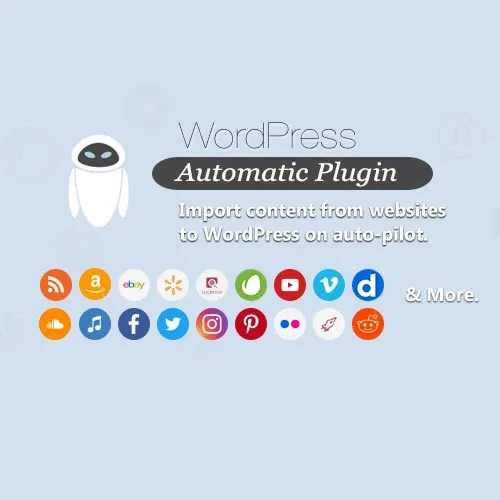
WordPress Automatic Plugin is an automated content publishing solution designed to help WordPress website owners simplify content management and reduce repetitive publishing tasks. It helps import content from multiple supported sources, organize posts, and publish or schedule content with minimal manual effort. Whether you manage a blog, niche website, content portal, or online publication, this plugin can help streamline your publishing workflow. By automating selected content-import tasks, it allows you to manage incoming content more efficiently while maintaining a consistent publishing schedule.
WordPress Automatic Plugin – Automated Content Import and Publishing Tool
WordPress Automatic Plugin is an automated content publishing solution designed to help WordPress website owners simplify content management and reduce repetitive publishing tasks. It helps import content from multiple supported sources, organize posts, and publish or schedule content with minimal manual effort.
Whether you manage a blog, niche website, content portal, or online publication, this plugin can help streamline your publishing workflow. By automating selected content-import tasks, it allows you to manage incoming content more efficiently while maintaining a consistent publishing schedule.
Automated Content Import: Import content from supported sources to reduce manual content collection.
Automatic Post Publishing: Configure content workflows to publish imported posts automatically.
RSS Feed Import: Use supported RSS feeds as sources for bringing content into your WordPress website.
Content Scheduling: Schedule posts to support a more consistent publishing routine.
Keyword-Based Content Filtering: Filter incoming content using relevant keywords to help manage which items are imported.
Automatic Image Import: Import available images associated with supported content sources.
Category and Tag Assignment: Organize imported posts using WordPress categories and tags.
Content Source Management: Manage the sources used in your content-import workflow.
Automatic Featured Images: Set available imported images as featured images when supported by the configured workflow.
Multiple Content Source Support: Work with multiple supported sources to manage content from different channels.
Reduce repetitive manual work by configuring supported sources for content importing. This feature can help website administrators collect and manage incoming content within WordPress more efficiently.
Streamline your publishing process by configuring automatic posting for supported content workflows. Depending on your settings, imported content can be prepared for publication without requiring every step to be completed manually.
Use supported RSS feeds to bring content updates from selected sources into your website. This can be useful for monitoring relevant topics and organizing incoming material for publication.
Maintain a structured publishing calendar by scheduling posts and assigning suitable categories and tags. Organized content can make it easier for visitors to browse your website and for administrators to manage posts.
Use keyword-based filtering to help control which content items enter your workflow. Selecting relevant terms can help you focus on topics that match your website's subject and audience.
Reduce some image-management tasks by importing available images and configuring featured-image handling where supported. Review imported images before publication to ensure they are relevant, correctly attributed, and suitable for your website.
Bring content from multiple supported sources into one WordPress workflow. This can help publishers manage different feeds and sources without handling every item separately.
WordPress Automatic Plugin may be useful for:
Bloggers managing topic-focused websites.
Publishers organizing content from multiple sources.
Website administrators who want to reduce repetitive publishing tasks.
Niche website owners tracking updates across selected subjects.
WordPress professionals managing content workflows for websites.
Before automatically importing or publishing third-party content, review the source website's terms, copyright requirements, licensing conditions, and applicable laws. Use content you own, have permission to republish, or are otherwise legally entitled to use. Automated importing does not automatically grant permission to reproduce another publisher's articles, images, or other materials.
Review imported posts before publication to check accuracy, formatting, attribution, image rights, and relevance to your audience.
Get Support
Please Sign In to contact our support.