Exclusive Coupon — Use Code SAVE10 for Instant Savings! Apply at checkout for your special discount. Limited uses — grab it while you can.
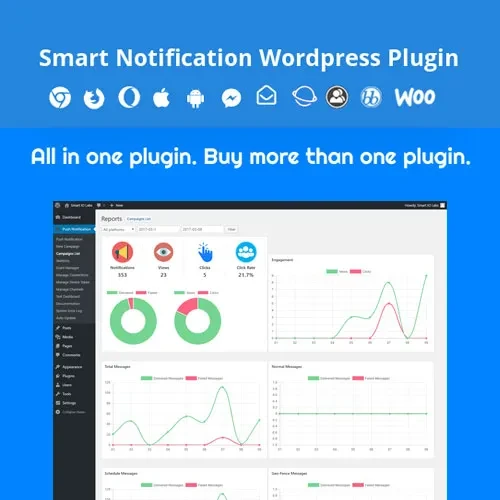
Smart Notification WordPress Plugin is a notification and engagement solution designed to help website owners communicate important information through customizable alerts, announcements, and promotional messages. It can help highlight updates, share offers, and draw visitors' attention to relevant information across a WordPress website. Whether you manage a business website, blog, online store, membership platform, or service-based website, a notification plugin can help present timely messages and improve communication with visitors.
Smart Notification WordPress Plugin – Website Alerts and Engagement
Smart Notification WordPress Plugin is a notification and engagement solution designed to help website owners communicate important information through customizable alerts, announcements, and promotional messages. It can help highlight updates, share offers, and draw visitors' attention to relevant information across a WordPress website.
Whether you manage a business website, blog, online store, membership platform, or service-based website, a notification plugin can help present timely messages and improve communication with visitors.
Smart Notifications: Display important messages and alerts using the notification options available in the plugin.
WordPress Integration: Manage notification content and settings through your WordPress website.
Custom Notification Messages: Create messages tailored to your announcements, updates, and marketing campaigns.
Announcement Bars: Highlight important notices using supported notification bar layouts.
Promotional Notifications: Promote offers, product launches, discounts, and other marketing messages.
Visitor Alerts: Display relevant alerts to keep visitors informed about important website information.
Targeted Notifications: Configure audience or content targeting where supported by the installed version.
Notification Scheduling: Schedule messages for specific periods if scheduling functionality is available.
Custom Display Rules: Control where notifications appear using the available display conditions.
Responsive Notifications: Configure notification layouts for desktop, tablet, and mobile visitors.
Notification Styling: Customize supported colors, text, spacing, and other appearance settings to match your website's design.
The exact notification types, scheduling options, targeting rules, and styling controls depend on the plugin version.
Smart Notification WordPress Plugin helps website administrators communicate updates and promotional information without requiring visitors to search through individual pages. By displaying notifications in visible areas of a website, administrators can bring attention to important announcements and calls to action.
For example, a business website can use notifications to announce service updates, while a WooCommerce store may use them to highlight a sale or shipping announcement. Blogs and membership websites can also use notification messages to communicate new content, maintenance notices, or other relevant updates.
Customization and display rules can help align messages with a website's layout and audience. Where scheduling is supported, administrators may also be able to plan notifications around promotions or upcoming events.
For a better user experience, keep notification messages concise, make important information easy to understand, and avoid displaying too many alerts at once. Test each notification on mobile and desktop devices to ensure that it does not obstruct navigation or essential page content.
Feature | Smart Notification Plugin | Basic Manual Alerts |
|---|---|---|
Custom notification messages | Available through supported settings | Usually edited manually |
Announcement bars | Depends on plugin features | May require custom development |
Promotional messages | Suitable for supported campaigns | Requires manual placement |
Targeted display | Depends on available rules | Requires custom setup |
Notification scheduling | Verify version support | May require additional tools |
Responsive styling | Depends on layout options | Requires manual testing and adjustments |
Obtain the Smart Notification WordPress Plugin ZIP file from your account at 5ivecode.com.
Log in to your WordPress administration dashboard.
Navigate to Plugins → Add New Plugin → Upload Plugin.
Select the plugin ZIP file and click Install Now.
Activate the plugin after installation.
Open the plugin's settings and create a notification message.
Customize the message content and appearance using the available options.
Configure display locations, targeting rules, or scheduling if supported.
Preview the notification on desktop and mobile devices.
Publish the notification and confirm that it appears as expected.
Menu names and setup steps may differ between plugin versions.
Get Support
Please Sign In to contact our support.