🎃 Halloween Sale — Scary Good Deals, Up to 20% OFF! Don't be spooked by these prices — grab them before they disappear at midnight.
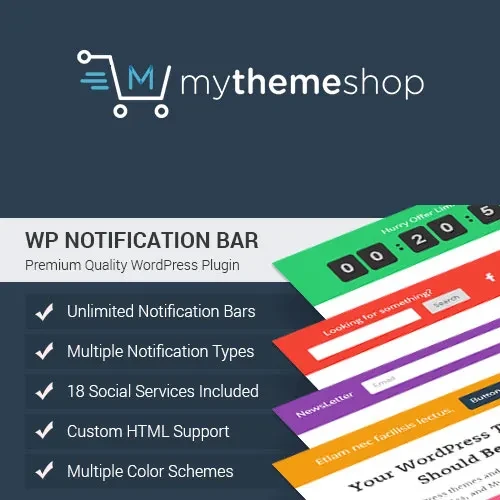
MyThemeShop WP Notification Bar Pro is a WordPress plugin designed to help website owners display notification bars for announcements, promotions, important updates, and calls to action. By placing key messages in a visible area of a website, notification bars can help businesses communicate with visitors and encourage them to explore featured content, offers, or services. Whether you manage a business website, blog, or WooCommerce store, a notification bar can provide a simple way to highlight important information without requiring visitors to navigate away from the current page.
MyThemeShop WP Notification Bar Pro – WordPress Notification Bar Plugin
MyThemeShop WP Notification Bar Pro is a WordPress plugin designed to help website owners display notification bars for announcements, promotions, important updates, and calls to action. By placing key messages in a visible area of a website, notification bars can help businesses communicate with visitors and encourage them to explore featured content, offers, or services.
Whether you manage a business website, blog, or WooCommerce store, a notification bar can provide a simple way to highlight important information without requiring visitors to navigate away from the current page.
Customizable Notification Bars – Create announcement bars with messages suited to your website's goals and audience.
Flexible Display Options – Configure the appearance and visibility of notification bars using the available settings.
Theme and Plugin Compatibility – Check compatibility with your current WordPress theme and installed plugins.
User-Friendly Interface – Manage notification bar settings through the available WordPress administration interface.
Updates and Improvements – Review the product's current update availability and version history.
Simple Installation – Install the plugin through the WordPress dashboard using a compatible ZIP package.
Customizable Bar Settings – Adjust supported text, colors, links, buttons, and other display elements.
Multilingual Support – Check translation and multilingual compatibility for websites serving international audiences.
Responsive Design – Configure notification bars for a better viewing experience across desktop, tablet, and mobile devices.
Device Preview Options – Test the appearance of notification bars at different screen sizes.
Custom CSS Styling – Use custom CSS where supported to fine-tune the bar's design.
Positioning Controls – Configure the notification bar's placement according to the available options.
Display Behavior Settings – Adjust supported visibility and interaction settings.
Display Rules – Configure where notification bars appear if page-level or conditional targeting is available.
Scheduling Options – Check whether your version supports scheduled display for time-sensitive announcements.
Access Controls – Review any available rules for controlling which visitors can see a notification.
Usage Reports and Analytics – Check whether tracking or reporting tools are included in the installed version.
Optimization Options – Test display settings and messaging to improve readability and visitor engagement.
Notification Bar Templates – Use available templates or layouts to create a consistent website appearance.
Note: Specific features depend on the plugin version. Verify the product documentation before relying on advanced scheduling, analytics, access controls, or automatic optimization.
MyThemeShop WP Notification Bar Pro is intended for website owners who want to make important messages more visible without disrupting the overall browsing experience. A notification bar can appear at the top or another supported position on a page and communicate information such as special offers, new product announcements, service updates, newsletter invitations, or links to important pages.
For an online store, a notification bar can highlight a seasonal promotion or shipping announcement. For a business website, it can direct visitors to a new service or contact page. Bloggers and content publishers can use it to promote featured articles, subscriptions, or other resources.
Depending on the plugin's available settings, users may be able to customize the bar's appearance, positioning, visibility, and behavior. Testing the design across devices helps ensure that the message remains readable and does not interfere with navigation or other important content.
Before installation, confirm the plugin's compatibility with your WordPress version, theme, and other active plugins.
Feature | WP Notification Bar Pro | Basic Notification Bar Plugins |
|---|---|---|
Notification bar creation | Depends on available tools | Usually provides basic creation |
Appearance customization | Check available settings | Varies by plugin |
Positioning controls | Verify supported options | Varies by plugin |
Conditional display rules | Check version support | May be limited |
Scheduling | Verify availability | Depends on the plugin |
Analytics and reports | Check included functionality | Varies by plugin |
Custom CSS | Verify customization options | Depends on the plugin |
Responsive display | Test with your theme | Depends on implementation |
Get Support
Please Sign In to contact our support.