🎃 Halloween Sale — Scary Good Deals, Up to 20% OFF! Don't be spooked by these prices — grab them before they disappear at midnight.
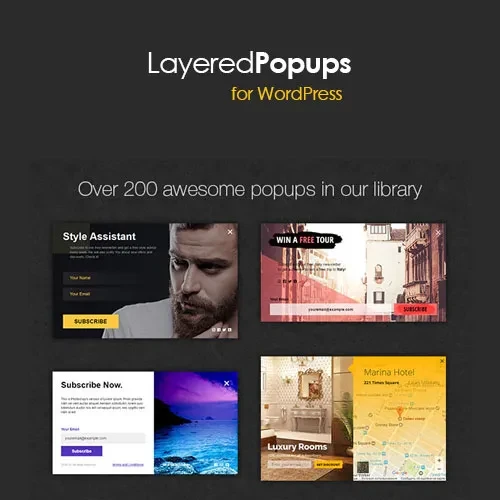
Layered Popups for WordPress is a popup creation solution designed to help website owners display promotional messages, newsletter subscription forms, special offers, and calls to action. Depending on the installed version, it may provide customizable popup layouts, visual design controls, animation options, and campaign display settings to help businesses engage visitors. Whether you manage a WooCommerce store, business website, blog, or marketing landing page, popup campaigns can help highlight important information and encourage visitors to take specific actions.
Layered Popups for WordPress – Advanced Popup Builder Plugin
Layered Popups for WordPress is a popup creation solution designed to help website owners display promotional messages, newsletter subscription forms, special offers, and calls to action. Depending on the installed version, it may provide customizable popup layouts, visual design controls, animation options, and campaign display settings to help businesses engage visitors.
Whether you manage a WooCommerce store, business website, blog, or marketing landing page, popup campaigns can help highlight important information and encourage visitors to take specific actions.
Layered Popup Designs – Create visually engaging popup layouts using supported design elements and animation effects.
Visual Popup Editor – Customize popup content and appearance through the available editing interface.
Targeting and Trigger Options – Configure supported display conditions, such as page visits, time delays, scrolling, or exit intent.
Email Marketing Integrations – Check compatibility with services such as Mailchimp, AWeber, ActiveCampaign, and GetResponse.
Lead Generation Campaigns – Promote newsletter subscriptions, special offers, and contact forms.
Responsive Popup Layouts – Configure and test popups across desktop, tablet, and mobile devices.
Appearance Customization – Adjust available colors, typography, backgrounds, and visual effects.
Popup Display Controls – Manage when and where popups appear using supported campaign settings.
WooCommerce Promotion Opportunities – Use supported popup features to highlight products, coupons, and special offers.
Licensing and Updates – Review the applicable license, update availability, and support terms before installation.
Note: Specific capabilities, including drag-and-drop editing, exit-intent triggers, integrations, and advanced targeting, should be verified against the exact plugin version.
Layered Popups for WordPress is intended for website owners who want to create attention-grabbing popup campaigns without building every element from scratch. Popups can be used to promote a new product, announce a limited-time offer, encourage newsletter signups, or direct visitors to important pages.
A well-designed popup can support lead generation by presenting a clear message and an appropriate call to action. For online stores, this might involve highlighting a product or discount. For bloggers, it could be a subscription invitation, while service businesses may use popups to promote consultations or encourage enquiries.
Depending on the available features, website owners may be able to customize popup layouts, control their appearance, and choose when they are displayed. Testing these campaigns carefully helps ensure that popups remain readable, work across devices, and do not unnecessarily interrupt the visitor experience.
For best results, use relevant messages, avoid displaying popups too frequently, and provide an easy way for visitors to dismiss them.
Feature | Layered Popups | Basic Popup Plugins |
|---|---|---|
Popup design | Check available design tools | Often offers basic layouts |
Layered visual effects | Verify version support | Varies by plugin |
Display triggers | Check supported conditions | May offer limited triggers |
Email integrations | Verify compatible services | Varies by plugin |
Responsive layouts | Test across devices | Depends on implementation |
Campaign customization | Depends on available settings | Varies by plugin |
WooCommerce compatibility | Verify your setup | Depends on the plugin |
Updates and licensing | Confirm current terms | Depends on the provider |
Get Support
Please Sign In to contact our support.