🎃 Halloween Sale — Scary Good Deals, Up to 20% OFF! Don't be spooked by these prices — grab them before they disappear at midnight.
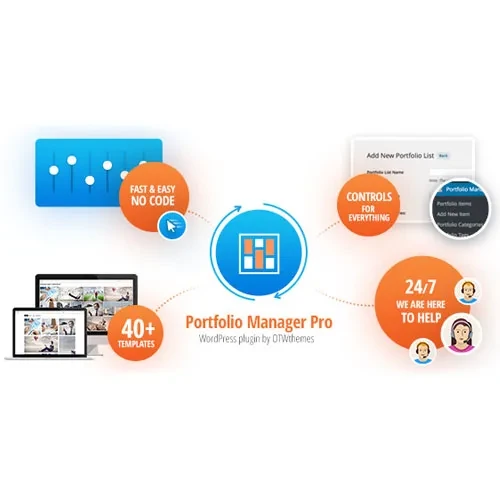
Portfolio Manager Pro is a WordPress portfolio and gallery plugin designed to help photographers, designers, freelancers, creative agencies, artists, and businesses present their work in an attractive, organized format. It enables you to build professional portfolio displays with customizable layouts, visual effects, and category-based navigation directly through your WordPress dashboard. Whether you want to showcase photography, design projects, client work, creative artwork, or business projects, Portfolio Manager Pro offers flexible presentation options to help create an engaging browsing experience without requiring extensive coding knowledge.
Portfolio Manager Pro – Responsive WordPress Portfolio and Gallery Plugin
Portfolio Manager Pro is a WordPress portfolio and gallery plugin designed to help photographers, designers, freelancers, creative agencies, artists, and businesses present their work in an attractive, organized format. It enables you to build professional portfolio displays with customizable layouts, visual effects, and category-based navigation directly through your WordPress dashboard.
Whether you want to showcase photography, design projects, client work, creative artwork, or business projects, Portfolio Manager Pro offers flexible presentation options to help create an engaging browsing experience without requiring extensive coding knowledge.
Responsive Portfolio Layouts: Display projects using grid, masonry, carousel, and other customizable layouts, depending on the available options.
Modern Design Templates: Enhance portfolio pages with pre-designed styles, hover effects, and animations where supported.
Mobile-Friendly Galleries: Create portfolio displays that adapt to desktop computers, tablets, and mobile devices.
Category Filters and Search: Help visitors navigate projects through category-based filtering and supported search functionality.
Performance-Focused Design: Use optimized gallery layouts and smooth visual transitions to create a better browsing experience.
User-Friendly Administration: Manage portfolio entries, categories, images, and other media through the WordPress dashboard.
Shortcode and Widget Integration: Embed portfolio galleries into supported pages, posts, and widget areas.
Update Availability: The supplied 5ivecode.com listing advertises lifetime free updates; confirm the applicable update terms before purchasing.
Portfolio Manager Pro helps you organize and present creative projects in a structured, visually appealing format. Choose suitable layouts to highlight individual projects, collections, and completed work while maintaining a consistent appearance across your website.
Adapt your portfolio presentation to match your website's design. Depending on the available settings, you can select from different gallery templates, adjust display options, and use hover effects or animations to make project previews more engaging.
Group portfolio items into relevant categories to make large collections easier to browse. Where supported, filtering and search options can help visitors locate specific projects without navigating through every item individually.
Responsive layouts help your portfolio content adjust to different screen sizes. This allows visitors to explore your work on desktop computers, tablets, and smartphones, providing a more consistent viewing experience.
Shortcode or widget support can make it easier to place portfolio displays within compatible WordPress content areas. This flexibility is useful for agency websites, personal portfolios, photography pages, creative business sites, and project showcases.
Create and maintain portfolio entries using the WordPress administration area. Depending on the plugin version and configuration, your workflow may include organizing categories, managing media, and adjusting portfolio presentation settings without editing code manually.
Get Support
Please Sign In to contact our support.