🎃 Halloween Sale — Scary Good Deals, Up to 20% OFF! Don't be spooked by these prices — grab them before they disappear at midnight.
Blog Manager for WordPress is a versatile WordPress plugin designed to help website owners create attractive, organized, and engaging blog post displays. With a selection of customizable layouts, post filtering tools, pagination options, and styling controls, it offers greater flexibility than a standard theme-based blog layout. Whether you manage a personal blog, online magazine, business website, creative portfolio, or WooCommerce store, this plugin helps you present articles in a structured and visually appealing format. Its shortcode functionality allows you to place blog sections in different areas of your website without requiring custom coding.
Blog Manager for WordPress (GPL) – Custom Blog Layouts, Filters & Pagination
Blog Manager for WordPress is a versatile WordPress plugin designed to help website owners create attractive, organized, and engaging blog post displays. With a selection of customizable layouts, post filtering tools, pagination options, and styling controls, it offers greater flexibility than a standard theme-based blog layout.
Whether you manage a personal blog, online magazine, business website, creative portfolio, or WooCommerce store, this plugin helps you present articles in a structured and visually appealing format. Its shortcode functionality allows you to place blog sections in different areas of your website without requiring custom coding.
According to the supplied listing, the plugin is offered under the GNU General Public License (GPL), with lifetime updates and limited email support through 5ivecode.com, subject to the seller's current terms.
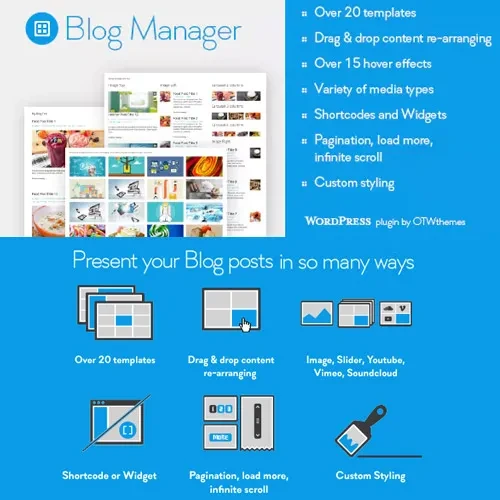
20+ Ready-Made Layouts: Choose from grid, masonry, slider, timeline, and other blog presentation styles.
Post Filtering and Sorting: Help visitors discover relevant articles using available filtering and sorting options.
AJAX Pagination: Support smoother content browsing with AJAX-based pagination and a load-more button, where supported.
Category and Tag Filters: Organize blog posts using categories, tags, and author-based filtering.
Custom Design Controls: Adjust colors, typography, spacing, and other available appearance settings.
Shortcode Integration: Insert blog displays into compatible pages and content areas.
Responsive Layouts: Present blog content across desktop computers, tablets, and mobile devices.
SEO-Friendly Structure: Organize post listings to support a clear content hierarchy and user-friendly navigation.
Multiple Layouts: Use different blog presentation styles on different pages, depending on the plugin's available settings.
GPL Licensing: Customize and use the software in accordance with the applicable GPL terms.
The plugin helps you move beyond the standard blog presentation supplied by your WordPress theme. Use its available layout options to create post grids, masonry displays, sliders, timelines, and other content arrangements that suit your website's design.
Different layouts can help highlight featured articles, organize recent posts, and make content easier for visitors to browse.
For websites containing a large number of articles, filtering options can make content discovery more convenient. The supplied feature list includes category, tag, and author filters, along with additional taxonomy filtering where supported by the installed version.
These tools can be particularly useful for online magazines, tutorial websites, company blogs, and content-rich portals.
Help visitors explore blog archives using the available AJAX pagination and load-more functionality. These options can provide an alternative to navigating through conventional paginated archive pages.
The exact pagination methods available may depend on the plugin version and configuration.
Use the plugin's available styling controls to adjust the appearance of your blog sections. Options listed in the supplied description include colors, typography, and spacing, allowing you to coordinate post displays with your website's overall visual identity.
This flexibility can be useful for businesses and publishers who want consistent branding across their website.
Shortcodes provide a practical way to insert blog layouts into supported WordPress content areas. Depending on your setup, you can use them on landing pages, service pages, portfolio pages, and other sections where displaying selected articles would be helpful.
Check the plugin documentation for the correct shortcode syntax and any compatibility requirements.
Blog Manager for WordPress may be useful for:
Personal blogs: Present articles in a clean, easy-to-browse format.
Online magazines: Organize a wide range of editorial content.
Business websites: Display company news, insights, and educational articles.
Creative portfolios: Combine visual layouts with project-related posts.
WooCommerce stores: Highlight product guides, announcements, and relevant blog content.
Tutorial websites: Help readers find articles by topic or category.
Get Support
Please Sign In to contact our support.