🎃 Halloween Sale — Scary Good Deals, Up to 20% OFF! Don't be spooked by these prices — grab them before they disappear at midnight.
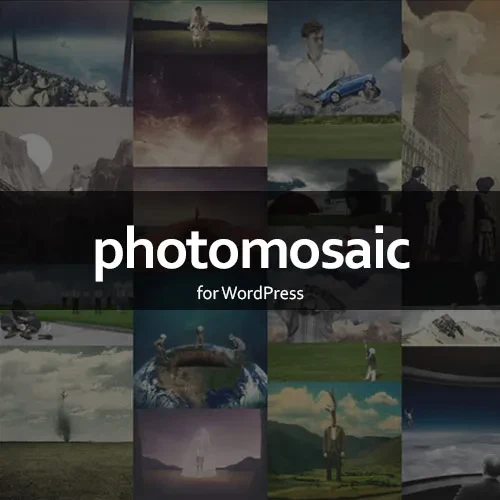
PhotoMosaic for WordPress is a gallery plugin designed to transform ordinary WordPress image galleries into attractive, Pinterest-style mosaic layouts. It automatically arranges images into visually appealing compositions while preserving their original aspect ratios, helping photographers, bloggers, designers, and website owners present visual content in a professional way. With responsive layouts, shortcode integration, and lightbox support, PhotoMosaic makes it easy to display image collections across posts, pages, and supported templates. Its flexible presentation helps you create engaging galleries without manually arranging every image.
PhotoMosaic for WordPress – Responsive Image Mosaic Gallery Plugin (GPL)
PhotoMosaic for WordPress is a gallery plugin designed to transform ordinary WordPress image galleries into attractive, Pinterest-style mosaic layouts. It automatically arranges images into visually appealing compositions while preserving their original aspect ratios, helping photographers, bloggers, designers, and website owners present visual content in a professional way.
With responsive layouts, shortcode integration, and lightbox support, PhotoMosaic makes it easy to display image collections across posts, pages, and supported templates. Its flexible presentation helps you create engaging galleries without manually arranging every image.
According to the supplied 5ivecode.com listing, the plugin is offered under the GPL license with lifetime free updates and limited email support.
Dynamic Mosaic Galleries: Arrange images into stylish mosaic grids for a modern gallery experience.
Responsive Layouts: Adapt image galleries to desktop computers, tablets, and mobile devices.
Shortcode Integration: Embed mosaics in supported WordPress posts and pages using shortcodes.
WordPress Gallery Support: Work with standard WordPress galleries and supported custom image sources.
Original Aspect Ratio Preservation: Display images naturally without forcing them into uniform cropped dimensions.
Lightbox Support: Allow visitors to view larger versions of images through supported lightbox functionality.
Flexible Display Options: Customize supported gallery layout, spacing, and presentation settings.
Performance-Conscious Design: Create image galleries with an emphasis on efficient presentation and usability.
GPL Licensing: The supplied listing describes GPL licensing and use across multiple websites.
Update and Support Options: The supplied seller listing advertises lifetime updates and limited email support.
PhotoMosaic helps transform conventional image collections into dynamic, mosaic-style galleries. Rather than displaying every image in an identical grid cell, the layout arranges images into a more varied composition, creating a visually interesting browsing experience.
This style is useful for photography portfolios, travel blogs, creative projects, product showcases, and websites that rely heavily on images.
Maintaining image proportions is important when presenting photographs, illustrations, and other visual content. PhotoMosaic is designed to preserve the original aspect ratios of images, reducing the need for unwanted cropping when arranging them into a mosaic.
This allows visitors to appreciate the intended composition of each image while enjoying a consistent gallery presentation.
A responsive gallery helps visitors explore images on different screen sizes. PhotoMosaic is designed to adapt mosaic layouts to desktop, tablet, and mobile viewing environments, making image-heavy pages more accessible to a wider audience.
The final appearance may depend on the selected settings, theme styles, and the plugin version.
Shortcodes provide a convenient way to place gallery content within supported WordPress areas. Instead of manually building a gallery layout, you can use the plugin's documented shortcode and available attributes to display a mosaic where needed.
For example, the supplied installation instructions reference:
[photomosaic]
Check the installed version's documentation for the supported shortcode attributes and configuration options before using advanced parameters.
Lightbox functionality allows visitors to open images in a larger viewing interface without immediately navigating away from the gallery page. This can be particularly useful for portfolios, artwork collections, and photography websites where image details matter.
Compatibility with third-party lightbox plugins may depend on the specific plugin versions and configuration.
PhotoMosaic can be useful for a variety of WordPress projects, including:
Photography and artist portfolios
Travel and lifestyle blogs
Creative agency websites
Image-based editorial websites
Personal project galleries
Product and design showcases
Websites featuring event photographs
Its primary purpose is to improve how visual content is arranged and presented.
Get Support
Please Sign In to contact our support.