🎃 Halloween Sale — Scary Good Deals, Up to 20% OFF! Don't be spooked by these prices — grab them before they disappear at midnight.
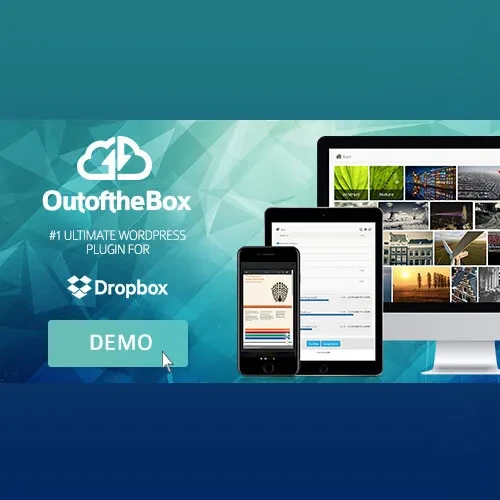
Out-of-the-Box is a WordPress plugin designed to connect Dropbox with your website, making it easier to display, organize, and share cloud-based files directly through your WordPress pages. It can help transform a Dropbox account into a convenient resource for document libraries, media collections, client portals, and file-sharing areas. With customizable file displays, document previews, search and sorting options, upload capabilities, and access management features, Out-of-the-Box provides a flexible way to present Dropbox content within a WordPress website. It can be useful for businesses, agencies, educational institutions, membership websites, and teams that rely on cloud storage to manage and distribute files.
Out-of-the-Box – Dropbox Integration Plugin for WordPress
Out-of-the-Box is a WordPress plugin designed to connect Dropbox with your website, making it easier to display, organize, and share cloud-based files directly through your WordPress pages. It can help transform a Dropbox account into a convenient resource for document libraries, media collections, client portals, and file-sharing areas.
With customizable file displays, document previews, search and sorting options, upload capabilities, and access management features, Out-of-the-Box provides a flexible way to present Dropbox content within a WordPress website. It can be useful for businesses, agencies, educational institutions, membership websites, and teams that rely on cloud storage to manage and distribute files.
Dropbox Integration: Connect a Dropbox account to WordPress using the plugin's supported authentication and API integration.
Customizable File Displays: Present supported files and folders using layouts such as lists, grids, galleries, and carousels.
Document and Media Previews: Preview supported documents, images, and media directly through the website.
Search and Sorting: Help visitors locate files and organize displayed content using available navigation options.
Direct File Uploads: Allow authorized users to upload files to Dropbox through supported WordPress interfaces.
User Access Management: Configure access to files and folders according to available permissions and user settings.
Private Folder Support: Create user-specific file access areas where supported by the plugin configuration.
Audio and Video Playback: Play or stream supported media files from Dropbox where compatible.
Shortcode Integration: Embed Dropbox file collections into compatible WordPress pages and posts.
Responsive File Presentation: Display file collections in layouts designed to accommodate different screen sizes.
Connect your Dropbox storage to your WordPress website through the plugin's supported authentication process. This integration allows you to present cloud-hosted files within your website rather than manually uploading every document to the WordPress media library.
It can be particularly useful for websites that maintain large document collections or frequently update files stored in Dropbox.
Choose from supported display layouts to organize files according to your website's needs.
List View: Present files and folders in a straightforward, structured format.
Grid View: Arrange items in a visual grid for convenient browsing.
Gallery View: Showcase supported images and other visual content.
Carousel View: Display content in a horizontally browsable presentation where supported.
These options help website owners create file libraries that suit their content and audience.
Allow visitors to preview supported files before downloading them. Depending on the file type and available integration, this may include documents, PDFs, images, and audio or video content.
Preview functionality can make it easier for users to identify the files they need without opening each item separately.
Make larger file collections easier to browse with available search and sorting tools. These features can help visitors locate documents, organize displayed items, and navigate file libraries more efficiently.
A clear file structure is particularly helpful for resource centers, educational websites, and businesses that distribute numerous documents.
Where enabled and supported, authorized users can upload files through the website interface, with files stored in the connected Dropbox account.
This can be useful for client portals, project submissions, membership websites, and collaboration workflows. Configure upload permissions carefully to prevent unauthorized submissions or access to restricted content.
Out-of-the-Box offers access-management capabilities for supported Dropbox content. Depending on the plugin version and configuration, you can organize private folders or limit access to selected users or roles.
This functionality can support client document areas, member resources, and team file-sharing workflows. Test permissions with different user accounts before making private content available publicly.
Display or play supported media stored in Dropbox where the plugin and file format allow it. This can help websites present audio resources, instructional videos, and other media without manually duplicating every file in the WordPress media library.
Playback compatibility and streaming behavior may depend on the file type, browser, Dropbox configuration, and plugin version.
Use the plugin's supported shortcodes or compatible content-building integrations to embed file collections into website pages and posts.
This flexibility makes it possible to create dedicated document libraries, downloadable resource pages, project file areas, and media collections within your existing WordPress design.
Present Dropbox content in layouts designed to work across desktop computers, tablets, and smartphones. Responsive behavior helps visitors browse files on different devices, although the final experience depends on the selected layout, theme, and plugin configuration.
Get Support
Please Sign In to contact our support.