🎃 Halloween Sale — Scary Good Deals, Up to 20% OFF! Don't be spooked by these prices — grab them before they disappear at midnight.
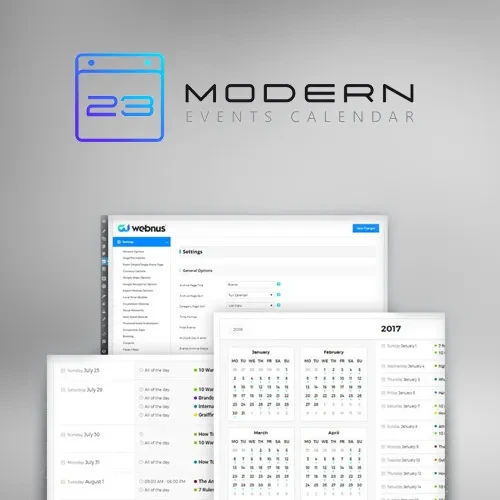
Modern Events Calendar is a WordPress event management solution designed to help businesses, organizations, event planners, and online communities create, publish, organize, and manage events through their websites. It offers event calendar displays, scheduling options, registration features, and booking-related tools to help visitors discover upcoming activities and access event information. Whether you are managing conferences, workshops, training sessions, community gatherings, business meetings, or other scheduled activities, Modern Events Calendar provides tools designed to organize event details and present them in a convenient format for website visitors.
Modern Events Calendar – WordPress Event Management and Booking Plugin
Modern Events Calendar is a WordPress event management solution designed to help businesses, organizations, event planners, and online communities create, publish, organize, and manage events through their websites. It offers event calendar displays, scheduling options, registration features, and booking-related tools to help visitors discover upcoming activities and access event information.
Whether you are managing conferences, workshops, training sessions, community gatherings, business meetings, or other scheduled activities, Modern Events Calendar provides tools designed to organize event details and present them in a convenient format for website visitors.
Event Management: Create, edit, publish, and organize event information through your WordPress website.
Advanced Event Calendar: Display scheduled activities using calendar layouts designed to make event discovery easier.
Recurring Events: Configure repeating events using supported recurrence settings.
Event Booking and Registration: Allow visitors to register for events or submit bookings through supported booking features.
Multiple Calendar Views: Present events using available calendar layouts to suit different website designs.
Event Categories and Filtering: Organize events into categories and help visitors find relevant activities using supported filtering options.
Online Payment Integration: Connect supported payment options for paid event registrations and bookings.
Google Calendar Integration: Use supported Google Calendar integration options to coordinate or share event information.
Event Notifications and Reminders: Configure available notifications to communicate event-related information to users.
Responsive and Mobile-Friendly Design: Display event calendars and information in layouts designed for desktop and mobile devices.
Manage event information from your WordPress dashboard with tools designed to help organize event details, dates, times, venues, and descriptions. Keeping event information in a central location can make it easier to maintain listings and update details when plans change.
Modern Events Calendar can be useful for organizations that publish multiple events and want a consistent way to present them to visitors.
Display upcoming activities in a structured calendar format so visitors can explore scheduled events more easily. Calendar displays can help users understand event dates and identify activities that fit their interests or schedules.
Available calendar layouts and customization options depend on the plugin edition and configuration.
For organizations that host regular meetings, weekly classes, recurring workshops, or repeated community activities, recurring-event functionality can simplify event creation.
Configure supported recurrence rules to represent repeating schedules without manually creating every occurrence individually. Review the available recurrence settings to ensure they meet your scheduling requirements.
Provide visitors with a convenient way to register for eligible events through your website. Booking and registration tools can help organizers collect attendee information and manage participation according to the available settings.
Before publishing an event, test the registration process and confirm any attendee limits, confirmation steps, or booking requirements relevant to your event.
Present event listings in different calendar formats where supported. Multiple display options can help website owners select a layout that matches their content and makes event information easier to browse.
Choose a suitable calendar presentation based on the number of events, the type of audience, and the overall design of your website.
Organize events into relevant categories to make larger event collections easier to navigate. Depending on the available features, visitors may be able to filter listings and locate events based on their interests or event types.
This can be especially useful for websites that publish different kinds of activities, such as educational programs, business conferences, entertainment events, and community gatherings.
For paid events, supported payment integrations can help you incorporate payment collection into the registration or booking process.
Available payment gateways and transaction workflows may vary by edition and configuration. Verify gateway compatibility, currency settings, and payment processing requirements before accepting payments from attendees.
Get Support
Please Sign In to contact our support.