🎃 Halloween Sale — Scary Good Deals, Up to 20% OFF! Don't be spooked by these prices — grab them before they disappear at midnight.
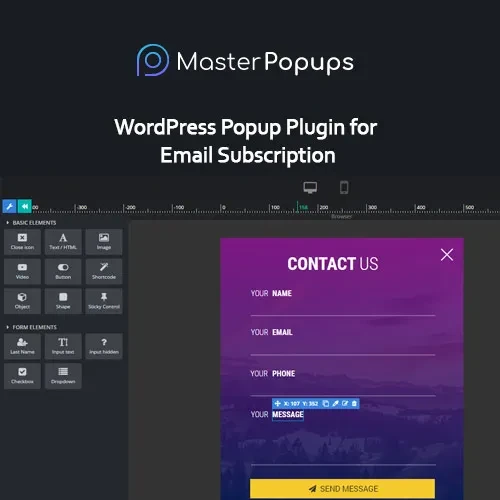
Master Popups is a WordPress popup plugin designed to help website owners create interactive popup campaigns for email subscriptions, lead generation, promotions, announcements, and visitor engagement. It provides tools to design popup messages and display them to visitors based on supported triggers and targeting conditions. Whether you operate a business website, online store, blog, or membership platform, popup campaigns can help draw attention to important offers and encourage visitors to take specific actions. With customizable designs, display options, and conversion tracking features, Master Popups can support a range of website marketing activities.
Master Popups – WordPress Popup Builder and Lead Generation Plugin
Master Popups is a WordPress popup plugin designed to help website owners create interactive popup campaigns for email subscriptions, lead generation, promotions, announcements, and visitor engagement. It provides tools to design popup messages and display them to visitors based on supported triggers and targeting conditions.
Whether you operate a business website, online store, blog, or membership platform, popup campaigns can help draw attention to important offers and encourage visitors to take specific actions. With customizable designs, display options, and conversion tracking features, Master Popups can support a range of website marketing activities.
Popup Builder – Create popup campaigns for different marketing and communication needs using the available editing tools.
Email Subscription Forms – Encourage visitors to subscribe to your newsletter and receive future updates.
Lead Generation – Build campaigns designed to collect visitor inquiries and potential customer information.
Exit-Intent Popups – Display supported popup campaigns when visitor behavior indicates an intention to leave the page.
Flexible Popup Triggers – Configure popup activation based on available triggers, such as time delays, clicks, or scrolling.
Display and Targeting Rules – Control where and under which conditions popups appear, depending on the plugin's targeting options.
Custom Popup Designs – Adjust popup layouts and visual elements to complement your website's branding.
Responsive Popup Layouts – Design popup experiences for desktop computers, tablets, and mobile devices.
Analytics and Conversion Tracking – Review available campaign statistics to evaluate visitor interaction and popup performance.
WordPress Integration – Manage popup campaigns through your WordPress website and administration dashboard.
Master Popups is designed to make popup campaign creation and management more accessible to WordPress website owners. Instead of developing popup functionality from scratch, users can work with the plugin's available design tools, triggers, and display settings to create campaigns for specific website goals.
Email subscription popups can help grow a newsletter audience, while lead-generation forms can encourage visitors to submit inquiries or request more information. Promotional popups may also be useful for highlighting discounts, product announcements, special events, and important website updates.
Display rules and targeting options can help website owners control when and where campaigns appear. Responsive design is also important for presenting popup content across different screen sizes. Where analytics and conversion tracking are supported, campaign data can help identify which messages perform well and where improvements may be needed.
For the best results, keep popup messages relevant, make dismissal controls easy to find, and avoid displaying intrusive campaigns too frequently.
Email List Growth – Invite visitors to subscribe to newsletters and updates.
Lead Collection – Gather inquiries from potential customers.
Promotional Campaigns – Highlight discounts, special offers, and product launches.
Announcements – Share important notices about services, events, or website updates.
Exit-Intent Campaigns – Present a relevant message when supported exit-intent conditions are detected.
Conversion Optimization – Compare available campaign statistics and refine popup content or display settings.
Install and activate Master Popups using the plugin package and instructions for your version.
Open the plugin's menu in your WordPress dashboard.
Create a new popup and select a suitable layout or design.
Add your content, subscription form, promotional message, or lead-generation fields.
Configure available triggers, such as time delays, scrolling, or exit intent.
Set display conditions to determine which pages or visitors should see the popup.
Customize the appearance and check the layout on desktop and mobile devices.
Configure any supported integrations and conversion tracking options.
Test the popup, confirm that forms work correctly, and publish the campaign.
Available triggers, integrations, and configuration steps depend on the plugin version.
Get Support
Please Sign In to contact our support.