🎃 Halloween Sale — Scary Good Deals, Up to 20% OFF! Don't be spooked by these prices — grab them before they disappear at midnight.
Ultimate Social is a WordPress social media plugin designed to help website owners add social sharing buttons, follow buttons, and social fan counters to their websites. It provides visitors with convenient ways to share content while helping businesses and publishers highlight their social media presence. Whether you manage a blog, news website, online store, portfolio, or business website, social sharing tools can make your content easier to distribute and encourage visitors to connect with your social profiles.
Ultimate Social – Easy Social Share Buttons and Fan Counters for WordPress
Ultimate Social is a WordPress social media plugin designed to help website owners add social sharing buttons, follow buttons, and social fan counters to their websites. It provides visitors with convenient ways to share content while helping businesses and publishers highlight their social media presence.
Whether you manage a blog, news website, online store, portfolio, or business website, social sharing tools can make your content easier to distribute and encourage visitors to connect with your social profiles.
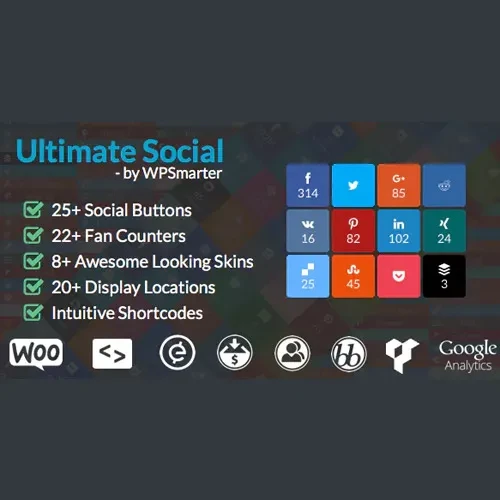
Social Sharing Buttons: Add sharing options for multiple social media platforms, depending on the installed version.
Social Follow Buttons: Give visitors convenient links to follow your social media accounts.
Social Fan Counters: Display follower or subscriber counts where supported by the relevant platform and plugin integration.
Multiple Display Layouts: Choose from available inline buttons, floating bars, popups, or other supported layouts.
Customizable Appearance: Adjust available colors, icons, button shapes, and placement settings to complement your website.
Responsive Design: Configure social sharing elements for desktop, tablet, and mobile visitors.
Content Sharing Options: Help readers share articles, pages, products, and other website content.
Audience Engagement: Make it easier for visitors to distribute your content and discover your social profiles.
GPL Licensing: GPL terms generally permit use and modification of covered software subject to the applicable license conditions.
Social sharing buttons give visitors a convenient way to distribute interesting content through their preferred social platforms. Ultimate Social is designed to place these options in accessible areas of a WordPress website.
You can use sharing features on blog articles, news posts, product pages, and other content where social distribution may help attract additional visitors.
Social follow buttons help connect your website audience with your social media accounts. Visitors who want more updates from your brand can use these links to find and follow your profiles.
This can support a broader audience-building strategy alongside your website content, newsletters, and other marketing activities.
Social counters can provide visitors with a snapshot of your online following. Depending on the plugin version and supported platform integrations, you may be able to display follower or subscriber counts alongside social buttons.
Counter availability and update frequency can depend on platform APIs, account permissions, caching, and the plugin's implementation. Confirm the supported networks before relying on a specific counter.
Different websites have different design requirements. Depending on the available settings, Ultimate Social may let you display buttons within content, in floating positions, or through popup-style layouts.
Choose a layout that makes sharing easy without covering important text, interfering with navigation, or disrupting the mobile browsing experience.
Consistent styling helps social media elements fit naturally into your website design. Available customization options may include colors, icons, button shapes, and display positions.
A clear and unobtrusive design can encourage interaction while preserving a comfortable reading experience.
Visitors may access your website from desktops, tablets, and smartphones. Responsive social sharing elements help make sharing and following options accessible across different screen sizes.
Always test the selected layout on mobile devices to ensure that floating buttons and popups do not obscure content.
Feature | Ultimate Social | Basic Social Plugins |
|---|---|---|
Social sharing | Multiple networks, depending on version | Varies by plugin |
Social follow buttons | Available where supported | Varies by plugin |
Fan counters | Depends on platform integrations | May require additional tools |
Display layouts | Multiple options, depending on version | Often varies |
Appearance customization | Depends on available settings | Varies |
Responsive layouts | Check implementation and settings | Depends on plugin |
Performance | Depends on configuration and integrations | Depends on implementation |
Get Support
Please Sign In to contact our support.