🎃 Halloween Sale — Scary Good Deals, Up to 20% OFF! Don't be spooked by these prices — grab them before they disappear at midnight.
Elegant Themes Bloom Email Opt-Ins is a WordPress plugin designed to help website owners grow their email subscriber lists through customizable opt-in forms and targeted subscription prompts. It enables bloggers, marketers, online store owners, and membership website administrators to encourage visitors to subscribe to their email newsletters and marketing campaigns. Bloom offers different opt-in display styles, email marketing integrations, and configuration options to help you present subscription forms throughout your website. Depending on the available features and configuration, you can use display triggers, form design settings, and performance statistics to refine your email list-building strategy.
Elegant Themes Bloom Email Opt-Ins – WordPress Email List Building Plugin (GPL)
Elegant Themes Bloom Email Opt-Ins is a WordPress plugin designed to help website owners grow their email subscriber lists through customizable opt-in forms and targeted subscription prompts. It enables bloggers, marketers, online store owners, and membership website administrators to encourage visitors to subscribe to their email newsletters and marketing campaigns.
Bloom offers different opt-in display styles, email marketing integrations, and configuration options to help you present subscription forms throughout your website. Depending on the available features and configuration, you can use display triggers, form design settings, and performance statistics to refine your email list-building strategy.
Whether you manage a blog, business website, WooCommerce store, or content platform, Bloom can help you create a more organized approach to capturing email subscribers.
Customizable Email Opt-In Forms: Design subscription forms to complement your website's appearance.
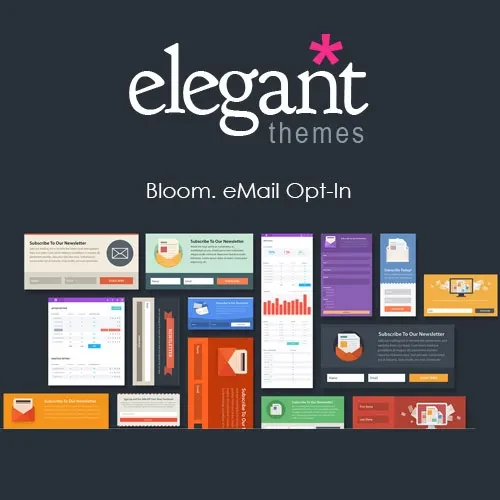
Multiple Display Options: Choose from supported layouts such as popups, fly-ins, inline forms, widget areas, and below-content forms.
Email Marketing Integrations: Connect compatible email marketing services to manage subscribers.
Targeted Form Display: Configure supported triggers and display conditions to show opt-ins in relevant situations.
Conversion Statistics: Review available performance data to understand how your forms are performing.
A/B Testing: Test alternative form designs or configurations where supported to compare results.
Pre-Designed Templates: Start with available layouts and customize supported design elements.
Responsive Layouts: Create subscription forms intended for visitors using desktop and mobile devices.
Website Placement Controls: Configure where supported forms appear across your website.
GPL Licensing: Use and modify the software in accordance with the applicable GNU General Public License terms.
Bloom helps website owners present email subscription opportunities without relying exclusively on basic newsletter widgets. You can use its available design settings to create forms that match your website's branding and communicate the value of joining your mailing list.
Depending on the selected display type, subscription forms can appear within content, in a popup, as a fly-in, or in other supported locations. A clear headline, concise message, and relevant signup incentive can help visitors understand why subscribing may be useful.
Different websites have different content layouts and visitor journeys. Bloom provides multiple form placement options to help you select an approach suited to your website.
Common display styles include:
Popup Forms: Present a subscription form in an overlay when configured display conditions are met.
Fly-In Forms: Display a smaller subscription panel that appears within the page.
Inline Forms: Embed an opt-in form within suitable content areas.
Below-Content Forms: Invite readers to subscribe after they finish an article.
Widget-Based Forms: Place subscription forms in compatible widget areas.
The available options and exact placement controls depend on the installed version and website configuration.
Bloom is designed to integrate with supported email marketing platforms, allowing subscription details to be transferred to a connected mailing list or account.
This can help you organize subscribers and continue communicating through your preferred email marketing workflow. Integration availability may vary, so confirm that your current email service is supported before installation.
After connecting a provider, test the subscription process to ensure that form submissions reach the intended mailing list and that any required consent settings are configured appropriately.
Showing an opt-in form at a suitable point in the visitor journey can make the subscription experience more relevant. Bloom includes display and trigger options, with exact capabilities depending on the installed version.
You can review available settings for presenting forms according to supported timing, page placement, or visitor interactions. Configure these options carefully so that forms complement the reading experience rather than unnecessarily interrupting visitors.
Get Support
Please Sign In to contact our support.