🎃 Halloween Sale — Scary Good Deals, Up to 20% OFF! Don't be spooked by these prices — grab them before they disappear at midnight.
HashBar Pro is a WordPress notification bar plugin designed to help website owners display announcements, promote special offers, highlight important updates, and encourage visitors to take action. With customizable notification bars and supported marketing features, it can help businesses communicate important messages without making major changes to their website layout. Whether you manage an online store, business website, blog, or agency project, HashBar Pro can be useful for displaying promotional messages, directing visitors to specific pages, and highlighting time-sensitive campaigns.
HashBar Pro – WordPress Notification Bar Plugin
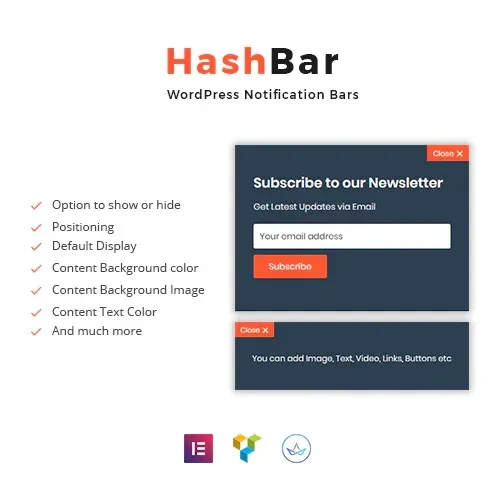
HashBar Pro is a WordPress notification bar plugin designed to help website owners display announcements, promote special offers, highlight important updates, and encourage visitors to take action. With customizable notification bars and supported marketing features, it can help businesses communicate important messages without making major changes to their website layout.
Whether you manage an online store, business website, blog, or agency project, HashBar Pro can be useful for displaying promotional messages, directing visitors to specific pages, and highlighting time-sensitive campaigns.
Explore HashBar Pro at 5ivecode.com to review the available features, compatibility information, and licensing terms.
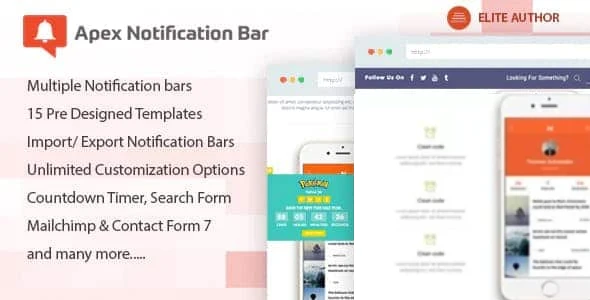
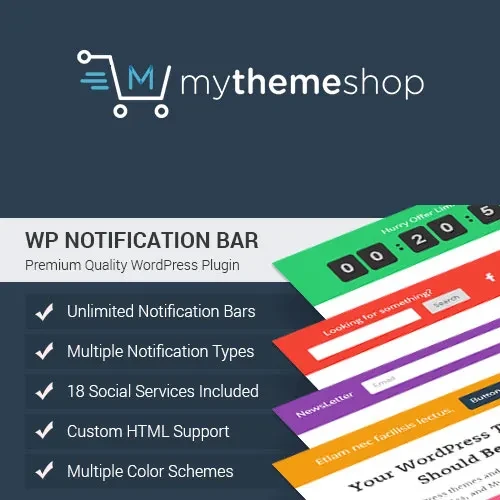
Multiple Notification Bars: Create and manage different notification bars for supported campaigns and website sections.
Email Subscription Forms: Collect visitor subscriptions using available form features and compatible integrations.
Targeting Options: Configure where notifications appear using the targeting rules supported by your version.
WooCommerce Compatibility: Promote product announcements, discounts, and special offers on compatible WooCommerce websites.
Customizable Appearance: Adjust supported design settings to complement your website's branding.
Flexible Bar Positioning: Review available options for displaying notification bars in suitable page positions.
Call-to-Action Buttons: Direct visitors to product pages, promotional offers, signup forms, and other important destinations.
Social Media Links: Add supported social links to encourage visitors to explore your social channels.
Responsive Layout: Test notification bars across desktop, tablet, and mobile screen sizes.
Marketing Campaign Support: Use website announcements to communicate updates and encourage visitor engagement.
HashBar Pro – WordPress Notification Bar helps website owners display important messages in a visible location on their pages. You can use notification bars to announce new products, promote discounts, share business updates, or direct visitors toward a specific action.
A well-designed notification bar can communicate information without requiring visitors to navigate away from the page they are viewing.
For online store owners, notification bars can provide a convenient way to highlight seasonal promotions, coupon codes, product launches, and shipping announcements.
Depending on the plugin version and your WooCommerce configuration, you may be able to tailor notifications to relevant store pages. Test all promotional links and display rules before publishing a campaign.
Growing an email subscriber list can help businesses maintain contact with interested visitors. Where supported, HashBar Pro's form features and compatible integrations can help you present signup opportunities through notification bars.
Make sure subscription forms clearly explain what visitors are signing up for and follow applicable privacy and consent requirements.
Your notification bars should complement your website's design rather than distract from its content. Review the available settings for colors, text, buttons, spacing, and positioning to create a consistent appearance.
Use concise messages and clear calls to action to help visitors understand the purpose of each notification.
Displaying the right message on the right page can make promotional notifications more useful. Explore the targeting options available in your version to determine whether you can control where individual bars appear.
Available targeting conditions may vary by version, WordPress setup, and installed integrations.
Feature | HashBar Pro | Basic Notification Bar Plugins |
|---|---|---|
Multiple Bars | Depends on available version features | Varies by plugin |
Email Subscription Forms | Verify supported form features | May require another plugin |
Page Targeting | Depends on available rules | May offer basic targeting |
WooCommerce Support | Verify compatibility | Varies by plugin |
Custom Styling | Depends on configuration options | Varies by plugin |
Call-to-Action Buttons | Check available button options | Often available |
Responsive Display | Test with your theme | Depends on implementation |
Get Support
Please Sign In to contact our support.