🎃 Halloween Sale — Scary Good Deals, Up to 20% OFF! Don't be spooked by these prices — grab them before they disappear at midnight.
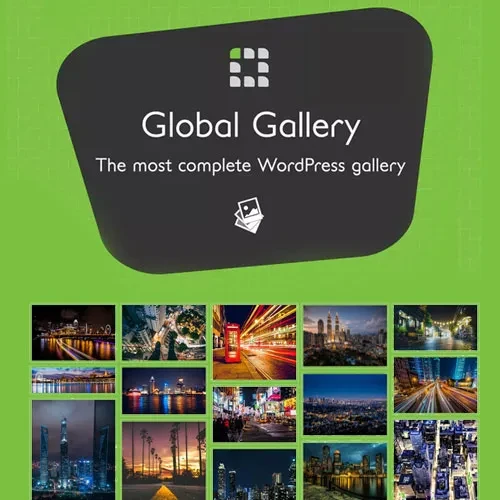
Global Gallery is a WordPress gallery plugin designed to help website owners create attractive, responsive, and customizable image galleries. With multiple gallery layouts, advanced lightbox features, image filtering, and sorting options, it provides a flexible way to present visual content across different types of websites. Whether you are a photographer, designer, blogger, creative agency, or business owner, Global Gallery can help you organize images into professional-looking displays. Its range of gallery presentation options makes it suitable for portfolios, product showcases, travel photography, editorial content, and other image-focused projects.
Global Gallery – Responsive WordPress Image Gallery Plugin
Global Gallery is a WordPress gallery plugin designed to help website owners create attractive, responsive, and customizable image galleries. With multiple gallery layouts, advanced lightbox features, image filtering, and sorting options, it provides a flexible way to present visual content across different types of websites.
Whether you are a photographer, designer, blogger, creative agency, or business owner, Global Gallery can help you organize images into professional-looking displays. Its range of gallery presentation options makes it suitable for portfolios, product showcases, travel photography, editorial content, and other image-focused projects.
Unlimited Image Galleries: Create multiple galleries for different pages, projects, and content categories.
Multiple Gallery Layouts: Choose from supported styles such as grid, masonry, and photowall layouts.
Responsive Design: Display image galleries across desktops, tablets, and mobile devices.
Advanced Lightbox Viewer: Present larger images with supported zoom, slideshow, and fullscreen features.
Image Filtering: Help visitors find relevant images through available category or tag filters.
Image Sorting: Organize gallery content using supported sorting options.
Social Sharing: Make it easier for visitors to share images through supported social sharing functionality.
Watermark Support: Apply available watermark options to help identify and protect your visual content.
Image Source Options: Use WordPress Media Library images and other supported image sources.
AJAX Pagination: Improve gallery navigation with supported asynchronous content-loading options.
Shortcode Integration: Embed galleries in supported WordPress content areas.
Update Availability: The supplied seller listing advertises lifetime free updates.
Global Gallery helps you build organized image collections for different sections of your website. You can create galleries for portfolio projects, blog articles, business presentations, events, or product imagery.
Using separate galleries for different topics can make your website easier to navigate while giving each collection its own visual presentation.
Different projects benefit from different image arrangements. The supplied product description highlights several gallery styles:
Grid Layout: Arrange images in a structured gallery for a clean, consistent appearance.
Masonry Layout: Display images in a staggered arrangement that accommodates different image dimensions.
Photowall Layout: Present collections in a more varied, visually dynamic composition.
The available layouts and customization options may depend on the installed plugin version.
A responsive gallery helps visitors browse images on different screen sizes. Global Gallery is described as supporting adaptive layouts for desktop computers, tablets, and smartphones.
This makes it a potential option for image-rich websites where visitors need a consistent browsing experience across devices.
A lightbox provides an enlarged view of an image without requiring visitors to leave the gallery page. According to the supplied feature list, Global Gallery supports lightbox functionality that may include:
Larger image previews
Zoom controls
Slideshow viewing
Fullscreen presentation
These features can be especially useful for photography portfolios, artwork collections, and visual project galleries. Confirm the exact controls available in your version.
Large image collections can become difficult to browse without useful navigation tools. Global Gallery is described as supporting image filtering by categories or tags, along with sorting options.
These features can help visitors narrow down a gallery to relevant images, making the browsing experience more convenient for websites with many photographs or projects.
The supplied description indicates that Global Gallery can work with WordPress Media Library images and additional supported sources.
This flexibility may help website owners bring visual content together in one gallery system. Check the plugin documentation to confirm which external services and image sources are supported by your installed version.
For galleries containing many images, pagination can help divide content into manageable sections. The supplied product information lists AJAX pagination, which can allow supported gallery content to load without a full-page refresh.
Actual loading behavior depends on the gallery configuration, theme, and plugin version.
Social sharing features can make it easier for visitors to distribute images through supported networks. The supplied listing also describes watermark functionality, which can help identify photographs or communicate ownership.
Watermarks may discourage unauthorized reuse, but they do not prevent every form of image copying. Consider combining watermarking with appropriate image permissions and copyright notices.
Get Support
Please Sign In to contact our support.