🎃 Halloween Sale — Scary Good Deals, Up to 20% OFF! Don't be spooked by these prices — grab them before they disappear at midnight.
Gallery Showcase Pro for WordPress is a gallery solution designed to help website owners create attractive, responsive image and video galleries. It provides flexible presentation options for showcasing photography, portfolios, product collections, creative projects, and other visual content in an engaging format. Whether you manage a photography portfolio, creative agency website, blog, business website, or WooCommerce store, Gallery Showcase Pro offers a range of gallery layouts and customization options to help present visual content professionally. Features such as lightbox viewing, zoom effects, hover animations, and responsive layouts can help create a more interactive browsing experience.
Gallery Showcase Pro for WordPress – Responsive Image & Video Gallery Plugin
Gallery Showcase Pro for WordPress is a gallery solution designed to help website owners create attractive, responsive image and video galleries. It provides flexible presentation options for showcasing photography, portfolios, product collections, creative projects, and other visual content in an engaging format.
Whether you manage a photography portfolio, creative agency website, blog, business website, or WooCommerce store, Gallery Showcase Pro offers a range of gallery layouts and customization options to help present visual content professionally. Features such as lightbox viewing, zoom effects, hover animations, and responsive layouts can help create a more interactive browsing experience.
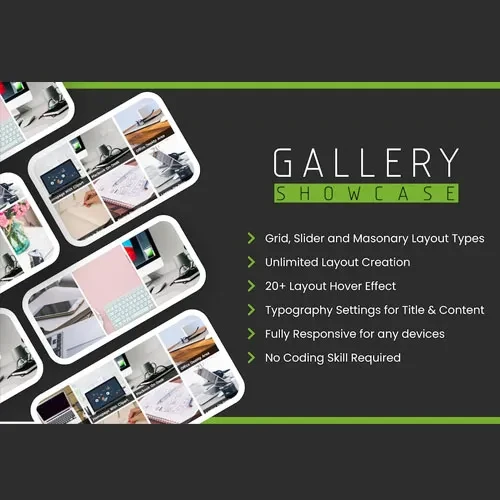
Multiple Gallery Layouts: Create visual galleries using supported Grid, Masonry, Carousel, and Slideshow layouts.
Responsive & Mobile-Friendly Design: Present galleries across desktop computers, tablets, and mobile devices.
Image & Video Support: Showcase photography, images, and supported video content in organized galleries.
Lightbox & Zoom Effects: Allow visitors to view supported media in an enlarged overlay with available zoom controls.
Customizable Styling: Adjust supported colors, typography, layouts, and hover effects to complement your website design.
Drag-and-Drop Builder: Simplify gallery creation and organization through the available visual editing interface.
WooCommerce Compatibility: Display product-related visual content in compatible WooCommerce configurations.
SEO & Performance Features: Use available performance options, including lazy loading where supported, to help optimize gallery presentation.
Choose from different gallery presentation styles to suit your website's content and design.
Grid Layout: Display images or videos in a structured arrangement.
Masonry Layout: Present visual content in a staggered layout that accommodates different image proportions.
Carousel Layout: Allow visitors to browse through media items in a horizontal presentation.
Slideshow Layout: Display visual content in a sequential viewing format.
These layout options can help you build galleries that suit portfolios, product showcases, editorial websites, and creative projects.
Create galleries designed to adapt to different screen sizes. Responsive presentation helps visitors browse visual content on desktop computers, tablets, and smartphones.
For the best results, preview your galleries on multiple devices and check image sizing, spacing, navigation, and loading behavior.
Present photographs, illustrations, promotional visuals, and supported videos in one organized gallery experience. This functionality can be useful for photographers, designers, agencies, content creators, and businesses that rely on visual storytelling.
Provide visitors with an enlarged view of supported gallery items using lightbox functionality. Where available, zoom controls help users inspect image details without leaving the current page.
These features are particularly useful for photography collections, artwork, product images, and other detailed visual content.
Adapt the appearance of your galleries to match your website's branding. Depending on the available settings, customization may include colors, typography, gallery spacing, hover effects, and layout presentation.
Consistent styling can help galleries blend naturally with your existing WordPress theme.
Use the available visual editing tools to organize gallery content and configure its presentation. A drag-and-drop workflow can simplify common gallery-building tasks and reduce the need for manual layout adjustments.
The exact editing controls depend on the installed plugin version.
For compatible WooCommerce setups, use gallery functionality to present product-related images and visual collections. Well-organized product imagery can help customers examine products and understand their appearance.
Verify the available integration features with your installed version and WooCommerce configuration before deployment.
A well-structured gallery can contribute to a better browsing experience. Where supported, lazy loading can defer loading certain images until they are needed, helping manage page-loading resources.
For stronger image SEO, use descriptive image filenames, meaningful alternative text, appropriately sized images, and relevant captions. Actual performance depends on image sizes, hosting, caching, theme configuration, and other active plugins.
Get Support
Please Sign In to contact our support.