🎃 Halloween Sale — Scary Good Deals, Up to 20% OFF! Don't be spooked by these prices — grab them before they disappear at midnight.
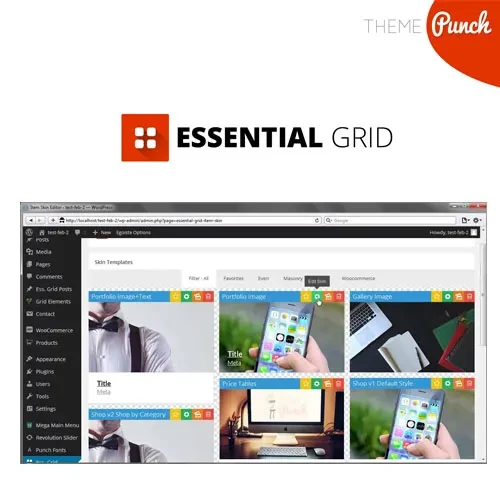
Essential Grid WordPress Plugin is a versatile content display solution that helps website owners and developers create visually appealing, responsive grids and galleries for a wide range of WordPress content. It can be used to showcase blog posts, pages, portfolios, WooCommerce products, images, videos, and other supported content in organized and customizable layouts. With its visual grid builder, customizable skins, filtering options, lightbox integration, and flexible display settings, Essential Grid makes it easier to create engaging content sections that complement your website's design. Whether you are building a business website, creative portfolio, online store, photography gallery, or blog, this plugin offers flexible options for presenting content in an attractive format.
Essential Grid WordPress Plugin – Responsive Grid, Gallery & Portfolio Builder
Essential Grid WordPress Plugin is a versatile content display solution that helps website owners and developers create visually appealing, responsive grids and galleries for a wide range of WordPress content. It can be used to showcase blog posts, pages, portfolios, WooCommerce products, images, videos, and other supported content in organized and customizable layouts.
With its visual grid builder, customizable skins, filtering options, lightbox integration, and flexible display settings, Essential Grid makes it easier to create engaging content sections that complement your website's design. Whether you are building a business website, creative portfolio, online store, photography gallery, or blog, this plugin offers flexible options for presenting content in an attractive format.
Responsive Grid Layouts: Display content in adaptable grid layouts for different screen sizes and devices.
Visual Grid Builder: Configure grid layouts and presentation settings through a visual editing interface.
Customizable Grid Skins: Personalize the appearance of grid items to match your website's branding and design.
Post & Page Grids: Showcase WordPress posts and pages in organized, visually appealing layouts.
Portfolio Galleries: Present creative projects, client work, and portfolio items in structured galleries.
WooCommerce Product Grids: Display online store products in customizable grid layouts.
Media Gallery Support: Create image and media galleries to present visual content effectively.
Lightbox Integration: Open supported images and media in an enlarged viewing experience where configured.
Filtering & Sorting Options: Help visitors browse and organize displayed content using available filtering and sorting features.
Pagination & Load More: Manage larger collections with supported pagination or load-more functionality.
Drag-and-Drop Customization: Simplify layout configuration with available visual editing and positioning controls.
Shortcode Support: Embed configured grids into compatible WordPress pages, posts, and other supported content areas.
Create structured content displays that adapt to different screen sizes. Responsive layouts help present posts, products, portfolios, and media in an organized format across desktop computers, tablets, and mobile devices.
Use the visual grid-building interface to configure how content is displayed. Depending on the selected layout and available settings, you can adjust item presentation, spacing, grid structure, and other design elements without manually creating every layout from scratch.
Customize the visual appearance of grid items using available skins and styling options. These settings can help you create consistent content displays that fit your website's colors, typography, and overall design.
Display blog articles, news updates, tutorials, and other WordPress content in attractive grid layouts. This approach can make content collections easier to browse and help visitors discover relevant pages.
Showcase design projects, photography, artwork, client work, and other creative content in a visually organized gallery. Portfolio grids are useful for freelancers, agencies, designers, photographers, and creative businesses.
Present WooCommerce products in customized grid layouts for supported store configurations. Product grids can help organize product collections and provide visitors with a convenient way to explore items in an online shop.
Arrange supported images and media into galleries that highlight visual content. Where configured and supported, lightbox integration allows visitors to view selected media in an enlarged overlay without navigating away from the current page.
Make large content collections easier to explore with available filtering and sorting options. Pagination and load-more functionality can also help manage lengthy grids while keeping the page layout organized.
Configure supported grid settings through the plugin's visual interface and use shortcodes to insert created grids into compatible WordPress content areas. This provides flexibility when placing galleries and content sections throughout your website.
Get Support
Please Sign In to contact our support.