🎃 Halloween Sale — Scary Good Deals, Up to 20% OFF! Don't be spooked by these prices — grab them before they disappear at midnight.
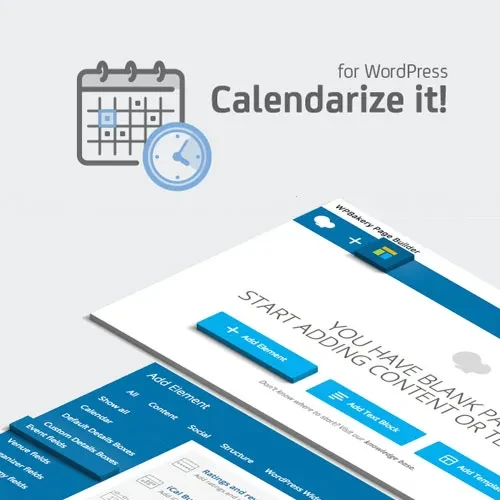
Calendarize it! for WordPress is an event calendar and management plugin designed to help website owners create, organize, and publish events through attractive, customizable calendar layouts. It provides tools for presenting event dates, schedules, venues, organizers, and related information in a structured format that visitors can easily browse. Whether you manage a business website, university, community organization, church, conference platform, arts venue, or event directory, Calendarize it! can help you organize event information and display upcoming activities on your WordPress website.
Calendarize it! for WordPress – Event Calendar and Management Plugin (GPL)
Calendarize it! for WordPress is an event calendar and management plugin designed to help website owners create, organize, and publish events through attractive, customizable calendar layouts. It provides tools for presenting event dates, schedules, venues, organizers, and related information in a structured format that visitors can easily browse.
Whether you manage a business website, university, community organization, church, conference platform, arts venue, or event directory, Calendarize it! can help you organize event information and display upcoming activities on your WordPress website.
With multiple calendar presentation options, recurring event settings, venue information, organizer details, widgets, and embedding features, the plugin offers a flexible approach to managing event-related content. Additional ticketing and registration workflows may be possible through compatible ecommerce or booking integrations.
Visual Event Management – Create and organize event information through the available WordPress event editing interface.
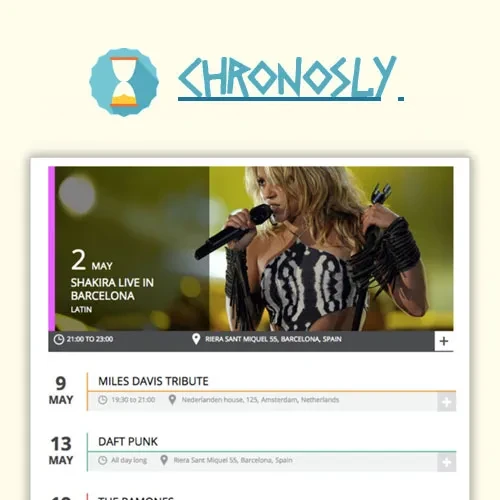
Multiple Calendar Views – Present events using supported monthly, weekly, daily, agenda, list, or masonry-style layouts.
Recurring Event Scheduling – Configure repeat schedules and exceptions using the recurrence options available in your installed version.
Venue Management – Organize event locations and display relevant venue information.
Organizer Profiles – Present organizer details and contact information where supported.
Custom Event Fields – Include additional event information, such as pricing, speaker details, or capacity, using available customization options.
Shortcode and Block Embedding – Place calendar displays and event lists on suitable WordPress pages using supported embedding methods.
Upcoming Events Widgets – Highlight future events and provide visitors with convenient access to scheduled activities.
Event Categories and Tags – Organize events into relevant groups to improve browsing and content management.
Map Integration – Display venue locations using supported map functionality and configuration.
Developer Customization – Extend the event display through supported hooks, filters, template overrides, or styling options.
Ticketing and Registration Integrations – Connect compatible ecommerce or booking solutions when additional ticket sales or registration features are required.
Responsive Event Displays – Present event information in layouts intended to work across different screen sizes.
Calendarize it! helps website administrators create and manage event information from the WordPress dashboard. Depending on the available configuration, event records can include titles, descriptions, dates, times, images, venues, organizers, and other relevant details.
Keeping event information organized within WordPress can make it easier to maintain a consistent presentation across the website.
Different websites need different ways to present events. Calendarize it! offers a range of calendar and event-list layouts, with exact options depending on the installed version.
Potential display formats include:
Monthly calendar views for browsing an entire month.
Weekly views for reviewing activities across several days.
Daily views for focusing on a particular date.
Agenda or list displays for reading upcoming event details.
Masonry-style layouts where supported by the selected configuration.
These options can help website owners choose a presentation that fits their content and audience.
Websites that publish repeated activities often need more than a simple one-time event entry. Recurrence settings can help organize regularly scheduled events, such as weekly classes, monthly meetings, workshops, and community gatherings.
Where supported, recurrence rules and date exceptions can be used to account for skipped dates or schedule changes. Review the plugin's recurrence settings to confirm the available patterns and exception-handling behavior.
Event information often involves both a location and the people responsible for organizing the activity. Calendarize it! is designed to support venue and organizer details so visitors can find relevant information alongside the event schedule.
Depending on the available features, venue or organizer information may include contact details, location information, maps, or dedicated archive pages.
Different events require different information. A conference might need speaker biographies and session details, while a workshop may require pricing, capacity, or registration information.
Available custom fields and related configuration options can help tailor event records to your website's requirements. The specific field types and display options depend on the installed plugin version and any compatible extensions.
When a website publishes many events, categories and tags can help keep information organized. For example, events might be grouped into workshops, conferences, community activities, training sessions, or entertainment programs.
Using relevant categories and tags can make it easier to maintain event content and help visitors locate activities that match their interests.
Calendar displays need to be available in the right places on your website. Calendarize it! provides embedding options, which may include shortcodes, blocks, and widgets depending on the version and setup.
You can use supported methods to place calendars, event lists, and upcoming-event displays on relevant pages, posts, or widget areas.
Get Support
Please Sign In to contact our support.