Exclusive Coupon — Use Code SAVE10 for Instant Savings! Apply at checkout for your special discount. Limited uses — grab it while you can.
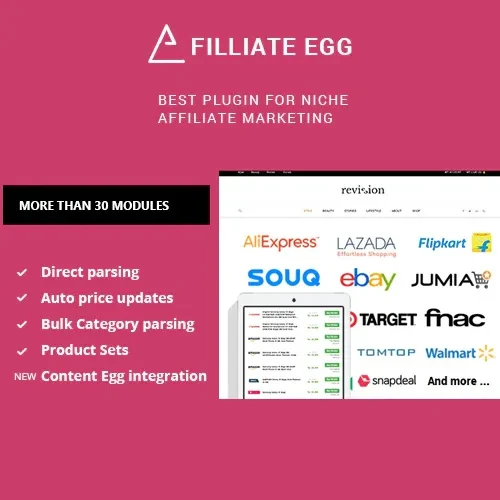
Affiliate Egg is a WordPress affiliate marketing plugin designed to help publishers build product-focused websites and manage affiliate offers more efficiently. It can help import product information from supported online stores, organize product listings, and display affiliate links that direct visitors to merchant websites. Whether you operate a product review blog, comparison website, deal portal, or niche affiliate marketing site, Affiliate Egg can help streamline product presentation and support your affiliate marketing workflow.
Affiliate Egg – WordPress Affiliate Marketing Plugin
Affiliate Egg is a WordPress affiliate marketing plugin designed to help publishers build product-focused websites and manage affiliate offers more efficiently. It can help import product information from supported online stores, organize product listings, and display affiliate links that direct visitors to merchant websites.
Whether you operate a product review blog, comparison website, deal portal, or niche affiliate marketing site, Affiliate Egg can help streamline product presentation and support your affiliate marketing workflow.
Affiliate Product Import: Import product information from supported stores to simplify the process of creating affiliate product pages.
Product Comparison Tables: Present selected products side by side to help visitors compare available options.
Affiliate Link Management: Organize affiliate links and direct visitors to relevant merchant product pages.
Product Data Synchronization: Refresh imported product information when supported integrations and synchronization features are available.
Price and Availability Updates: Display updated pricing and stock information when supported by the relevant store integration and data source.
Product Search and Filtering: Help visitors find relevant products through available search and filtering options.
Deals and Offers Display: Showcase selected products, special offers, and promotional deals on your website.
Multiple Affiliate Store Support: Work with supported merchant platforms and affiliate stores according to the plugin's available integrations.
Responsive Product Layouts: Present product information in layouts designed to adapt to different screen sizes.
WordPress Integration: Manage affiliate product content within your WordPress website.
Available stores, import methods, synchronization options, and display features depend on the plugin version and supported integrations.
Affiliate Egg helps WordPress publishers create and maintain product-focused affiliate content. Instead of manually preparing every product listing, users can take advantage of supported import features to bring product information into their websites.
The plugin can be useful for product review websites, buying guides, comparison pages, and niche shopping blogs. Publishers can organize imported products, display affiliate links, and create structured layouts that make it easier for visitors to explore different offers.
Where supported, product data synchronization can help keep listings current. However, price and availability information should be verified against the merchant's data source, and publishers should avoid displaying outdated or unverified information.
For better results, combine useful product descriptions, original reviews, clear comparisons, and relevant affiliate disclosures. The plugin can support product presentation, but content quality and compliance with affiliate program requirements remain the publisher's responsibility.
Feature | Affiliate Egg | Manual Management |
|---|---|---|
Product information import | Available for supported stores | Requires manual entry |
Affiliate link organization | Supported workflow | Often managed separately |
Product comparison | Available through supported layouts | Requires manual setup |
Product data synchronization | Depends on integration | Requires manual updates |
Deals and offer presentation | Supported display options | Requires manual formatting |
Multiple store integrations | Depends on supported merchants | Can be managed independently |
Obtain the Affiliate Egg plugin ZIP file from your account at 5ivecode.com.
Log in to your WordPress dashboard.
Navigate to Plugins → Add New Plugin → Upload Plugin.
Select the plugin ZIP file and click Install Now.
Activate the plugin after installation.
Open the plugin's settings and configure the available options.
Set up the supported affiliate store integrations or import sources.
Import product information and review the imported details.
Add affiliate product listings, comparison layouts, or offer displays to relevant pages.
Test your product links and check how the listings appear on desktop and mobile devices.
Installation and configuration steps may vary by version and the merchant integrations you use.
Get Support
Please Sign In to contact our support.