Exclusive Coupon — Use Code SAVE10 for Instant Savings! Apply at checkout for your special discount. Limited uses — grab it while you can.
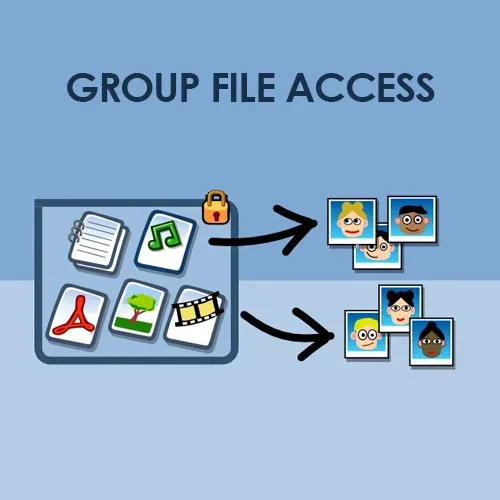
Groups File Access is a WordPress plugin designed to help website owners manage access to downloadable files according to user group permissions. It can be useful for membership websites, online learning platforms, digital product stores, private communities, and other WordPress sites that need to restrict access to digital resources. When used with the Groups plugin, it can help administrators organize file access and provide protected resources to eligible users.
Groups File Access (GPL) – Secure WordPress File Downloads
Groups File Access is a WordPress plugin designed to help website owners manage access to downloadable files according to user group permissions. It can be useful for membership websites, online learning platforms, digital product stores, private communities, and other WordPress sites that need to restrict access to digital resources.
When used with the Groups plugin, it can help administrators organize file access and provide protected resources to eligible users.
Group-Based File Protection: Restrict access to downloadable files according to configured user group permissions.
Controlled File Downloads: Manage how authorized users access protected files.
Flexible Access Permissions: Organize file access around group membership and supported permission settings.
Digital Resource Management: Manage downloadable resources such as documents, PDFs, and other supported file types.
Membership Website Support: Provide group-specific resources for members, students, subscribers, or registered users.
WordPress Integration: Extend file-access management within a WordPress website using the compatible Groups plugin.
Shortcode Support: Use available shortcodes to display file links or access elements where supported.
GPL Licensing: The GNU General Public License allows redistribution and modification under its applicable terms.
Note: Specific features, supported file types, download logging, WooCommerce integration, and update availability depend on the plugin version and distribution package.
Groups File Access helps WordPress administrators organize and restrict access to digital files based on group membership. It is intended for websites that need to provide different downloadable resources to different categories of users.
For example, an eLearning website could provide course materials to enrolled students, while a membership website could make selected documents available only to particular member groups. Digital publishers and businesses can also use group-based permissions to organize access to private resources.
The plugin works alongside the Groups plugin, so administrators should confirm that the required plugin and compatible versions are installed before configuring file access.
Feature | Groups File Access | Other File Protection Plugins |
|---|---|---|
Group-based access | Designed for group permissions | Depends on the plugin |
Membership resource access | Suitable for group-based resources | Depends on available integrations |
File management | Depends on supported features | Varies by plugin |
WooCommerce integration | Verify version compatibility | May require an extension |
Download activity reports | Verify availability | Varies by plugin |
Licensing and updates | Depends on the distribution terms | Depends on the vendor |
Obtain the Groups File Access plugin ZIP file from your account at 5ivecode.com.
Sign in to your WordPress dashboard.
Navigate to Plugins → Add New Plugin → Upload Plugin.
Select the plugin ZIP file and click Install Now.
Click Activate Plugin after installation.
Install and activate the required Groups plugin if it is not already installed.
Open the plugin's available settings and configure file access permissions according to your website's requirements.
Test protected downloads using an authorized account and an account without permission.
Menu names and configuration steps may differ between plugin versions.
Get Support
Please Sign In to contact our support.