What is WooCommerce Pincode/ Zipcode Checker?
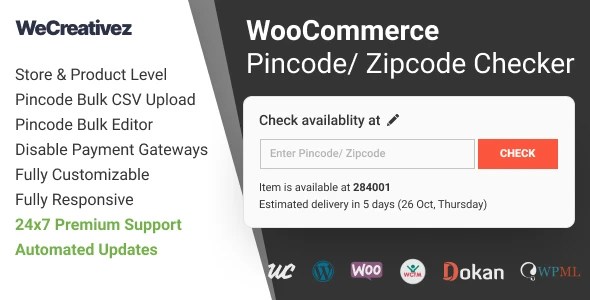
WooCommerce Pincode / Zipcode Checker is a plugin that adds location-based delivery validation to WooCommerce stores selling physical products. It allows customers to enter their pincode, postal code, or zipcode before completing an order to determine whether their location is included in the store's configured delivery area.
Who is it for?
This plugin is ideal for store owners who do not ship to every location or who use different delivery and COD rules depending on the customer's postal area. It helps businesses manage serviceable areas, control COD availability, and provide clear delivery information to customers before they complete an order.
Key Features
Pincode & Zipcode Validation: Allow shoppers to check whether delivery is available in their area before ordering.
Delivery Availability Information: Display available shipping options and estimated delivery information where configured.
COD Availability Check: Let customers know whether Cash on Delivery is available for their entered location.
Product & Category Restrictions: Configure serviceable locations for selected products or product categories where supported.
Bulk CSV Import: Upload large lists of serviceable pincodes or zipcodes instead of entering them individually.
Custom Availability Messages: Create personalized messages for supported, unavailable, or restricted locations.
Multiple WooCommerce Locations: Add the checker to supported product, cart, and checkout areas.
Responsive Design: Designed for storefronts accessed from desktop, tablet, and mobile devices.
GPL Licensed: Includes lifetime package updates and limited email support from 5ivecode.com.
How It Works
A typical customer workflow looks like this: Enter Pincode/Zipcode → Validate Location → Check Delivery Rules → Display Availability → Continue Shopping or Checkout. Depending on the configuration, customers can receive information such as delivery available, delivery unavailable, estimated delivery time, COD available, COD unavailable, or custom store-specific messages. The exact information displayed depends on the configured serviceable locations, products, shipping rules, and plugin settings.
Key Benefits
Check Delivery Before Checkout: Give shoppers an opportunity to verify whether their location can be served before they spend time completing an order.
Manage Serviceable Areas: Store owners can maintain lists of locations where delivery is available and use them as part of the validation process.
Bulk Pincode Import: For stores with large delivery networks, CSV import can simplify the process of adding many pincodes or zipcodes.
Control COD Availability: Some businesses offer Cash on Delivery only in selected locations. The checker can be configured to communicate COD availability according to the configured location rules.
Product-Specific Delivery Rules: Where supported, delivery restrictions can be associated with individual products or categories. This can be useful when certain products have different delivery coverage because of product size, weight, supplier location, shipping partner, regional restrictions, product category, or delivery infrastructure.
Installation Guide
Upload the plugin files to the /wp-content/plugins/ directory, or install the plugin through the WordPress plugins screen directly.
Activate the plugin through the 'Plugins' screen in WordPress.
Configure the plugin settings as needed, such as adding serviceable pincodes/zipcodes and setting up delivery and COD rules.
Next Steps
To enhance your WooCommerce store further, consider these related products:
WooCommerce Wallet – Adds a digital wallet and store-credit system, allowing customers to add funds and use them for purchases, which can complement your delivery options.
WOO Product Grid/List Design – Helps you present products in a clean, modern, and responsive catalog layout, improving the shopping experience alongside delivery validation.
WooCommerce Default Quantity – Gives you control over the starting quantity shown for products, which can be useful for managing orders and inventory.
For a live demonstration, visit the Live demo.