Exclusive Coupon — Use Code SAVE10 for Instant Savings! Apply at checkout for your special discount. Limited uses — grab it while you can.
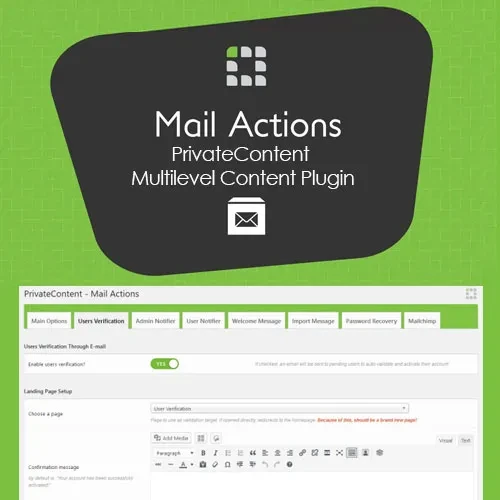
PrivateContent – Multilevel Content Plugin is a WordPress solution designed to help website owners protect selected content and create member-only areas. It provides tools for managing user access, organizing membership levels, and restricting content according to configured permissions. Whether you're building a membership website, a private client portal, an online learning platform, or a business website with restricted resources, PrivateContent can help you organize access to different sections of your site without requiring extensive custom development. Get PrivateContent from 5ivecode.com and review the product listing for licensing details, compatibility, update availability, and support terms.
PrivateContent – Multilevel Content Restriction Plugin for WordPress
PrivateContent – Multilevel Content Plugin is a WordPress solution designed to help website owners protect selected content and create member-only areas. It provides tools for managing user access, organizing membership levels, and restricting content according to configured permissions.
Whether you're building a membership website, a private client portal, an online learning platform, or a business website with restricted resources, PrivateContent can help you organize access to different sections of your site without requiring extensive custom development.
Get PrivateContent from 5ivecode.com and review the product listing for licensing details, compatibility, update availability, and support terms.
🔒 Content Access Restrictions: Protect supported pages, posts, and content sections from unauthorized access.
👥 Multiple Membership Levels: Organize users into access levels according to the features supported by your installed version.
📝 Shortcode-Based Protection: Use supported shortcodes to control access to selected content areas.
🔑 Frontend Registration and Login: Provide user registration and login functionality through available frontend tools.
👤 Private User Areas: Create restricted user experiences for members and other eligible visitors.
🧩 Page Builder Compatibility: Integrate content protection into supported WordPress layouts and page-building workflows.
🛡️ Privacy and Data Management: Configure available privacy-related features and follow appropriate data protection practices.
⚙️ Flexible Access Configuration: Adapt content restrictions to your website's membership structure and requirements.
PrivateContent is designed to help website owners decide who can view selected content. By configuring access restrictions, you can separate public information from resources intended for registered users or specific membership groups.
This approach can be useful for premium articles, private documents, client resources, educational materials, and internal business information. The available restriction options depend on the installed plugin version and your website configuration.
A website may serve different types of users, each requiring access to different resources. PrivateContent provides membership-oriented access management features that can help organize users according to their permissions.
For example, a website could separate registered visitors, standard members, and premium members into different access groups. Configure and test the available membership levels to ensure users can access only the content intended for them.
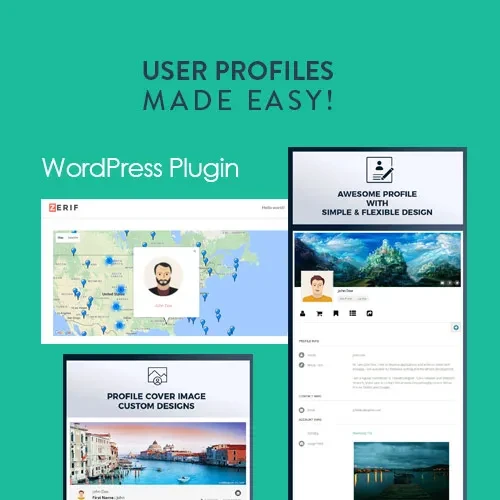
Frontend registration and login tools can make it easier for visitors to join your website without navigating the WordPress administration dashboard.
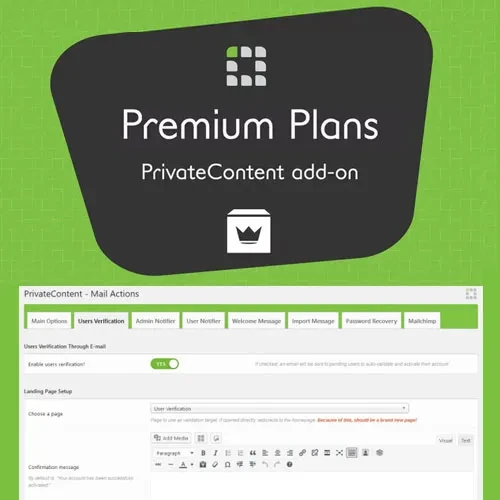
PrivateContent includes user-management functionality intended to support restricted member areas. Review the available settings to configure registration, authentication, and user access according to your site's needs.
Shortcodes can provide a convenient way to protect selected portions of a page or post when supported by the plugin. This can be useful when you want to display public information alongside content reserved for eligible members.
Always verify the shortcode syntax and access-control behavior in the documentation for your installed version before using it on a live website.
PrivateContent can help you create member-focused experiences in which users access relevant information according to their permissions. Such areas may be useful for client portals, member resources, and other restricted website experiences.
For sensitive information, test direct URLs, user permissions, and access restrictions carefully. Hiding a link alone does not guarantee that the underlying content is protected.
Membership websites often handle personal information such as usernames, email addresses, and profile details. Review the plugin's privacy features and configure your WordPress installation to follow the data protection requirements applicable to your organization.
Installing a plugin does not automatically guarantee compliance with the General Data Protection Regulation (GDPR) or other privacy laws. Compliance depends on your data collection practices, consent procedures, retention policies, security measures, and applicable legal requirements.
Get Support
Please Sign In to contact our support.