What is Mapplic – Custom Interactive Map WordPress Plugin?
Mapplic – Custom Interactive Map WordPress Plugin
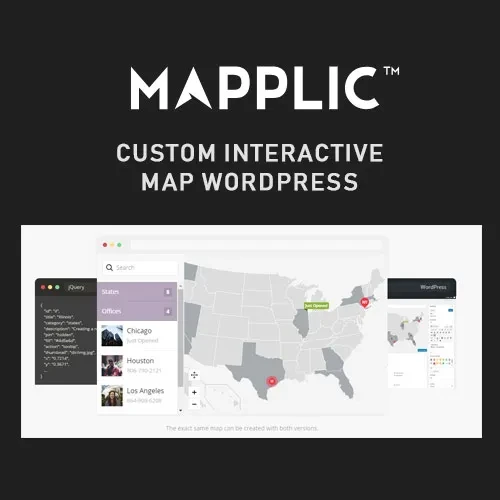
Create engaging, interactive maps directly on your WordPress website with Mapplic – Custom Interactive Map WordPress Plugin. This flexible mapping solution allows website owners to build customized maps where visitors can explore locations, floor plans, directories, and other visual map-based content.
With interactive map creation, clickable areas, custom markers, location information panels, zoom and pan controls, and image and SVG map support, Mapplic helps transform static visuals into interactive experiences.
Feature Highlights
Interactive Map Builder: Create engaging maps with interactive elements and location details.
Custom Map Creation: Build maps tailored to your website's content and requirements.
WordPress Integration: Add interactive map functionality to your WordPress website.
Interactive Locations: Allow visitors to explore individual locations directly on the map.
Custom Map Markers: Highlight important places using customizable map markers.
Clickable Map Areas: Make selected map regions interactive so visitors can access additional information.
Location Information Panels: Display relevant details when visitors interact with map locations.
Zoom and Pan Controls: Let users zoom in, zoom out, and navigate around maps.
Image and SVG Map Support: Create maps using supported image and SVG formats.
Floor Plan Maps: Present interactive floor plans for buildings, offices, shopping centers, and other spaces.
Responsive Map Design: Provide a map experience suitable for different screen sizes.
Custom Map Styling: Adjust the visual appearance of maps to complement your website design.
Detailed Overview
Interactive Map Builder
Create interactive maps that allow visitors to explore different areas and locations. Add interactive elements to make maps more useful than ordinary static images.
Custom Map Creation
Design maps according to your website's purpose. Whether you need a building layout, geographical illustration, directory map, or another visual representation, custom map creation helps you present information in an organized way.
WordPress Integration
Integrate interactive maps into your WordPress website. This makes it possible to include map-based content as part of your existing website experience.
Interactive Locations and Custom Markers
Highlight specific locations using custom map markers and interactive location elements. Visitors can select these elements to explore different points of interest on the map.
Clickable Map Areas
Turn selected sections of a map into interactive areas. This is useful for maps where visitors need to select individual rooms, regions, departments, buildings, or other defined sections.
Location Information Panels
Provide additional information about individual locations through information panels. These can help visitors understand what a selected area represents without leaving the map interface.
Zoom and Pan Controls
Make detailed maps easier to navigate with zoom and pan functionality. Visitors can move around the map and focus on specific sections when exploring larger layouts.
Image and SVG Map Support
Work with supported image and SVG map formats to create different types of interactive visual maps. SVG support is particularly useful for detailed illustrations and scalable map designs.
Interactive Floor Plan Maps
Create floor plan experiences for locations such as:
Office buildings and workspaces.
Shopping malls and retail centers.
Hotels and hospitality properties.
Museums and exhibition spaces.
Educational institutions.
Large buildings and facilities.
Visitors can explore individual areas and view associated location information.
Responsive Map Design
Present interactive maps across desktop, tablet, and mobile devices. Responsive design helps make map content more accessible to visitors using different screen sizes.
Custom Map Styling
Customize the visual appearance of maps to better match your website's branding and design. This helps maintain a consistent presentation throughout your WordPress website.
Benefits for Website Owners
Convert static maps into interactive visual experiences.
Help visitors explore locations more easily.
Display additional information through interactive map elements.
Create customized floor plans and directories.
Highlight important locations with custom markers.
Improve navigation through clickable map areas.
Present detailed maps with zoom and pan controls.
Integrate map content into an existing WordPress website.
Suitable Website Types
Mapplic can be useful for a variety of website projects, including:
Real estate and property websites.
Shopping mall and retail directories.
Office and corporate building websites.
Hotel and resort websites.
University and school campus maps.
Museum and exhibition websites.
Event and venue directories.
Tourism and destination websites.
Interactive floor plan projects.
Installation Guide
Download the Mapplic plugin package.
Log in to your WordPress administration dashboard.
Navigate to Plugins → Add New Plugin → Upload Plugin.
Select the downloaded plugin ZIP file.
Click Install Now.
Activate the plugin after installation.
Configure the available map settings.
Create or import a supported map using the available image or SVG options.
Add interactive locations, markers, clickable areas, and information panels as needed.
Customize the map appearance and test it on your website.
Important Compatibility Notes
Requires a WordPress website with a compatible configuration.
Image and SVG functionality depends on supported file formats and plugin settings.
Available map interactions and customization options may vary depending on the plugin version.
For the best experience, test your interactive maps on desktop and mobile devices.