What is Responsive Styled Google Maps?
Responsive Styled Google Maps – WordPress Mapping Plugin (GPL)
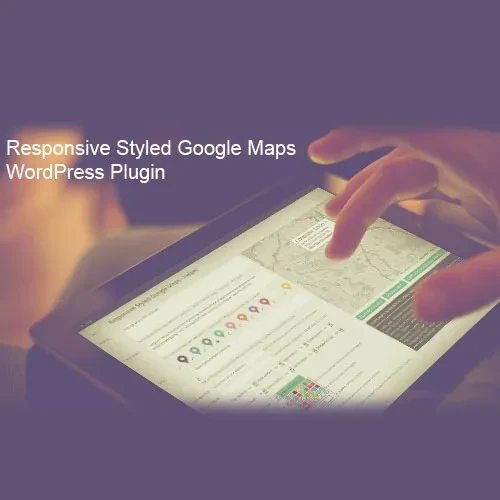
Responsive Styled Google Maps is a feature-rich WordPress plugin that helps you integrate attractive, customizable Google Maps into your website. It provides tools for creating branded map designs, displaying multiple locations, adding personalized markers, and helping visitors find nearby businesses or services.
Whether you're developing a business website, managing multiple store locations, building a customer location finder, or creating a directory website, this plugin makes map integration easier through flexible settings and simple embedding options.
Available at 5ivecode.com with lifetime free updates and limited email support.
✨ Key Features
Mobile-Optimized Maps – Display maps that automatically adjust to desktop computers, tablets, and smartphones.
Custom Map Appearance – Personalize map colors and visual elements using JSON styling and supported Snazzy Maps styles.
Multiple Markers & Map Layers – Showcase business branches, offices, landmarks, and points of interest with custom icons and information windows.
Automatic Marker Clustering – Organize closely positioned markers into groups for a cleaner map presentation.
Store Locator & Navigation – Help customers search for locations and access directions through supported Google Maps navigation options.
Improved Loading Performance – Use lazy loading, deferred scripts, and click-to-load functionality to reduce unnecessary initial page loading.
Flexible Integration Methods – Add maps using Gutenberg blocks or shortcodes, including support for popular builders such as Elementor, Divi, Beaver Builder, and Bricks.
Privacy & Consent Controls – Configure optional consent notices before loading external Google Maps resources.
GPL Licensing & Updates – Benefit from GPL usage flexibility and lifetime free updates through 5ivecode.com.
📖 Product Overview
Responsive Styled Google Maps provides a convenient way to add customized location maps to WordPress websites without requiring extensive programming knowledge.
You can create maps for individual business addresses or display multiple locations together to build a complete store locator experience. The available customization settings help you control map appearance, zoom levels, navigation controls, marker designs, and other display preferences.
The plugin also supports bulk location management, allowing you to organize multiple points of interest on a single map. Visitors can interact with markers, view additional location information, and access directions when required.
For developers and designers, shortcode attributes and Gutenberg block settings offer additional flexibility when configuring maps. Its compatibility with popular page builders makes it easier to incorporate location information into different website layouts.
Performance-oriented options, including lazy loading and click-to-activate functionality, help control when external map resources are loaded. Optional consent settings also provide additional control over third-party map requests.
📊 Responsive Styled Google Maps vs Other Mapping Plugins
Feature | Responsive Styled Google Maps | Other Mapping Plugins |
|---|
Website Licensing | GPL-Based Usage Flexibility | Depends on Provider |
Map Customization | JSON-Based Styling Options | Varies by Plugin |
Marker Clustering | Available | Depends on Plugin |
Multiple Locations | Supported | Varies by Plugin |
Loading Optimization | Lazy Loading & Script Deferral | Depends on Implementation |
Page Builder Support | Gutenberg & Shortcode Integration | Varies by Plugin |
Privacy Controls | Optional Consent Settings | Depends on Plugin |
⚙️ Installation Instructions
Download the Responsive Styled Google Maps GPL Plugin ZIP package from your 5ivecode.com account.
Log in to your WordPress administrator dashboard.
Navigate to Plugins → Add New Plugin → Upload Plugin.
Choose the downloaded ZIP file from your computer.
Click Install Now and activate the plugin.
Create a Google Maps API key through the Google Cloud Console.
Enable the required Maps JavaScript API and configure optional Geocoding or Places APIs if your selected features need them.
Apply suitable HTTP referrer restrictions to protect your API key.
Open the plugin settings and enter your Google Maps API key.
Create your map and configure its markers, appearance, zoom, and other available settings.
Insert the map using the Gutenberg block or shortcode on your preferred page or post.