Exclusive Coupon — Use Code SAVE10 for Instant Savings! Apply at checkout for your special discount. Limited uses — grab it while you can.
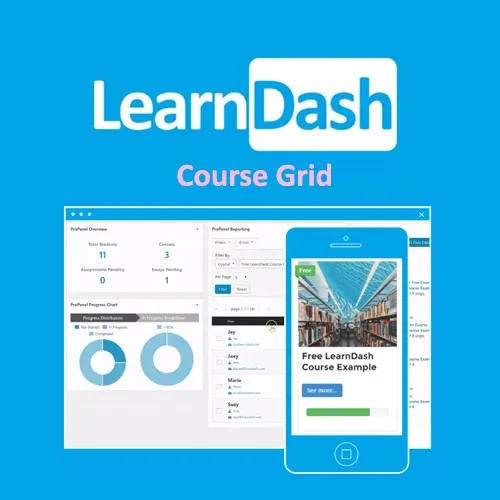
LearnDash LMS Course Grid Addon provides a structured and visually appealing way to showcase courses on LearnDash-powered WordPress websites. It helps learners browse available courses more conveniently through organized grid layouts, course thumbnails, categories, sorting tools, and pagination. With customizable layouts and styling options, the addon can help you present your LearnDash course catalog in a clean and responsive format. Its shortcode support also makes it easier to place course grids in different areas of your WordPress website.
LearnDash LMS Course Grid Addon – Responsive Course Grid for WordPress
LearnDash LMS Course Grid Addon provides a structured and visually appealing way to showcase courses on LearnDash-powered WordPress websites. It helps learners browse available courses more conveniently through organized grid layouts, course thumbnails, categories, sorting tools, and pagination.
With customizable layouts and styling options, the addon can help you present your LearnDash course catalog in a clean and responsive format. Its shortcode support also makes it easier to place course grids in different areas of your WordPress website.
Display LearnDash courses in a responsive grid layout that adapts to different screen sizes. This helps maintain a consistent browsing experience across desktop, tablet, and mobile devices.
Create course grid layouts according to your website's presentation requirements. Flexible layout options help organize course information in a clear and attractive format.
Show course thumbnails within the grid to make individual courses easier to recognize. Visual previews can provide learners with a quick overview while browsing the course catalog.
Organize courses by category and allow learners to narrow down the displayed courses. Category filtering can make larger course collections easier to explore.
Provide sorting functionality for course listings so visitors can arrange available courses according to the supported sorting options.
Manage larger course catalogs with pagination. Instead of displaying every course on one page, courses can be distributed across multiple pages for easier navigation.
Present important course information directly within the grid. This allows learners to review available course details before selecting a course.
Adjust the appearance of the course grid to better match your website design. Styling controls help create a more consistent visual presentation across your LearnDash site.
Use shortcodes to place course grids in suitable areas of your WordPress website. This provides flexibility when adding course listings to different pages or content sections.
Designed to work with LearnDash, the addon extends your existing learning website with an organized course-grid presentation without replacing the core LMS functionality.
When a website contains multiple courses, presenting them in an organized grid can make course discovery easier. The addon provides a structured way to display LearnDash courses while keeping the catalog visually manageable.
Course thumbnails, details, and customizable layouts can make course listings more informative and engaging. You can create a presentation that fits the overall design of your learning website.
Category filtering, sorting, and pagination provide useful navigation options for learners. These features are particularly helpful when your LearnDash installation contains a larger number of courses.
Shortcode support gives you greater flexibility when deciding where course grids should appear. You can add course listings to appropriate WordPress content areas based on your website structure.
A responsive grid helps course listings remain usable across different devices. Learners can browse available courses whether they are using a desktop computer, tablet, or smartphone.
Feature | LearnDash LMS Course Grid Addon | Basic Course Listing |
|---|---|---|
Responsive Grid | Yes | Limited |
Custom Layouts | Yes | Limited |
Course Thumbnails | Yes | May require customization |
Category Filtering | Yes | Limited |
Course Sorting | Yes | Limited |
Pagination | Yes | Depends on implementation |
Course Details | Yes | Basic |
Grid Styling | Customizable | Limited |
Shortcode Support | Yes | Depends on setup |
LearnDash Integration | Yes | Not necessarily |
Get Support
Please Sign In to contact our support.