What is Advanced Google Maps Plugin for WordPress?
Advanced Google Maps Plugin for WordPress – Interactive Maps, Markers & Location Management
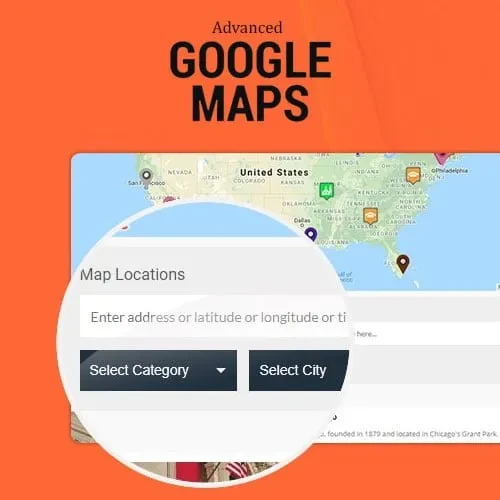
Bring interactive mapping capabilities to your WordPress website with the Advanced Google Maps Plugin. This plugin helps you build engaging maps with multiple locations, custom markers, marker clustering, category-based filters, directions, and personalized map styles.
Whether you manage a business directory, real estate website, travel portal, delivery service, or local listing platform, you can use this solution to display locations in an organized and accessible way.
The plugin offers flexible map creation tools and responsive layouts to help visitors explore locations across desktop, tablet, and mobile devices.
Feature Highlights
Unlimited Maps and Markers: Create multiple maps and add location markers to display businesses, properties, branches, and other places.
Marker Clustering: Group nearby markers together to prevent maps from becoming crowded.
Custom Filters and Categories: Allow visitors to find locations based on categories, types, or tags.
Integrated Directions: Help visitors navigate to selected destinations using Google Maps directions.
Custom Map Styles: Adjust map appearances to complement your website's branding and design.
WooCommerce and Real Estate Support: Display store locations, product-related locations, property listings, and other mapped content.
Responsive Design: Provide a convenient map experience across different screen sizes and devices.
Update Availability: Keep the plugin maintained with the updates provided through your download source.
Detailed Overview
The Advanced Google Maps Plugin makes it easier to add interactive location maps to your WordPress website. Instead of displaying a basic static map, you can create maps with multiple markers and useful navigation features.
Add locations, organize them into categories, and use marker clustering to keep maps readable when displaying many places. Visitors can explore available locations and use filters to narrow down the results.
Businesses can highlight office branches, retail stores, service areas, and customer locations. Real estate websites can use maps to present properties geographically, while travel websites and local directories can help visitors discover points of interest.
The plugin's map customization and navigation options provide flexibility for different types of WordPress projects.
Key Features at a Glance
Feature | Advanced Google Maps Plugin |
|---|
Multiple Maps | Create unlimited maps |
Location Markers | Add multiple location pins |
Marker Clustering | Group nearby markers |
Category Filters | Filter locations by category or type |
Directions | Provide Google Maps navigation |
Map Customization | Personalize map appearance |
Mobile Support | Responsive map layouts |
Website Applications | Directories, stores, real estate, travel, and more |
Who Can Benefit from This Plugin?
Business Websites: Display company offices, branches, and service locations.
Real Estate Agencies: Showcase property locations and help visitors explore nearby areas.
Business Directories: Organize business listings using interactive maps and categories.
Travel Websites: Highlight destinations, attractions, hotels, and points of interest.
Delivery Services: Display service areas and relevant location information.
WooCommerce Stores: Present physical store locations and other location-based information.
Installation Guide
Download the Advanced Google Maps Plugin ZIP package.
Sign in to your WordPress administration dashboard.
Navigate to Plugins → Add New → Upload Plugin.
Select the downloaded ZIP file and click Install Now.
Activate the plugin after installation.
Open the plugin's map settings and configure the required Google Maps API key.
Create a map, add your location markers, and configure the available display options.
Embed the map on your website using the supported shortcode or integration method.
Note: Google Maps API access, billing requirements, and usage limits depend on Google's current platform policies and your API configuration.
Licensing Information
This product is distributed under the General Public License (GPL). The GPL provides open-source usage and redistribution rights subject to its terms.
Multiple Website Installations: Use the GPL-licensed software on multiple websites, subject to the applicable license terms.
Open-Source Flexibility: Access and customize the software according to GPL permissions.
Updates: Update availability depends on the download provider's distribution and update policy.
Distribution note: This download source is independent of the original plugin developer. Any third-party updates or support are subject to the distributor's own terms and availability.