Exclusive Coupon — Use Code SAVE10 for Instant Savings! Apply at checkout for your special discount. Limited uses — grab it while you can.
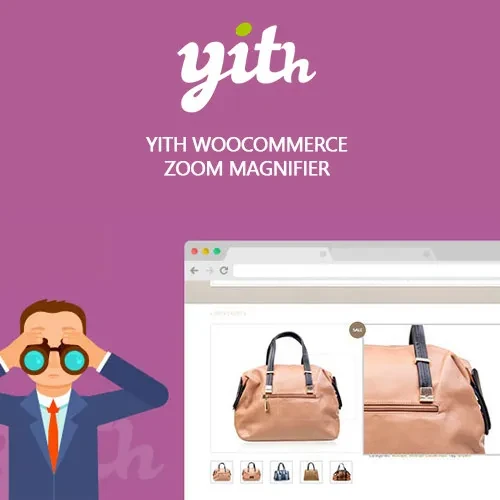
Give WooCommerce shoppers a closer look at your products with YITH WooCommerce Zoom Magnifier Premium. The plugin enhances product galleries with detailed image zoom, thumbnail navigation, sliders, and lightbox viewing, making it easier for customers to inspect product images before making a purchase. It is particularly useful for stores where visual product details matter, including fashion, accessories, electronics, furniture, artwork, jewelry, and other image-focused catalogs. Distributed by 5ivecode.com under the GNU General Public License (GPL), with lifetime updates and limited email support.
YITH WooCommerce Zoom Magnifier Premium – Product Image Zoom & Gallery
Give WooCommerce shoppers a closer look at your products with YITH WooCommerce Zoom Magnifier Premium. The plugin enhances product galleries with detailed image zoom, thumbnail navigation, sliders, and lightbox viewing, making it easier for customers to inspect product images before making a purchase.
It is particularly useful for stores where visual product details matter, including fashion, accessories, electronics, furniture, artwork, jewelry, and other image-focused catalogs. Distributed by 5ivecode.com under the GNU General Public License (GPL), with lifetime updates and limited email support.
Hover Image Zoom: Allow customers to enlarge product details directly from the product image.
Product Image Slider: Present multiple product images with convenient navigation and thumbnails.
Lightbox Viewing: Open product images in a larger viewing area for detailed inspection.
Adjustable Zoom Controls: Configure available zoom settings such as magnification, lens dimensions, and positioning.
Responsive Layout: Designed to adapt to desktop, tablet, and mobile screen sizes.
Multiple Product Images: Give shoppers an organized way to browse different product views.
Developer Customization: Available hooks and template options provide flexibility for custom implementations.
Smooth Image Interaction: Provides a more interactive way to examine product photography.
Standard product images may not always provide enough detail for customers to evaluate an item. With the Zoom Magnifier functionality, shoppers can inspect selected areas of product photographs more closely.
This can be especially useful for products where material, texture, finish, patterns, construction, or small design details are important to the buying decision.
A product may require several photographs to communicate its appearance properly. The integrated gallery and slider allow customers to browse multiple images from the product page without navigating away.
Thumbnail navigation provides an additional way to switch between different product views.
The lightbox feature provides a larger presentation area for product photography. Customers can open an image for a more focused view while remaining within the product browsing experience.
This can be useful for high-resolution product photographs that contain details that may be difficult to see at their standard display size.
The available settings allow store owners to adjust aspects of the zoom experience, including magnification behavior, lens dimensions, and positioning. These options can be configured to complement the product images and overall design of the WooCommerce store.
The image gallery is designed for responsive storefront layouts, helping customers access product images across different screen sizes. Actual appearance can vary depending on the active WordPress theme, product image dimensions, and other frontend customizations.
Feature | YITH Zoom Magnifier Premium | Basic Image Extension | Default WooCommerce Gallery |
|---|---|---|---|
Product image zoom | Yes | May be limited | Not included as a dedicated magnifier |
Product image slider | Included | May require additional functionality | Basic gallery functionality |
Lightbox viewing | Included | Depends on the extension | Depends on theme/WooCommerce setup |
Zoom configuration | Adjustable options | Usually limited | Not applicable |
Multiple product images | Supported | Supported depending on implementation | Supported |
Responsive presentation | Designed for responsive layouts | Depends on implementation | Depends on theme |
Developer customization | Hooks and template options | Varies | Varies by implementation |
Get Support
Please Sign In to contact our support.