Exclusive Coupon — Use Code SAVE10 for Instant Savings! Apply at checkout for your special discount. Limited uses — grab it while you can.
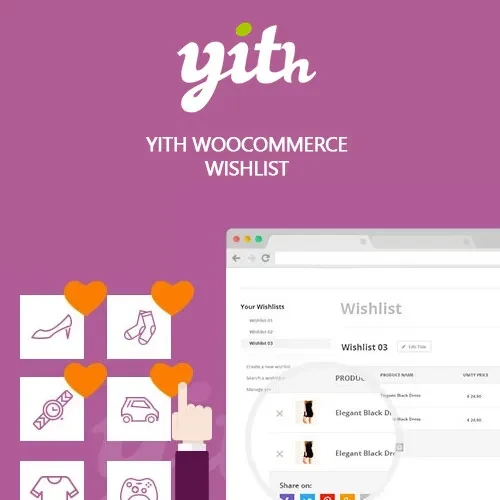
YITH WooCommerce Wishlist Premium adds a powerful wishlist system to your WooCommerce store, allowing customers to save products they are interested in and return to them later. Shoppers can create multiple wishlists, organize favorite products, and share their lists through social media, email, or direct links. A wishlist can also encourage repeat visits, support gift-giving occasions, and provide valuable insights into products customers are interested in purchasing. With AJAX-powered interactions and flexible wishlist settings, this plugin helps create a more engaging WooCommerce shopping experience.
YITH WooCommerce Wishlist Premium (GPL) YITH WooCommerce Wishlist Premium adds a powerful wishlist system to your WooCommerce store, allowing customers to save products they are interested in and return to them later. Shoppers can create multiple wishlists, organize favorite products, and share their lists through social media, email, or direct links. A wishlist can also encourage repeat visits, support gift-giving occasions, and provide valuable insights into products customers are interested in purchasing. With AJAX-powered interactions and flexible wishlist settings, this plugin helps create a more engaging WooCommerce shopping experience. 💖 Feature Highlights 💖 Add to Wishlist: Add a customizable wishlist button to WooCommerce product pages. 🛍️ Multiple Wishlists: Allow customers to create and manage multiple lists for different products or occasions. 🔗 Wishlist Sharing: Let customers share wishlists through social networks, email, or direct URLs. 🎁 Gift Registry Support: Use wishlists for birthdays, weddings, anniversaries, holidays, and other special occasions. ⚡ AJAX Wishlist Actions: Add or remove products from wishlists without unnecessary page reloads. 👤 Guest Wishlist Options: Configure wishlist access for visitors and logged-in customers according to your store requirements. 📊 Wishlist Insights: Analyze wishlist activity to identify products that attract customer interest. 🛒 WooCommerce Integration: Designed to work with WooCommerce products and shopping workflows. 📱 Responsive Experience: Provide a convenient wishlist experience across desktop, tablet, and mobile devices. 🔓 GPL Licensed: Use the GPL release according to the applicable license terms. 📖 Detailed Overview Many shoppers are not ready to purchase a product during their first visit. YITH WooCommerce Wishlist Premium gives them a convenient way to save products for later instead of losing track of items they are interested in. Customers can create wishlists for personal shopping, future purchases, or special events. They can also share lists with friends and family, making the feature particularly useful for gift ideas and gift registries. For store owners, wishlist activity can provide useful insight into customer preferences. Products that are frequently added to wishlists may indicate strong purchase interest, helping merchants make better decisions about promotions, product availability, and inventory planning. The wishlist functionality can therefore serve both as a customer convenience feature and as a useful engagement tool for WooCommerce stores. 📊 Wishlist Premium vs Default WooCommerce Capability YITH WooCommerce Wishlist Premium Default WooCommerce Add to Wishlist ✅ Dedicated wishlist functionality ❌ Not available by default Multiple Wishlists ✅ Supported ❌ Not available by default Wishlist Sharing ✅ Social, email, and shareable links ❌ Not available Guest Wishlist Options ✅ Configurable ❌ Not available by default Wishlist Product Insights ✅ Wishlist activity insights ❌ Not available by default AJAX Wishlist Actions ✅ Supported ⚠️ Not available as a standard feature Gift & Event Wishlists ✅ Suitable for gift lists ❌ Not available by default Product Saving for Later ✅ Yes ❌ Requires additional functionality ⚙️ Installation Guide Obtain the YITH WooCommerce Wishlist Premium (GPL) plugin package. Log in to your WordPress administration dashboard. Go to Plugins → Add New → Upload Plugin. Upload the plugin ZIP file and click Install Now. Activate the plugin. Open the YITH → Wishlist settings area. Configure wishlist buttons, pages, sharing options, visibility, and other preferences. Add wishlist functionality to your product and shop pages. Test the wishlist experience from both customer and guest perspectives if guest access is enabled.
Get Support
Please Sign In to contact our support.