Exclusive Coupon — Use Code SAVE10 for Instant Savings! Apply at checkout for your special discount. Limited uses — grab it while you can.
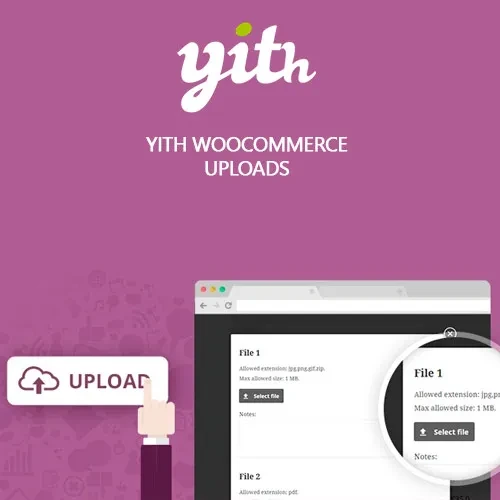
YITH WooCommerce Uploads Premium allows WooCommerce customers to attach files to their purchases directly from supported areas of the shopping process. This is especially useful for stores selling personalized, customized, made-to-order, or print-related products that require customers to provide artwork, photographs, logos, documents, or other files. Instead of asking customers to send required materials separately through email, you can incorporate file submission into the WooCommerce order workflow. Administrators can configure supported file types, size restrictions, and whether uploads are required or optional for applicable products. The plugin is distributed under the GNU General Public License (GPL), and the package from 5ivecode.com includes lifetime free updates and limited email support.
YITH WooCommerce Uploads Premium – Customer File Upload Plugin
YITH WooCommerce Uploads Premium allows WooCommerce customers to attach files to their purchases directly from supported areas of the shopping process. This is especially useful for stores selling personalized, customized, made-to-order, or print-related products that require customers to provide artwork, photographs, logos, documents, or other files.
Instead of asking customers to send required materials separately through email, you can incorporate file submission into the WooCommerce order workflow. Administrators can configure supported file types, size restrictions, and whether uploads are required or optional for applicable products.
The plugin is distributed under the GNU General Public License (GPL), and the package from 5ivecode.com includes lifetime free updates and limited email support.
Customer File Uploads – Allow shoppers to attach files during supported product, cart, or checkout stages.
Multiple File Types – Configure accepted formats such as images and documents according to your requirements.
File Size Restrictions – Define appropriate upload size limits for submitted files.
Allowed File Extensions – Control which file formats customers can submit.
Required or Optional Uploads – Decide whether a file must be provided for applicable products.
Order-Linked Files – Associate submitted files with the relevant WooCommerce order.
Admin File Management – Access and manage customer-submitted files through the available order functionality.
File Download Access – Administrators can download submitted files when available through the order interface.
Simple & Variable Products – Suitable for supported simple and variable WooCommerce products.
Product Customization Workflows – Useful for personalized products that require customer-provided materials.
GPL Distribution – Distributed according to applicable GPL terms.
Lifetime Updates – Lifetime free updates are included with the 5ivecode.com package.
Many WooCommerce businesses sell products that require information or files from the customer before an order can be processed. Examples include personalized gifts, printed merchandise, custom artwork, photography products, branded materials, and other made-to-order items.
YITH WooCommerce Uploads Premium provides a dedicated upload workflow so customers can submit the required files as part of their WooCommerce purchase.
Depending on the configured setup, an upload field can be presented during the supported product, cart, or checkout process. Store administrators can define acceptable file formats and size limits, while also deciding whether customers must submit a file before proceeding.
The plugin can be useful for:
Custom T-shirt printing
Personalized gifts
Photo printing
Logo-based products
Business cards and printed materials
Custom artwork
Engraved products
Personalized stationery
Custom packaging
Print-on-demand products
Document-based services
Other WooCommerce products requiring customer files
A major advantage of an order-based upload workflow is that submitted files can be associated with the relevant WooCommerce order. This gives administrators a centralized place to review customer-provided materials while processing the purchase.
The exact file handling, storage location, access behavior, and supported formats depend on the plugin configuration and the website's WordPress and hosting environment.
A typical customer workflow can look like this:
The customer opens a product that requires an uploaded file.
The customer selects or attaches the required file.
The configured file rules validate the submission.
The customer adds the product to the cart or proceeds through the applicable checkout process.
The uploaded file is associated with the relevant order.
The store administrator accesses the file from the available order-management interface.
The submitted material can then be reviewed before processing the customized order.
This workflow can help keep customer-provided materials connected to the corresponding purchase instead of requiring a separate email conversation.
Feature | YITH WooCommerce Uploads Premium | Manual File Submission |
|---|---|---|
Upload Workflow | ✅ Integrated into supported WooCommerce pages | ⚠️ Usually handled separately |
Order Association | ✅ Files can be associated with applicable orders | ⚠️ Requires manual tracking |
File Type Rules | ✅ Configure allowed formats | ⚠️ Depends on the communication method |
File Size Rules | ✅ Configure upload limits | ⚠️ Usually handled manually |
Required Uploads | ✅ Can configure applicable uploads as required | ⚠️ Requires manual instructions |
Admin Access | ✅ Manage submitted files through the available order workflow | ⚠️ Files may be spread across emails or other services |
Product Support | ✅ Suitable for simple and variable products | ⚠️ Depends on the manual process |
GPL Distribution | ✅ Distributed under GPL terms | — |
Get Support
Please Sign In to contact our support.