Exclusive Coupon — Use Code SAVE10 for Instant Savings! Apply at checkout for your special discount. Limited uses — grab it while you can.
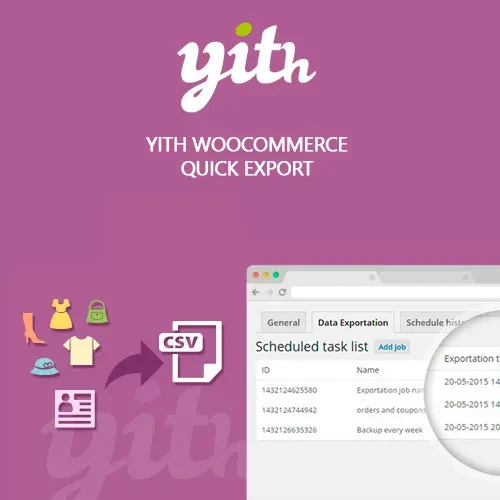
YITH WooCommerce Quick Export Premium provides a convenient way to export important WooCommerce store data from the WordPress dashboard. Store administrators can generate structured CSV files containing supported order, customer, and coupon information, apply filters, select the required fields, and prepare data for reporting, accounting, analysis, or migration workflows. With scheduled exports, customizable data selection, and developer-friendly extensibility, the plugin can help simplify recurring WooCommerce data-management tasks.
YITH WooCommerce Quick Export Premium – WooCommerce Data Export Plugin
YITH WooCommerce Quick Export Premium provides a convenient way to export important WooCommerce store data from the WordPress dashboard. Store administrators can generate structured CSV files containing supported order, customer, and coupon information, apply filters, select the required fields, and prepare data for reporting, accounting, analysis, or migration workflows.
With scheduled exports, customizable data selection, and developer-friendly extensibility, the plugin can help simplify recurring WooCommerce data-management tasks.
📤 WooCommerce Data Export: Export supported orders, customers, and coupon information from your store.
📅 Date-Based Filtering: Select specific date ranges to narrow exported records to the period you need.
⚙️ Custom Field Selection: Choose supported data fields to create exports suited to your reporting requirements.
📄 CSV Export: Generate CSV files that can be opened and processed using spreadsheet and compatible business applications.
🕐 Scheduled Exports: Configure recurring export tasks according to the scheduling options available in the plugin.
👤 Customer Data Export: Retrieve supported customer and order-related information for administrative or analytical workflows.
🎟️ Coupon Data: Export supported coupon information and usage-related records for promotional analysis.
🔧 Developer Extensibility: Use available hooks and structured CSV output for custom integrations and workflows.
🛒 WooCommerce Integration: Built specifically around WooCommerce data and administration workflows.
Managing WooCommerce information manually can become time-consuming when a store contains a large number of orders, customers, or promotional records.
YITH WooCommerce Quick Export Premium provides an administration-based export workflow where you can select the type of information required, apply available filters, choose supported fields, and generate a CSV file.
This can be useful for:
Accounting workflows
Internal reporting
Customer analysis
Order management
Coupon analysis
Data migration
Business record keeping
External spreadsheet processing
Date filtering makes it possible to focus an export on a particular period instead of processing the entire available dataset. This can be useful when preparing monthly reports, reviewing a promotional campaign, or supplying records for a specific accounting period.
Depending on the selected export type and available settings, you can choose the fields that should be included in the generated file. This helps keep exported data relevant to the task instead of producing unnecessarily large datasets.
CSV is a widely supported format for exchanging structured data. Exported files can be opened in applications such as spreadsheet software and imported into compatible reporting, accounting, or data-processing systems.
The exact handling of CSV files depends on the application receiving or processing the exported data.
For stores that regularly generate reports, available scheduling functionality can reduce the need to manually repeat the same export process. Depending on the configured options, recurring exports can be arranged around regular reporting intervals.
Developers can use available hooks and filters to adapt supported export behavior for custom WooCommerce projects. The structured nature of CSV output can also make exported information easier to process in external workflows.
Get Support
Please Sign In to contact our support.