🎃 Halloween Sale — Scary Good Deals, Up to 20% OFF! Don't be spooked by these prices — grab them before they disappear at midnight.
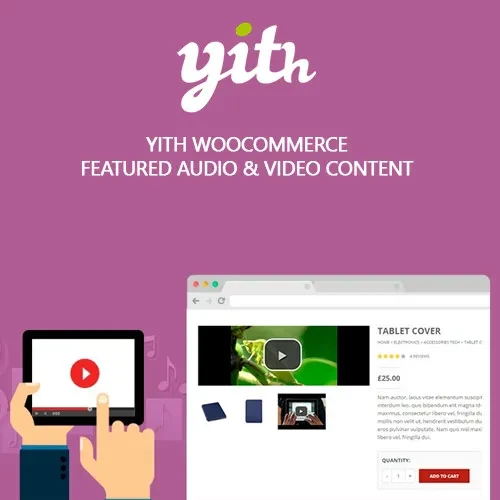
YITH WooCommerce Featured Audio & Video Content Premium enhances WooCommerce product pages by allowing you to add engaging video and audio content directly to your product galleries. Showcase product demonstrations, tutorials, reviews, music previews, promotional videos, and other multimedia content alongside your product images. With support for popular platforms such as YouTube, Vimeo, and SoundCloud, as well as self-hosted media, you can create a richer product presentation and give customers more information before they purchase.
YITH WooCommerce Featured Audio & Video Content Premium (GPL) YITH WooCommerce Featured Audio & Video Content Premium enhances WooCommerce product pages by allowing you to add engaging video and audio content directly to your product galleries. Showcase product demonstrations, tutorials, reviews, music previews, promotional videos, and other multimedia content alongside your product images. With support for popular platforms such as YouTube, Vimeo, and SoundCloud, as well as self-hosted media, you can create a richer product presentation and give customers more information before they purchase. Feature Highlights 🎥 Add video content to WooCommerce product galleries 🎵 Add audio previews to product pages ▶️ Support for YouTube and Vimeo videos 🔊 Integrate SoundCloud and self-hosted audio 🖼️ Replace the featured product image with video or audio 🔄 Enable autoplay and loop options where supported 📱 Responsive media players for desktop, tablet, and mobile 🛒 Improve product presentation and customer engagement ⚡ Showcase product demonstrations, tutorials, and previews 🔓 GPL licensed with unlimited site usage and lifetime updates from 5ivecode.com Add Video and Audio to WooCommerce Products Standard WooCommerce product galleries primarily focus on images. YITH WooCommerce Featured Audio & Video Content Premium expands your product presentation by letting you include multimedia content directly in the gallery. You can use product videos to demonstrate how an item works, explain its features, show tutorials, or provide detailed product previews. For music and audio-related products, you can also provide audio samples so customers can listen before purchasing. This makes the plugin particularly useful for digital products, music stores, educational websites, product demonstration stores, creative businesses, and WooCommerce retailers. Support for YouTube, Vimeo, SoundCloud & Self-Hosted Media The plugin provides flexible options for displaying different types of media. You can incorporate videos from platforms such as YouTube and Vimeo, while audio content can be presented through services such as SoundCloud or through your own hosted media files. This flexibility allows store owners to select the media source that best fits their website and product strategy. Turn Your Product Gallery Into an Interactive Experience Instead of relying only on static product images, you can use video and audio to give customers a better understanding of your products. For example, you can: Demonstrate how a physical product works Display product tutorials Showcase product reviews Add promotional videos Provide music previews Present educational content Add audio samples Show product usage instructions Interactive product media can make product pages more informative and engaging while helping customers make purchasing decisions. Comparison Table Capability YITH Featured Audio & Video Default WooCommerce Product Video Support ✅ YouTube, Vimeo and supported media ❌ Not available as a dedicated gallery feature Product Audio Support ✅ SoundCloud and self-hosted media ❌ Not available as a dedicated gallery feature Media in Product Gallery ✅ Yes ⚠️ Primarily image-based Replace Featured Image ✅ Supported ❌ Not available Autoplay & Loop Options ✅ Available ❌ Not available Responsive Media ✅ Yes ⚠️ Depends on implementation Product Demonstrations ✅ Easy to showcase ❌ Requires additional setup Installation Guide Download YITH WooCommerce Featured Audio & Video Content Premium (GPL) from 5ivecode.com. Log in to your WordPress administrator dashboard. Go to Plugins → Add New → Upload Plugin. Upload the plugin ZIP file and click Install Now. Activate the plugin. Navigate to the plugin settings and configure your preferred media options. Edit a WooCommerce product and add your video or audio content. Preview the product page and verify that the media displays correctly.
Get Support
Please Sign In to contact our support.