🎃 Halloween Sale — Scary Good Deals, Up to 20% OFF! Don't be spooked by these prices — grab them before they disappear at midnight.
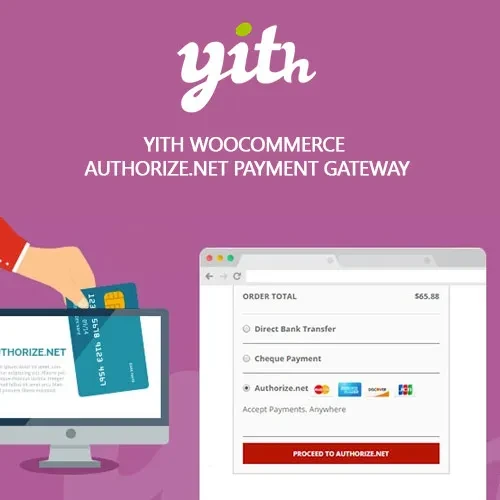
YITH WooCommerce Authorize.Net Payment Gateway Premium provides a way to connect your WooCommerce store with Authorize.Net and offer customers a familiar payment experience during checkout. It is designed for stores that want to process card payments through Authorize.Net while managing payment-related activities within the WooCommerce environment. Depending on the supported configuration, the gateway can also work with saved payment methods, recurring transactions, and WooCommerce Subscriptions.
YITH WooCommerce Authorize.Net Payment Gateway Premium YITH WooCommerce Authorize.Net Payment Gateway Premium provides a way to connect your WooCommerce store with Authorize.Net and offer customers a familiar payment experience during checkout. It is designed for stores that want to process card payments through Authorize.Net while managing payment-related activities within the WooCommerce environment. Depending on the supported configuration, the gateway can also work with saved payment methods, recurring transactions, and WooCommerce Subscriptions. Key Features Accept payments through Authorize.Net Support card-based checkout options Provide a streamlined payment experience Support saved payment methods where supported by the gateway configuration Enable recurring payment workflows with compatible subscription setups Manage transactions through WooCommerce Process supported refunds from the WordPress dashboard Configure Authorize.Net credentials and gateway settings Designed for WooCommerce stores requiring Authorize.Net integration How It Helps Your WooCommerce Store Adding a dedicated Authorize.Net gateway can give your customers another trusted payment option while keeping payment processing connected to your existing WooCommerce checkout. For subscription-based businesses, recurring payment support can also help simplify ongoing billing when the gateway, merchant account, and WooCommerce Subscriptions configuration are compatible. Comparison Table Feature YITH Authorize.Net Gateway Default WooCommerce Authorize.Net integration ✔️ Supported ❌ Not included by default Credit card payments ✔️ Supported ⚠️ Depends on installed gateway Saved payment methods ✔️ Supported where configured ⚠️ Gateway dependent Recurring payments ✔️ Supported with compatible setup ⚠️ Requires compatible payment gateway WooCommerce integration ✔️ Direct integration ⚠️ Requires payment extension Transaction management ✔️ WooCommerce-based workflow ⚠️ Depends on gateway Installation Guide Install YITH WooCommerce Authorize.Net Payment Gateway Premium on your WordPress website. Go to Plugins → Installed Plugins and activate the extension. Open WooCommerce → Settings → Payments. Locate the Authorize.Net payment method and enable it. Enter the required Authorize.Net API or merchant credentials. Configure payment, transaction, and checkout options. Save your settings and perform a test transaction before accepting live payments.
Get Support
Please Sign In to contact our support.