Exclusive Coupon — Use Code SAVE10 for Instant Savings! Apply at checkout for your special discount. Limited uses — grab it while you can.
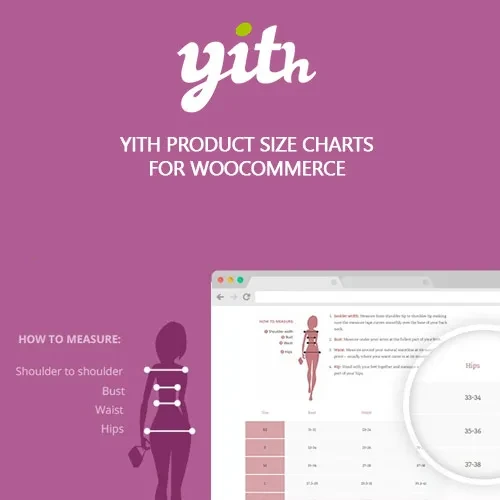
YITH Product Size Charts for WooCommerce Premium gives WooCommerce store owners an easy way to present sizing and measurement information where customers need it most. Create dedicated size guides for different products, categories, or store sections and display them in layouts that work naturally with your product pages. It is particularly useful for fashion stores, footwear shops, accessory retailers, and other businesses where selecting the correct dimensions or size can affect purchasing decisions. By making measurement information easier to access, you can help shoppers make more informed choices before completing an order.
YITH Product Size Charts for WooCommerce Premium – Flexible Size Guide for WooCommerce
YITH Product Size Charts for WooCommerce Premium gives WooCommerce store owners an easy way to present sizing and measurement information where customers need it most. Create dedicated size guides for different products, categories, or store sections and display them in layouts that work naturally with your product pages.
It is particularly useful for fashion stores, footwear shops, accessory retailers, and other businesses where selecting the correct dimensions or size can affect purchasing decisions. By making measurement information easier to access, you can help shoppers make more informed choices before completing an order.
Create Multiple Size Charts — Build separate charts for different products, collections, or sizing systems without being restricted to a single guide.
Flexible Assignment Options — Apply charts across the store, to selected categories, or directly to individual products.
Different Display Styles — Present sizing information using tables, tabs, pop-up/modal windows, or other supported layouts.
Ready-to-Use Templates — Start with available chart designs or customize your own sizing presentation.
Responsive Design — Size information can adapt to desktop, tablet, and smartphone screens for a better shopping experience.
Flexible Chart Placement — Display a size guide near relevant product information, around the add-to-cart area, inside tabs, or through a dedicated link.
Shortcode Integration — Add supported size charts to different areas of your website using shortcodes.
GPL Package & Lifetime Updates — Use the plugin on personal or client websites according to applicable GPL terms, with lifetime updates included in the package.
Customers buying products online cannot physically try or measure them before placing an order. For products where dimensions and fit are important, providing accessible sizing information can make the purchasing process much easier.
YITH Product Size Charts for WooCommerce Premium lets you create structured measurement guides and connect them with the products where they are relevant. Instead of maintaining one general chart for your entire catalog, you can organize different guides for different product types, categories, or individual items.
For example, a clothing store could maintain separate charts for shirts, trousers, dresses, or other apparel. A footwear store could provide a dedicated shoe-size guide, while an accessory shop could display measurements specific to its products.
The plugin also provides flexible presentation options so that the size information can fit naturally into your existing product-page design. Depending on the supported configuration, charts can be displayed through product-page areas, tabs, pop-ups, links, or shortcodes.
Responsive layouts are especially useful for mobile shoppers because customers can access measurement information without leaving the product they are considering.
Feature | YITH Product Size Charts | Basic Size Guide Methods |
|---|---|---|
Multiple Size Charts | ✔ Create separate charts | ✘ Often requires manual management |
Store-Wide Assignment | ✔ Supported | ✘ Usually limited |
Category-Based Assignment | ✔ Available | ✘ May require custom work |
Product-Level Assignment | ✔ Supported | ✘ Often unavailable |
Chart Templates | ✔ Template-based options | ✘ Usually basic tables |
Responsive Presentation | ✔ Designed for different devices | ✘ Depends on implementation |
Multiple Display Methods | ✔ Supported layouts and placements | ✘ Limited options |
Shortcode Support | ✔ Available | ✘ May require custom development |
GPL Usage | ✔ According to GPL terms | Depends on the solution |
Obtain the YITH Product Size Charts for WooCommerce Premium ZIP package from 5ivecode.com.
Sign in to your WordPress administration dashboard.
Navigate to Plugins → Add New → Upload Plugin.
Select the downloaded ZIP file and choose Install Now.
After installation completes, click Activate.
Open the plugin's available YITH Size Charts settings from the WordPress dashboard.
Create your first size chart and enter the required sizes, measurements, and display information.
Select where the chart should apply, such as the entire store, a category, or selected products.
Configure the available presentation options and save your settings.
Visit a relevant product page and verify that the size guide appears as expected.
Get Support
Please Sign In to contact our support.