🎃 Halloween Sale — Scary Good Deals, Up to 20% OFF! Don't be spooked by these prices — grab them before they disappear at midnight.
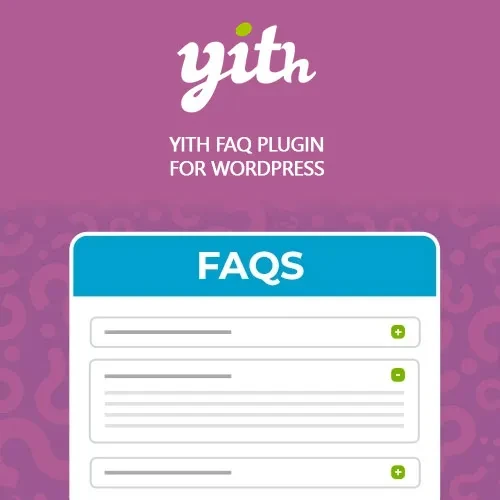
YITH FAQ Plugin for WordPress Premium makes it easy to create professional and organized FAQ sections throughout your WordPress website. Add frequently asked questions to pages, posts, landing pages, or WooCommerce product pages to help visitors quickly find the information they need. Organize questions into categories, use searchable FAQ sections, customize the layout, and display content in responsive accordion-style designs. By providing answers directly on your website, you can improve user experience and potentially reduce repetitive customer support requests.
YITH FAQ Plugin for WordPress Premium – Create Powerful FAQ Sections YITH FAQ Plugin for WordPress Premium makes it easy to create professional and organized FAQ sections throughout your WordPress website. Add frequently asked questions to pages, posts, landing pages, or WooCommerce product pages to help visitors quickly find the information they need. Organize questions into categories, use searchable FAQ sections, customize the layout, and display content in responsive accordion-style designs. By providing answers directly on your website, you can improve user experience and potentially reduce repetitive customer support requests. Key Features ❓ Create unlimited FAQ sections 📑 Organize questions into categories and groups 🔍 Add a search function for finding questions quickly 🎨 Customize FAQ layouts and visual styles 📱 Responsive and mobile-friendly design ⚡ Improve website navigation and user experience 🛒 Add FAQs to WooCommerce product pages 🔓 GPL licensed with flexible multi-site usage Create WordPress FAQ Sections Easily Answering common customer questions can make your website more useful and easier to navigate. YITH FAQ Plugin for WordPress Premium allows you to create dedicated FAQ sections without manually building complex layouts. You can create FAQs for different areas of your website, including: Product information Shipping and delivery Returns and refunds Payment methods Account questions Services Pricing Technical support General business information WooCommerce Product FAQ Integration For online stores, FAQs can be particularly useful on product pages. Add product-specific questions and answers to help customers understand features, specifications, shipping details, warranties, usage instructions, and other important information. Providing answers before checkout can help customers make purchasing decisions with greater confidence. Organize FAQs with Categories Large FAQ collections can become difficult to navigate. The plugin lets you organize questions into relevant categories and groups so visitors can browse information more efficiently. For example, an online store could create categories such as: Orders → Shipping → Payments → Returns → Products → Account This structure makes it easier for customers to locate relevant answers. Searchable FAQ Sections The built-in search functionality allows visitors to quickly look for specific questions or topics instead of manually browsing through a long FAQ list. This is particularly useful for websites with a large number of questions. Responsive Accordion FAQ Layouts Create compact FAQ sections using expandable accordion-style layouts. Visitors can open a question to read its answer while keeping the rest of the page clean and organized. The responsive design helps ensure FAQ content remains accessible across desktops, tablets, and smartphones. Comparison: YITH FAQ Plugin vs Default WordPress Capability YITH FAQ Plugin Default WordPress Dedicated FAQ Sections ✔️ Yes ❌ Not built in FAQ Search ✔️ Yes ❌ Not built in FAQ Categories ✔️ Yes ⚠️ Requires manual organization Accordion Layouts ✔️ Yes ❌ Not built in Custom FAQ Styles ✔️ Yes ⚠️ Limited WooCommerce Product FAQs ✔️ Yes ❌ Not built in Responsive FAQ Design ✔️ Yes ⚠️ Depends on implementation Installation Guide Download YITH FAQ Plugin for WordPress Premium (GPL) from your 5ivecode.com account. Log in to your WordPress administration dashboard. Go to Plugins → Add New → Upload Plugin. Upload the plugin ZIP file. Click Install Now and activate the plugin. Open the plugin's FAQ settings. Create your FAQ questions and answers. Organize FAQs into categories or groups. Select your preferred layout and customize the available display options. Add the FAQ section to your pages or WooCommerce products using the available shortcode or block.
Get Support
Please Sign In to contact our support.