Exclusive Coupon — Use Code SAVE10 for Instant Savings! Apply at checkout for your special discount. Limited uses — grab it while you can.
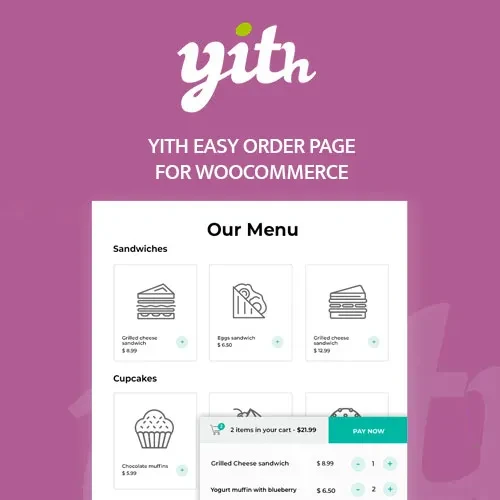
YITH Easy Order Page for WooCommerce Premium provides a convenient way to create a streamlined ordering interface for WooCommerce stores. Instead of requiring customers to open individual product pages one by one, you can present products in a structured order table where shoppers can browse, search, select quantities, and add multiple products to their cart from a centralized interface. This type of quick-order experience can be particularly useful for wholesale businesses, B2B stores, restaurants, distributors, retailers, and customers who frequently purchase multiple products at once.
YITH Easy Order Page for WooCommerce Premium
YITH Easy Order Page for WooCommerce Premium provides a convenient way to create a streamlined ordering interface for WooCommerce stores. Instead of requiring customers to open individual product pages one by one, you can present products in a structured order table where shoppers can browse, search, select quantities, and add multiple products to their cart from a centralized interface.
This type of quick-order experience can be particularly useful for wholesale businesses, B2B stores, restaurants, distributors, retailers, and customers who frequently purchase multiple products at once.
The plugin can help simplify repetitive purchasing workflows by reducing unnecessary navigation between product pages. Depending on the configured options, customers can view useful product information, select variations, adjust quantities, and add items directly from the order page.
The plugin is distributed by 5ivecode.com as a GPL-licensed package and includes lifetime free updates and limited email support according to the applicable package terms.
Quick Order Table – Display WooCommerce products in a compact ordering interface designed for faster product selection.
Bulk Product Selection – Allow customers to choose quantities for multiple products before adding them to the cart.
Product Search – Help shoppers locate products more quickly within the order interface.
Category-Based Browsing – Organize available products using WooCommerce categories where supported.
SKU-Based Product Discovery – Make it easier for customers familiar with product codes to locate items.
Variable Product Support – Provide options for selecting supported product variations directly within the ordering interface.
Customizable Columns – Configure the information displayed in the order table, such as product image, SKU, price, stock, quantity, and purchasing controls.
AJAX-Based Interactions – Supported cart actions can update without requiring a full page reload.
Responsive Layout – Designed to provide an ordering interface across different screen sizes.
Dedicated Quick-Order Pages – Create pages specifically for wholesale, bulk ordering, or repeat purchasing.
Useful for B2B & Wholesale Stores – Provide business customers with a more efficient way to order multiple products.
Repeat-Order Friendly – Make recurring product selection more convenient for returning customers.
Multilingual Support – Suitable for multilingual WooCommerce installations where the relevant translation configuration is available.
RTL Compatibility – Can be used on right-to-left language websites where supported by the plugin and theme.
GPL Package – Use the software according to the rights provided by the applicable GPL license.
Lifetime Free Updates – The package from 5ivecode.com includes lifetime free updates according to its package terms.
Limited Email Support – Basic assistance is available for supported installation and configuration questions.
The standard WooCommerce shopping experience often involves opening a product page, reviewing the product, selecting options, adding it to the cart, and then returning to the catalog.
That workflow is suitable for many consumer stores, but it may be less convenient for customers who already know what products they want to purchase.
YITH Easy Order Page for WooCommerce Premium provides an alternative by presenting multiple products within a centralized order form.
Customers can browse the available items, enter quantities, choose supported variations, and add products to the cart without navigating through every individual product page.
Wholesale buyers frequently purchase several products during a single session. A traditional product-grid layout can require unnecessary navigation when the customer already knows the product names or SKUs.
A quick-order table can make this process more efficient by putting multiple products into one interface.
For example, a wholesale customer could:
Open the dedicated wholesale order page.
Search for a product.
Enter the required quantity.
Select a variation if applicable.
Continue selecting other products.
Add the chosen items to the cart.
This creates a more direct ordering workflow for customers who regularly purchase from your catalog.
One of the main advantages of a quick-order page is the ability to prepare multiple product selections before submitting them to the cart.
Instead of repeatedly performing:
Product → Product Page → Quantity → Add to Cart → Back to Catalog
customers can work from a centralized table:
Product List → Quantities/Variations → Add Selected Products
This can be especially useful for stores with large product catalogs and customers who place frequent multi-item orders.
Finding a specific product becomes more important as the size of a WooCommerce catalog increases.
The plugin provides product-discovery features that can make it easier for customers to locate items within the quick-order interface.
Depending on the configured functionality, customers can search or organize products using information such as:
Product name
SKU
Category
Product tags
Other supported product attributes
This can be particularly useful for B2B customers who already know product codes or internal catalog references.
Get Support
Please Sign In to contact our support.