Exclusive Coupon — Use Code SAVE10 for Instant Savings! Apply at checkout for your special discount. Limited uses — grab it while you can.
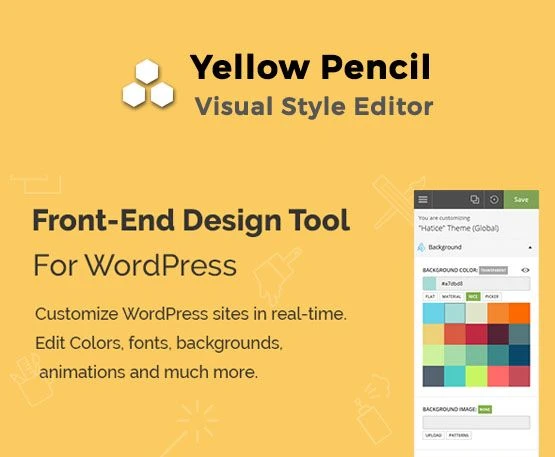
Yellow Pencil is a premium visual CSS editor for WordPress that allows you to customize your website's design using a simple point-and-click interface. Without writing CSS code, you can edit colors, fonts, spacing, layouts, animations, and responsive styles directly on the front end of your website. It is an ideal solution for designers, developers, freelancers, agencies, and WordPress users who want complete design control without modifying theme files. This GPL edition is available from 5ivecode.com, allowing unlimited installations with access to the complete premium feature set—no license key or activation required.
Yellow Pencil – Visual CSS Style Editor WordPress Plugin (GPL Licensed)
Yellow Pencil is a premium visual CSS editor for WordPress that allows you to customize your website's design using a simple point-and-click interface. Without writing CSS code, you can edit colors, fonts, spacing, layouts, animations, and responsive styles directly on the front end of your website. It is an ideal solution for designers, developers, freelancers, agencies, and WordPress users who want complete design control without modifying theme files.
This GPL edition is available from 5ivecode.com, allowing unlimited installations with access to the complete premium feature set—no license key or activation required.
Key Features
Visual CSS Editor – Customize your website visually without writing CSS.
Real-Time Live Editing – Preview every design change instantly before publishing.
Point-and-Click Interface – Select any page element and edit it directly.
Responsive Design Controls – Customize desktop, tablet, and mobile layouts independently.
Advanced Typography Options – Modify fonts, font sizes, weights, spacing, Google Fonts, and text styles.
Spacing & Layout Controls – Easily adjust margins, padding, borders, positioning, and dimensions.
Animations & Visual Effects – Add transitions, hover effects, transforms, shadows, gradients, and animations.
Built-in CSS Editor – Write custom CSS with syntax highlighting and code assistance.
CSS Import & Export – Move your custom styles between websites quickly.
Undo & Redo History – Safely experiment with design changes and restore previous edits.
Theme & Plugin Compatibility – Works with virtually all WordPress themes and popular page builders.
Page Builder Support – Compatible with Elementor, WPBakery, Gutenberg, Divi, Beaver Builder, and more.
Google Fonts Integration – Access hundreds of fonts directly within the editor.
Clean CSS Output – Generates organized CSS without modifying your theme files.
Unlimited GPL Usage – Install on unlimited personal, business, and client websites.
Lifetime GPL Updates – Download the latest GPL version anytime from 5ivecode.com.
Complete Overview
Yellow Pencil makes WordPress website customization accessible for everyone. Instead of editing theme files or writing CSS manually, you simply click on any page element and customize its appearance visually.
Whether you're creating a business website, WooCommerce store, portfolio, landing page, or blog, Yellow Pencil provides professional design tools for modifying every aspect of your site's appearance. It works independently of your WordPress theme, allowing you to create unique website designs while preserving theme updates.
Plugin Comparison
Feature Yellow Pencil Standard Theme Customizer
Visual CSS Editing ✔ Yes ❌ Limited
Live Frontend Editing ✔ Real-Time ❌ Partial
Responsive Editing ✔ Desktop, Tablet & Mobile ❌ Basic
Custom CSS Editor ✔ Advanced ✔ Basic
Theme Compatibility ✔ Almost All Themes ❌ Theme Dependent
GPL License ✔ Unlimited Usage ❌ License Restrictions
Installation Guide
Download the Yellow Pencil GPL plugin package from 5ivecode.com.
Log in to your WordPress Dashboard.
Navigate to Plugins → Add New → Upload Plugin.
Upload the ZIP file and install the plugin.
Activate Yellow Pencil.
Open any page on your website.
Launch the visual editor and start customizing your website in real time.
Save your changes when you're satisfied with the design.
GPL License Information
This GPL edition of Yellow Pencil is distributed under the GNU General Public License, allowing unlimited installations on personal, commercial, and client websites. The version available from 5ivecode.com includes the original premium plugin files while preserving complete core functionality.
Frequently Asked Questions
Do I need coding knowledge to use Yellow Pencil?
No. The plugin provides a visual editor that allows you to customize your website without writing CSS.
Does Yellow Pencil work with any WordPress theme?
Yes. It is compatible with most WordPress themes and popular page builders.
Can I edit responsive layouts?
Yes. You can create different styles for desktop, tablet, and mobile devices.
Does the plugin include a custom CSS editor?
Yes. Advanced users can write and manage custom CSS directly inside the plugin.
Can I install Yellow Pencil on unlimited websites?
Yes. The GPL license allows unlimited installations for personal, commercial, and client projects.
Why Choose Yellow Pencil?
Yellow Pencil is one of the most powerful visual CSS editors available for WordPress. With live frontend editing, responsive controls, advanced typography options, animation effects, Google Fonts integration, and extensive theme compatibility, it enables you to create professional website designs without touching your theme files.
Download the latest Yellow Pencil GPL WordPress Plugin from 5ivecode.com and customize your website visually with unlimited GPL usage.
Get Support
Please Sign In to contact our support.