🎃 Halloween Sale — Scary Good Deals, Up to 20% OFF! Don't be spooked by these prices — grab them before they disappear at midnight.
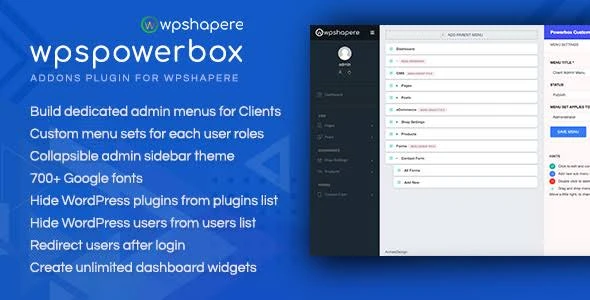
WPSPowerbox is an addon designed to extend the customization capabilities of the WPShapere WordPress Admin Theme. It helps developers, freelancers, agencies, and business owners create a more personalized WordPress administration experience through additional branding options, dashboard controls, interface enhancements, and administrative customization features. For professionals managing WordPress websites for clients, a customized backend can provide a consistent brand identity and a more organized administration experience. WPSPowerbox is intended to complement WPShapere with additional tools for tailoring the WordPress dashboard to different project requirements.
WPSPowerbox – WPShapere Admin Theme Addon for WordPress (GPL)
WPSPowerbox is an addon designed to extend the customization capabilities of the WPShapere WordPress Admin Theme. It helps developers, freelancers, agencies, and business owners create a more personalized WordPress administration experience through additional branding options, dashboard controls, interface enhancements, and administrative customization features.
For professionals managing WordPress websites for clients, a customized backend can provide a consistent brand identity and a more organized administration experience. WPSPowerbox is intended to complement WPShapere with additional tools for tailoring the WordPress dashboard to different project requirements.
Extended WPShapere Functionality – Add customization options to the WPShapere WordPress admin environment.
White-Label Branding – Personalize the backend appearance to align with your agency or business identity.
Custom Dashboard Widgets – Enhance the dashboard with additional controls and supported widget options.
Extended Admin Interface – Customize available administration layouts and interface elements.
Role-Based Access Controls – Configure supported administrative options according to user roles.
Clean Backend Experience – Create a more organized and professional-looking WordPress dashboard.
Multisite Support – Explore its suitability for WordPress Multisite environments, subject to version compatibility.
Translation Readiness – Support localization workflows where provided by the installed version.
WordPress Admin Customization – Tailor supported backend elements to suit different website projects.
GPL Licensing – Review the applicable GPL licence and product distribution terms before use.
WPSPowerbox is designed to work alongside the WPShapere WordPress Admin Theme, adding further customization possibilities to the existing administration interface. It can be useful for website administrators who want more control over their backend presentation and workflow.
Create a backend experience that better reflects your business or agency identity. White-label customization can help reduce unnecessary third-party branding and deliver a more consistent experience when handing WordPress websites over to clients.
Customize supported dashboard elements to make relevant administrative information and tools easier to access. A well-organized dashboard can help website owners and clients navigate routine management tasks more efficiently.
Adjust available administration interface elements to suit your preferred workflow. Depending on the features included in your version, these options may help make the backend more consistent across websites managed by your team.
Use supported role-related controls to tailor the administrative experience for different users. This can be useful for agencies that want clients, editors, and administrators to have appropriate access to available dashboard features.
Interface customization is not necessarily equivalent to restricting access to sensitive data or privileged actions. Always verify WordPress capabilities and permissions separately.
A customized dashboard can make a website easier for clients to use after project delivery. By organizing supported controls and branding elements, WPSPowerbox can help developers create an administration environment suited to the needs of each project.
For agencies operating multiple WordPress websites, Multisite compatibility and translation support can be important considerations. Verify the documentation for your specific addon version before deploying it across a Multisite network or a multilingual website.
WPSPowerbox is intended to extend the WordPress backend through its relationship with WPShapere. Review the addon requirements and setup instructions to ensure that the required theme is installed and configured correctly.
Feature | WPSPowerbox | General admin customization addons |
|---|---|---|
WPShapere integration | Designed as a WPShapere addon | Depends on the individual product |
White-label branding | Included among its intended features | Varies by plugin |
Dashboard customization | Supported options depend on version | Varies by plugin |
Admin interface adjustments | Designed to extend the WPShapere experience | Depends on available tools |
Role-related controls | Listed as a feature | Availability varies |
Multisite compatibility | Verify the installed version | Depends on the plugin |
Licence and updates | Check the applicable product terms | Varies by provider |
Get Support
Please Sign In to contact our support.