🎃 Halloween Sale — Scary Good Deals, Up to 20% OFF! Don't be spooked by these prices — grab them before they disappear at midnight.
WP Timeline is a WordPress timeline plugin that helps you present events, milestones, historical information, and sequential content through visually engaging vertical and horizontal timelines. It offers a convenient way to organize important information chronologically, making stories and progress updates easier for visitors to explore. With more than 45 advertised layout designs, responsive presentation, customization options, and support for posts and custom post types, WP Timeline helps website owners create timeline sections suited to different content needs. Use it to highlight company achievements, project roadmaps, personal milestones, product launches, educational histories, and more.
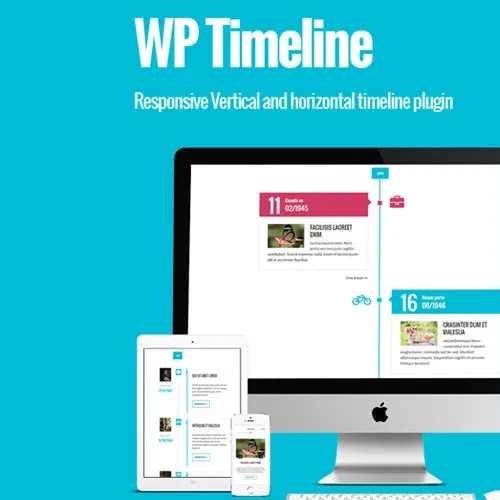
WP Timeline – Responsive Vertical and Horizontal Timeline Plugin
WP Timeline is a WordPress timeline plugin that helps you present events, milestones, historical information, and sequential content through visually engaging vertical and horizontal timelines. It offers a convenient way to organize important information chronologically, making stories and progress updates easier for visitors to explore.
With more than 45 advertised layout designs, responsive presentation, customization options, and support for posts and custom post types, WP Timeline helps website owners create timeline sections suited to different content needs. Use it to highlight company achievements, project roadmaps, personal milestones, product launches, educational histories, and more.
Unlimited Timeline Creation – Create multiple vertical and horizontal timelines to organize different types of content.
45+ Timeline Layout Designs – Choose from a variety of advertised layouts to suit your website's presentation style.
Responsive Display – Present timeline content in layouts designed for desktop, tablet, and mobile screens.
Post and Custom Post Type Support – Build timelines using supported WordPress posts and custom content types.
Category and Tag Support – Organize eligible timeline content using WordPress categories and tags.
Drag-and-Drop Timeline Builder – Use the available visual building controls to simplify timeline creation.
Filtering and Navigation – Help visitors explore timeline entries with supported filtering and navigation options.
Custom Colors and Fonts – Adjust available styling options to complement your website's visual identity.
Icon Customization – Enhance timeline entries with supported icons and visual details.
Flexible Content Presentation – Display company histories, project stages, biographies, achievements, and event sequences.
GPL Licensing – The GNU General Public License governs permitted use, modification, and redistribution according to its terms.
Different types of content benefit from different visual arrangements. WP Timeline supports vertical and horizontal timeline formats, allowing you to select a presentation that suits your page structure and storytelling goals.
Vertical timelines are useful for displaying a sequence of events from top to bottom, while horizontal timelines can provide an alternative layout for showcasing milestones and chronological information.
The plugin advertises more than 45 timeline layouts, providing a range of design options for different website styles. These layouts can help you present important information in a structured format without having to build every timeline element manually.
Choose a suitable design for your content and adjust the available styling settings to maintain a consistent appearance across your website.
WP Timeline supports timeline creation using WordPress posts and compatible custom post types. This flexibility can be useful when your website contains different categories of information, such as company updates, project records, product announcements, or personal stories.
Category and tag support can further help organize eligible content and create timelines around specific topics.
Creating a timeline manually may require custom markup, styling, and ongoing maintenance. The plugin's drag-and-drop building controls are designed to simplify the process of arranging timeline content through the available interface.
This can make timeline creation more convenient for website owners who prefer a visual workflow over building every component from scratch.
A timeline should fit naturally into your website's overall design. WP Timeline provides styling options for customizing supported colors, typography, and icons, helping you create a presentation that complements your theme and brand identity.
Timelines can contain many entries, especially when displaying extensive histories or detailed project roadmaps. Supported filtering and navigation features help visitors explore relevant entries and follow the sequence of information more conveniently.
Visitors may browse your website using different screen sizes. WP Timeline is designed to provide responsive timeline layouts that make chronological content more accessible across desktop computers, tablets, and mobile devices.
Always preview the finished timeline on different devices, as the final appearance can depend on your theme, layout, and plugin configuration.
Feature | With WP Timeline | Manual Development |
|---|---|---|
Timeline orientation | Vertical and horizontal options | Requires implementation for each layout |
Ready-made designs | 45+ advertised layouts | Designs must be created or sourced |
Content sources | Supported posts and custom post types | Depends on custom development |
Styling | Available visual customization controls | Requires CSS or other styling methods |
Navigation | Supported filtering and navigation features | Must be implemented where needed |
Timeline setup | Visual building interface | May require coding and maintenance |
Get Support
Please Sign In to contact our support.