🎃 Halloween Sale — Scary Good Deals, Up to 20% OFF! Don't be spooked by these prices — grab them before they disappear at midnight.
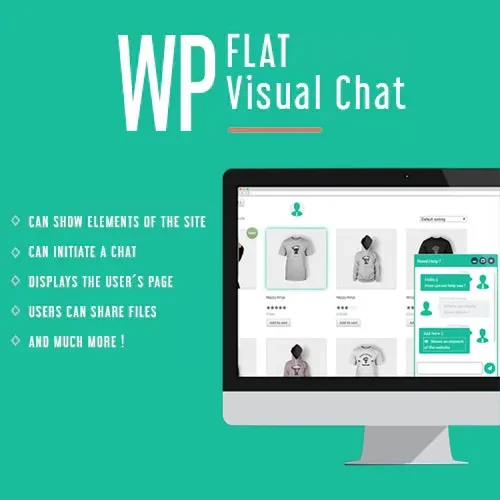
WP Flat Visual Chat is a WordPress live chat plugin designed to help businesses communicate with website visitors in real time. It provides a way to offer customer assistance, answer product questions, and support visitors as they explore your website. Designed for online stores, service providers, and digital agencies, the plugin combines live chat with visitor-viewing functionality, file sharing, and WooCommerce-related features. Its interface is intended to provide a convenient way for support teams to interact with customers directly through a WordPress website.
WP Flat Visual Chat – Live Chat and Remote View Plugin for WordPress
WP Flat Visual Chat is a WordPress live chat plugin designed to help businesses communicate with website visitors in real time. It provides a way to offer customer assistance, answer product questions, and support visitors as they explore your website.
Designed for online stores, service providers, and digital agencies, the plugin combines live chat with visitor-viewing functionality, file sharing, and WooCommerce-related features. Its interface is intended to provide a convenient way for support teams to interact with customers directly through a WordPress website.
Real-Time Live Chat: Communicate with website visitors through a live chat interface.
Remote View Functionality: Access supported visitor-browsing information to help understand their website journey.
Flat User Interface: Use a clean, modern chat design that complements your website.
Multiple Chat Operators: Manage customer conversations with multiple support agents, subject to the plugin's supported configuration.
File Sharing: Exchange supported files through chat when the feature is enabled.
WooCommerce Integration: Assist customers with shopping-related questions on compatible WooCommerce websites.
Responsive Chat Interface: Provide a chat experience designed for desktop computers, tablets, and mobile devices.
Website-Based Customer Support: Add chat functionality to help visitors find information and resolve questions.
Visitor Engagement: Offer assistance at relevant points in the browsing and shopping experience.
Customizable Settings: Configure the available chat appearance and behavior to suit your website.
WP Flat Visual Chat helps website owners interact with visitors without relying exclusively on email or contact forms. Customers can use the chat interface to ask questions, request product information, and seek assistance while browsing.
For businesses, this can create a more direct communication channel and help support teams respond to customer needs.
The remote view feature is designed to provide insight into supported aspects of a visitor's browsing activity. This information can help support agents understand which pages or products a customer is viewing and provide more relevant assistance.
The exact information available depends on the plugin's implementation and configuration. Visitor monitoring should be disclosed appropriately, and any data collection must comply with applicable privacy laws and your website's privacy policy.
Important: Do not assume that remote view provides unrestricted access to a visitor's screen, private information, or activity outside your website.
Websites with several customer support agents may benefit from managing conversations through a shared chat system. Multiple-operator functionality can help teams divide support responsibilities and respond to inquiries more efficiently.
Check your installed version's documentation for operator limits, conversation assignment options, and user-role requirements before deployment.
File-sharing functionality can make it easier for customers and support agents to exchange relevant documents or images during a conversation, where supported.
Configure file types and upload restrictions carefully. Only permit necessary file formats and sizes, and apply appropriate security measures to reduce the risk of malicious uploads.
For online stores, chat can help answer questions about products, available options, and the shopping process. WP Flat Visual Chat is presented as supporting WooCommerce integration, allowing businesses to incorporate customer assistance into their eCommerce experience.
Verify compatibility with your current WooCommerce version and test the chat interface on product, cart, and checkout pages before making it available to customers.
A chat interface should be easy to use and visually consistent with the rest of your website. WP Flat Visual Chat features a flat-style design intended to provide a straightforward customer communication experience.
Test the available appearance settings across different screen sizes to ensure that the chat window does not obstruct important navigation or checkout elements.
Offering assistance while visitors browse can make it easier for them to find answers before leaving your website. Support teams can use conversations to clarify service details, explain product features, and guide interested customers toward relevant information.
Actual improvements in engagement or sales depend on response quality, website performance, customer needs, and how effectively the chat feature is implemented.
Get Support
Please Sign In to contact our support.