🎃 Halloween Sale — Scary Good Deals, Up to 20% OFF! Don't be spooked by these prices — grab them before they disappear at midnight.
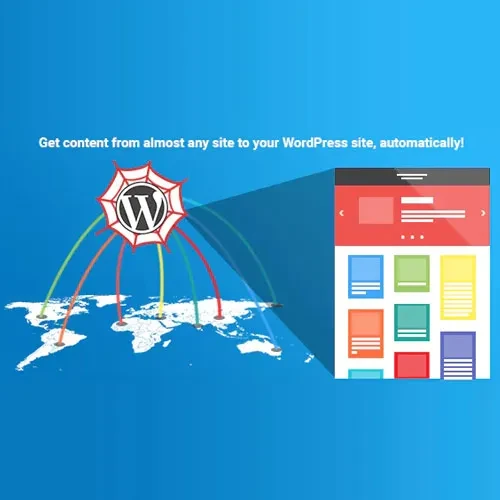
WP Content Crawler is a WordPress content importing solution designed to collect information from external websites and transform supported content into WordPress posts through configurable crawling and extraction workflows. It can help website owners automate parts of content collection, reduce repetitive manual work, and organize imported material within their WordPress websites. Whether you manage a content directory, product catalog, news aggregation website, or niche information portal, WP Content Crawler can help streamline supported content-importing tasks through crawling rules, scheduled operations, content filtering, and publishing settings.
WP Content Crawler – Automated Website Content Importer for WordPress
WP Content Crawler is a WordPress content importing solution designed to collect information from external websites and transform supported content into WordPress posts through configurable crawling and extraction workflows. It can help website owners automate parts of content collection, reduce repetitive manual work, and organize imported material within their WordPress websites.
Whether you manage a content directory, product catalog, news aggregation website, or niche information portal, WP Content Crawler can help streamline supported content-importing tasks through crawling rules, scheduled operations, content filtering, and publishing settings.
Always ensure you have permission to collect, reproduce, and publish content from external websites. Respect copyright, website terms, access restrictions, and applicable privacy requirements.
Automated Content Crawling – Collect content from configured websites using supported crawling settings.
Website Content Import – Transfer selected information from external sources into your WordPress website.
Custom Content Extraction – Configure extraction rules to identify relevant content elements.
Scheduled Crawling – Automate supported crawling tasks according to configured schedules.
Automatic Post Creation – Create WordPress posts from successfully processed content.
Content Filtering – Apply supported rules to determine which content should be imported.
Category and Tag Mapping – Organize imported posts using appropriate WordPress categories and tags.
Image and Media Import – Process supported images and media associated with imported content.
Duplicate Content Control – Use available controls to help identify or prevent repeated imports.
WordPress Integration – Manage imported content within the WordPress publishing environment.
Automated crawling helps collect information from configured external websites without requiring every item to be gathered manually. You can set up crawling rules for supported source pages and define how the system should process the information it discovers.
This can be useful for websites that regularly collect information from multiple approved sources.
Import supported content from external websites into your WordPress workflow. Depending on the source structure and extraction settings, the imported information can be prepared for publication or further editing within your dashboard.
Before importing, verify that the source website permits the intended use of its content.
Different websites organize information in different ways. Custom extraction rules can help identify the specific page elements you need, such as titles, text, links, or other supported content fields.
Carefully configured extraction rules can improve consistency and reduce irrelevant information in imported posts. Changes to a source website's layout may require the rules to be reviewed or updated.
Scheduled crawling can automate supported collection tasks at configured intervals. This may be helpful when working with sources that publish new information regularly.
Choose appropriate schedules based on your content requirements, hosting resources, and the source website's access policies.
Automatically create WordPress posts from content that has been successfully collected and processed. Depending on the available configuration, imported items can be organized into a suitable publishing workflow.
Review imported content before publication when accuracy, originality, compliance, or editorial quality is important.
Content filtering helps narrow imports to material that meets defined criteria. Depending on the available rules, you can exclude irrelevant items and focus your workflow on content that matches your website's subject matter.
Useful filtering can reduce unnecessary imports and make editorial review more efficient.
Organize imported content using WordPress categories and tags. Mapping source content to relevant taxonomy terms helps keep your website structured and makes it easier for visitors to browse related information.
Review category and tag assignments to ensure that imported posts fit your site's information architecture.
Image and media processing can help transfer supported visual elements associated with collected content. The result depends on source accessibility, extraction rules, media settings, and the supported formats.
Make sure you have the necessary rights or permissions to reuse imported images and other media on your website.
Duplicate content controls can help reduce repeated imports when crawling the same source more than once. This is especially valuable for workflows that revisit source pages on a schedule.
The exact duplicate-detection behavior depends on the plugin's available settings. Imported content should still be checked for overlap, accuracy, and editorial suitability.
Manage the importing workflow within your WordPress environment, from configuration to post organization. Integrating content collection with the existing publishing process can help reduce the need to move information manually between separate systems.
Get Support
Please Sign In to contact our support.