Exclusive Coupon — Use Code SAVE10 for Instant Savings! Apply at checkout for your special discount. Limited uses — grab it while you can.
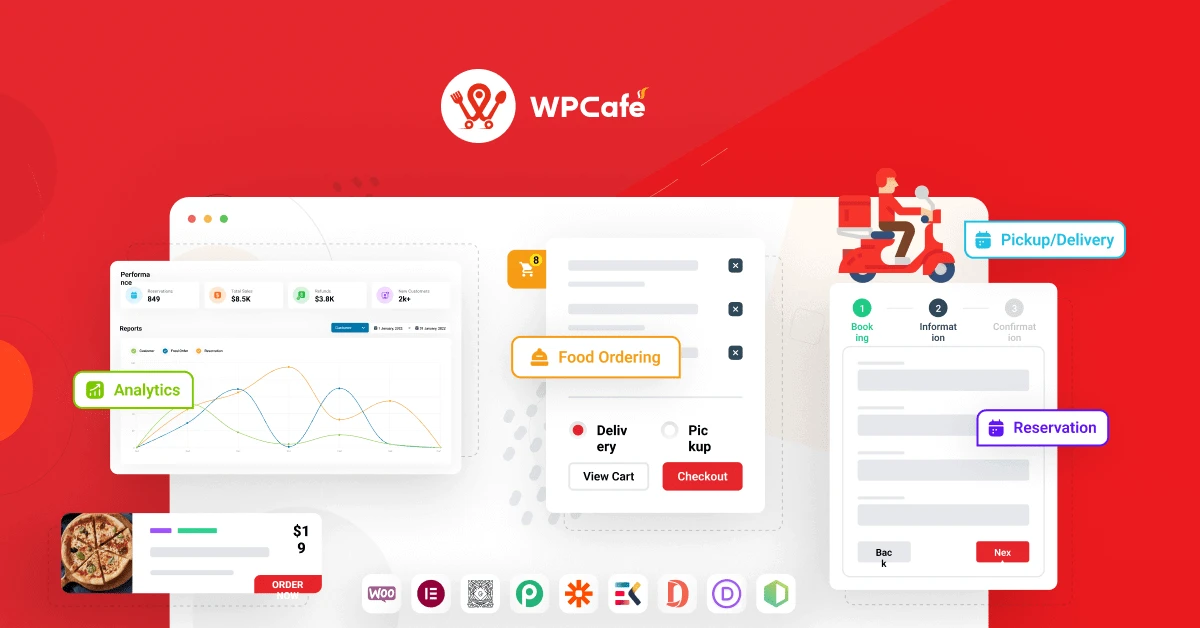
WP Cafe is a restaurant-focused WordPress solution designed to bring food menus, online ordering, table reservations, pickup, and delivery features together on one website. The plugin works with WooCommerce to provide an online purchasing workflow, allowing restaurants and cafés to display their food selections and accept orders through an existing WooCommerce store.
WP Cafe – WordPress Restaurant Menu Plugin & Online Food Ordering for WooCommerce (GPL) Feature Highlights 🍽️ Restaurant Menu Management – Build attractive food and beverage menus with organized categories for different dishes, drinks, and offerings. 🛒 Online Food Ordering – Connect your restaurant ordering system with WooCommerce so customers can add meals to their cart and complete checkout online. 📅 Pickup & Delivery Options – Let customers select between takeaway and delivery services, with scheduling options where supported. ⏰ Order Scheduling & Time Slots – Define the periods during which customers can place orders or make reservations. 📍 Online Table Reservations – Allow visitors to request table bookings while helping administrators manage reservation availability. 📱 Responsive Restaurant Website Experience – Present menus, ordering options, and reservation features across desktops, tablets, and mobile devices. 🎨 Elementor Integration – Use a collection of Elementor widgets to build and display restaurant menus, ordering sections, and reservation elements. 🌍 Multilingual Support – Suitable for multilingual restaurant websites using translation solutions such as WPML, Polylang, and Loco Translate. 🔑 GPL Licensed – Distributed under the GNU GPL license. Refer to the current package information on 5ivecode.com for update and distribution terms. Overview WP Cafe is a restaurant-focused WordPress solution designed to bring food menus, online ordering, table reservations, pickup, and delivery features together on one website. The plugin works with WooCommerce to provide an online purchasing workflow, allowing restaurants and cafés to display their food selections and accept orders through an existing WooCommerce store. Restaurant owners can create structured menus, configure ordering schedules, provide pickup or delivery options, and manage table reservations from their WordPress website. WP Cafe can be useful for cafés, restaurants, food delivery businesses, takeaway services, dining establishments, and other food-related websites that want to provide customers with online ordering and reservation functionality. Use Cases ☕ Cafés & Coffee Shops – Display beverages and food items while supporting dine-in, takeaway, or pickup orders. 🍕 Fast-Food Restaurants – Create online menus and provide customers with convenient delivery or pickup ordering. 🍣 Sushi & Specialty Restaurants – Combine digital menus with online ordering and reservation functionality. 🥗 Healthy Food Businesses – Promote ready-to-eat meals and accept online orders through WooCommerce. 🍷 Fine-Dining Restaurants – Present detailed menus and allow customers to submit table reservation requests. 🍔 Takeaway Businesses – Configure ordering schedules and simplify online pickup management. 🏪 Multiple Restaurant Locations – Where supported by the plugin configuration, organize menus and operating information for different locations. Comparison Table Feature WP Cafe Generic WooCommerce Setup Restaurant Menu ✔️ Dedicated food and beverage menu functionality ⚠️ Requires additional configuration Online Food Ordering ✔️ Integrated with WooCommerce ✔️ WooCommerce supports standard product orders Pickup & Delivery ✔️ Restaurant-focused ordering options ⚠️ May require additional extensions Table Reservations ✔️ Dedicated reservation functionality ❌ Not part of standard WooCommerce Order Time Slots ✔️ Configure ordering schedules and available periods ❌ Not included as a standard feature Elementor Integration ✔️ Restaurant-focused Elementor widgets ⚠️ Depends on additional tools Multilingual Compatibility ✔️ Designed for multilingual WordPress environments ⚠️ Depends on the installed translation setup Installation & Setup Download the WP Cafe GPL package from 5ivecode.com. Sign in to your WordPress administration dashboard. Navigate to Dashboard → Plugins → Add New → Upload Plugin. Select the wpcafe.zip package. Click Install Now and wait for the installation process to finish. Activate WP Cafe from the Plugins page. Configure your restaurant menus through the available WP Cafe menu settings. Configure pickup, delivery, ordering schedules, and reservation options under the plugin settings. Connect the relevant WooCommerce functionality for cart, checkout, and payment processing. Test menu display, ordering, reservations, and checkout before launching the website.
Get Support
Please Sign In to contact our support.