🎃 Halloween Sale — Scary Good Deals, Up to 20% OFF! Don't be spooked by these prices — grab them before they disappear at midnight.
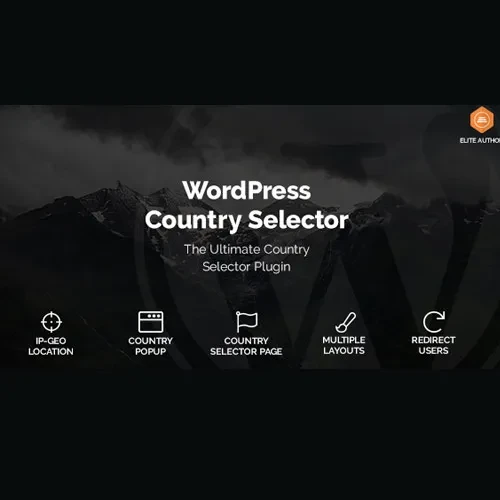
WordPress Country Selector is a location-based customization solution that helps website owners provide country selection options for their visitors. It can be used to support country-specific content, localized website experiences, and country-related settings, making it easier for users to select the location relevant to their needs. Whether you manage an international business website, an online store, a service platform, or a multilingual website, a country selector can help visitors identify their preferred country and access relevant information. With features such as country dropdowns, flag displays, custom country lists, and location-based options, WordPress Country Selector can support a more personalized browsing experience.
WordPress Country Selector – Country Selection and Location-Based Customization
WordPress Country Selector is a location-based customization solution that helps website owners provide country selection options for their visitors. It can be used to support country-specific content, localized website experiences, and country-related settings, making it easier for users to select the location relevant to their needs.
Whether you manage an international business website, an online store, a service platform, or a multilingual website, a country selector can help visitors identify their preferred country and access relevant information. With features such as country dropdowns, flag displays, custom country lists, and location-based options, WordPress Country Selector can support a more personalized browsing experience.
Country Selector: Allow visitors to choose their preferred country.
Country Dropdown: Present country options in a convenient dropdown menu.
Location-Based Selection: Support country selection based on the website’s intended location workflow.
Country Flags: Use country flag visuals to make selection options easier to recognize.
Localized Content: Help present relevant content for different countries when configured with suitable localization functionality.
Country-Based Redirects: Support country-specific navigation or redirects where available.
Geolocation Support: Use compatible location-detection functionality where supported and configured.
Custom Country Lists: Configure the available country options according to your website’s needs.
Responsive Interface: Provide a country selection interface designed for different screen sizes.
WordPress Integration: Add country selection functionality to a WordPress website.
Give visitors a way to select the country relevant to their browsing experience. This can be useful for international websites that serve customers, readers, or businesses across multiple regions.
Display country options through a dropdown interface to keep the selection process organized. A dropdown can be especially useful when a website needs to offer many country choices without occupying too much page space.
Support location-aware website experiences by allowing visitors to select a country or use available location-based functionality. The exact selection process depends on the plugin’s implementation and configuration.
Use country flags alongside country names where supported. Visual indicators can help visitors identify their preferred country more quickly and make the selection interface easier to understand.
Country selection can help direct visitors toward relevant regional content, product information, services, or settings. Delivering localized content may also require additional WordPress configuration, translation tools, or country-specific page rules.
Configure country-related navigation when the plugin and website setup support redirects. For example, an international business may want visitors to access a regional landing page or a country-specific store.
Before enabling redirects, consider providing visitors with a way to change their selection manually.
Geolocation functionality can help identify a visitor’s approximate country when supported by the installed solution and its configured data source. Geolocation is not always exact, so visitors should ideally be able to correct an automatically selected country.
Tailor the country options to your website’s requirements. A custom list can make the selection process more convenient when your business serves only particular markets or regions.
A responsive selection interface helps maintain usability across desktop computers, tablets, and mobile devices. Testing the selector on different screen sizes can help ensure that country names, flags, and dropdown controls remain easy to use.
Integrate country selection into your WordPress website using the plugin’s supported settings and placement methods. Depending on the specific implementation, available integration options may include widgets, shortcodes, blocks, or other supported display methods. Verify which options your version provides.
Get Support
Please Sign In to contact our support.