🎃 Halloween Sale — Scary Good Deals, Up to 20% OFF! Don't be spooked by these prices — grab them before they disappear at midnight.
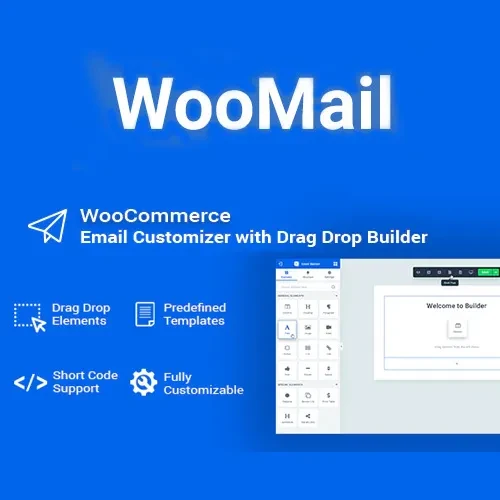
Create branded, professional WooCommerce emails with a flexible visual editor. WooMail helps store owners customize transactional email layouts so order notifications, customer messages, shipping updates, and other WooCommerce communications can better match their brand identity. Instead of relying only on the default WooCommerce email appearance, you can use visual design tools, reusable templates, images, branding elements, and styling options to create a more consistent customer communication experience.
WooMail – WooCommerce Email Customizer (GPL) Create branded, professional WooCommerce emails with a flexible visual editor. WooMail helps store owners customize transactional email layouts so order notifications, customer messages, shipping updates, and other WooCommerce communications can better match their brand identity. Instead of relying only on the default WooCommerce email appearance, you can use visual design tools, reusable templates, images, branding elements, and styling options to create a more consistent customer communication experience. Distributed by 5ivecode.com under GPL terms. Check the current package information for details about updates and support. Not affiliated with the original developer. Feature Highlights 🎨 Visual Email Builder – Create WooCommerce email layouts through an intuitive drag-and-drop editing workflow. 📧 Transactional Email Customization – Customize supported WooCommerce customer and order-related email templates. 🖼️ Branding Elements – Add logos, banners, images, social links, and custom styling to your email designs. ⚡ Ready-Made Templates – Start with available templates and modify them to suit your store's branding. 🧑💻 No Advanced Coding Required – Manage many email design changes directly through the WordPress administration interface. 🌍 Multilingual & RTL Support – Suitable for stores serving customers in different languages and right-to-left locales where supported. 📱 Responsive Email Layouts – Create email designs intended to display appropriately across desktop and mobile devices. 🚀 GPL Distribution – Distributed under applicable GPL terms through 5ivecode.com. Detailed Overview WooMail – WooCommerce Email Customizer gives WooCommerce store owners additional control over the appearance of transactional emails. Default WooCommerce emails provide essential order and customer information, but their visual presentation may not always match the branding of an individual business. WooMail allows you to create more customized layouts using a visual editing workflow. You can design emails with elements such as logos, product information, order details, images, banners, buttons, social links, text sections, and brand-specific styling, depending on the capabilities of the installed version. Customized email templates can help create a consistent experience across important customer communications, including order confirmations, processing notifications, completed-order messages, shipping-related notifications, and other supported WooCommerce emails. The template-based approach can also save time when managing multiple email designs, since reusable layouts can be created and adjusted instead of designing each message from scratch. Comparison Table Feature WooMail Default WooCommerce Emails Visual Email Builder ✔️ Drag-and-drop workflow ❌ Not available by default Email Templates ✔️ Customizable templates ✔️ Standard templates Store Branding ✔️ Logos, images, styling and content ✔️ Basic branding options Email Layout Control ✔️ Expanded customization ❌ More limited Responsive Design ✔️ Mobile-friendly layouts ✔️ Basic responsive behavior Custom Reusable Designs ✔️ Supported where available ❌ Limited Multilingual / RTL ✔️ Supported where compatible ✔️ Depends on WooCommerce setup GPL Distribution ✔️ GPL-based distribution N/A Installation Guide Download the WooMail – WooCommerce Email Customizer (GPL) ZIP package from your 5ivecode.com account. Log in to your WordPress Dashboard. Navigate to Plugins → Add New Plugin → Upload Plugin. Select the WooMail ZIP file. Click Install Now. After installation completes, click Activate. Open the available WooMail or WooCommerce email customization settings. Select the WooCommerce email template you want to customize. Use the visual editor to add or modify content and branding elements. Save your design and send a test email before applying it to live customer communications.
Get Support
Please Sign In to contact our support.