Exclusive Coupon — Use Code SAVE10 for Instant Savings! Apply at checkout for your special discount. Limited uses — grab it while you can.
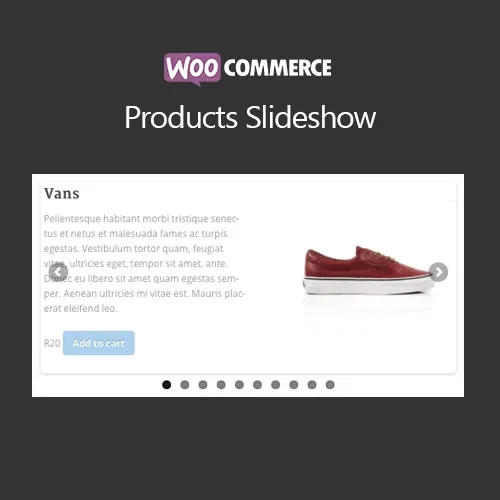
WooCommerce WooSlider Products Slideshow helps you present your WooCommerce products through attractive, responsive slider layouts. Instead of relying only on traditional product grids, you can create dynamic product showcases that draw attention to selected items and encourage visitors to explore more of your catalog. Use it to feature popular products, new arrivals, discounted items, seasonal collections, or specific product categories. With flexible placement options through shortcodes and widgets, product sliders can be added to different areas of your WordPress website.
WooCommerce WooSlider Products Slideshow (GPL Plugin)
WooCommerce WooSlider Products Slideshow helps you present your WooCommerce products through attractive, responsive slider layouts. Instead of relying only on traditional product grids, you can create dynamic product showcases that draw attention to selected items and encourage visitors to explore more of your catalog.
Use it to feature popular products, new arrivals, discounted items, seasonal collections, or specific product categories. With flexible placement options through shortcodes and widgets, product sliders can be added to different areas of your WordPress website.
The extension is distributed under the GPL (General Public License) and supports use across multiple personal and client websites according to GPL terms. The package from 5ivecode.com includes lifetime free updates and limited email support.
✅ Create attractive product sliders for WooCommerce stores
✅ Choose from different slider and transition presentation styles
✅ Display featured, discounted, or category-specific products
✅ Configure navigation arrows, pagination, and autoplay settings
✅ Responsive layouts for desktops, tablets, and smartphones
✅ Add sliders using shortcodes or WordPress widgets
✅ Create engaging product sections without manually building complex layouts
✅ GPL licensed with multi-site usage and lifetime update access
A standard product grid can sometimes make it difficult for important products to stand out. WooCommerce WooSlider Products Slideshow provides a more dynamic way to showcase products by displaying them inside interactive sliders.
Store owners can create dedicated product presentations for featured products, newly added items, special offers, bestsellers, and selected categories. These sliders can be positioned on homepages, promotional landing pages, product-focused sections, posts, or widget areas.
The available configuration options allow you to control how products are presented and how visitors interact with the slider. Navigation controls, pagination, autoplay, and different transition effects can help create a more engaging browsing experience.
Shortcode and widget support also makes the extension useful for both developers who need flexible placement and store administrators who want a simple way to add product showcases.
For ongoing maintenance, 5ivecode.com provides lifetime free updates and limited email support with the package.
Feature | WooSlider Products Slideshow | Standard WooCommerce Display |
|---|---|---|
Product Slider | ✔ Interactive responsive sliders | ✘ Standard product layouts |
Product Selection | ✔ Filter products by supported criteria | ✘ Requires additional configuration |
Presentation Styles | ✔ Multiple slider effects and layouts | ✘ Limited by standard layouts |
Placement | ✔ Shortcodes and widgets | ✘ More limited |
Responsive Design | ✔ Designed for different screen sizes | ✔ Basic responsive support |
GPL Usage | ✔ Multi-site usage under GPL terms | ✘ Licensing depends on the solution |
Download the WooCommerce WooSlider Products Slideshow ZIP package from 5ivecode.com.
Sign in to your WordPress dashboard.
Navigate to Plugins → Add New → Upload Plugin.
Upload the ZIP file and select Install Now.
Activate the extension after installation.
Make sure WooCommerce and the required WooSlider plugin are installed and active.
Open the WooSlider configuration area and create a new product slideshow.
Select the products or product filters you want to display.
Configure the slider layout, transitions, navigation, and autoplay settings.
Add the finished slideshow to your website using the available shortcode or widget options.
WooCommerce WooSlider Products Slideshow is distributed under the GNU General Public License (GPL). This licensing model permits installation and use across multiple personal and client websites, subject to the GPL terms.
The package available through 5ivecode.com includes:
✔ Multi-site usage under GPL licensing
✔ Lifetime free updates
✔ Limited email support
✔ Extension files provided as part of the available package
Get Support
Please Sign In to contact our support.