Exclusive Coupon — Use Code SAVE10 for Instant Savings! Apply at checkout for your special discount. Limited uses — grab it while you can.
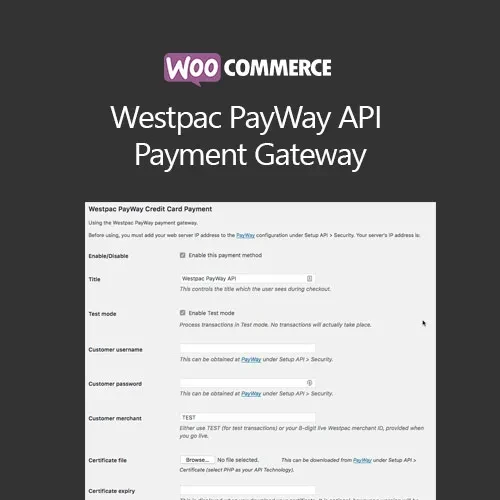
WooCommerce Westpac PayWay API Payment Gateway connects your WooCommerce store with the Westpac PayWay API, allowing eligible Australian businesses to accept online card payments through their WooCommerce checkout. The gateway is designed to integrate payment processing into the WooCommerce order workflow, giving customers a familiar checkout experience while connecting transactions with the PayWay payment service. Depending on the PayWay account, API configuration, and plugin version, available payment features may vary.
WooCommerce Westpac PayWay API Payment Gateway – Secure WooCommerce Payments
WooCommerce Westpac PayWay API Payment Gateway connects your WooCommerce store with the Westpac PayWay API, allowing eligible Australian businesses to accept online card payments through their WooCommerce checkout.
The gateway is designed to integrate payment processing into the WooCommerce order workflow, giving customers a familiar checkout experience while connecting transactions with the PayWay payment service. Depending on the PayWay account, API configuration, and plugin version, available payment features may vary.
It can be particularly useful for Australian WooCommerce stores that already use Westpac PayWay and want to connect their online store with the payment platform.
Westpac PayWay API Integration – Connect WooCommerce with the PayWay payment platform.
Credit Card Payment Support – Accept supported card payments through the configured PayWay integration.
WooCommerce Checkout Integration – Add PayWay as a payment method within the WooCommerce checkout workflow.
On-Site Checkout Experience – The integration can support payment entry within the store's checkout flow where the configured PayWay integration permits it.
API-Based Processing – Connect the store using the required PayWay API credentials and settings.
Australian Payment Solution – Suitable for WooCommerce businesses using Westpac PayWay services.
WooCommerce Order Integration – Payment results can be associated with WooCommerce order processing.
Sandbox/Testing Support – Test the payment workflow using the applicable PayWay testing environment where available.
Payment Configuration Options – Configure the gateway according to the available plugin and PayWay settings.
Transaction Status Handling – Payment responses can be used to update the related WooCommerce order according to the integration workflow.
Subscription Compatibility – Subscription functionality may be available when the plugin, PayWay configuration, and WooCommerce Subscriptions setup support the required recurring-payment workflow.
GPL Licensed Package – The software package is distributed under applicable GPL licensing terms.
WooCommerce stores need a payment gateway that can communicate with the payment provider and return transaction results to the store.
WooCommerce Westpac PayWay API Payment Gateway provides the connection between WooCommerce and the Westpac PayWay API.
After configuration, customers can select the PayWay payment method during checkout and submit their payment through the supported PayWay workflow.
The exact payment fields, authentication requirements, transaction methods, currencies, and available options depend on the PayWay service, merchant account, API version, and plugin implementation.
The gateway adds PayWay to the WooCommerce payment workflow.
A typical customer journey can be:
Customer adds products to the cart.
Customer proceeds to checkout.
Customer enters billing and shipping information.
Customer selects the configured PayWay payment method.
Payment information is submitted through the supported gateway process.
PayWay processes or authorizes the transaction.
The payment response is returned to WooCommerce.
WooCommerce updates the associated order according to the returned result.
This creates a connected payment workflow between the storefront, WooCommerce, and PayWay.
Where supported by the configured PayWay API integration, customers can complete payment without being sent through a separate external checkout page.
Keeping payment interactions within the store's checkout can provide a consistent shopping experience.
However, the exact behavior depends on the PayWay API implementation and the payment method being used. Some payment flows may require additional authentication, verification, or provider-specific steps.
The gateway is designed to support credit card payment processing through the configured Westpac PayWay service.
Depending on the merchant account and PayWay configuration, supported card types and payment options may differ.
Before launching the gateway, confirm the accepted payment methods directly with Westpac PayWay and verify that the plugin supports the required transaction flow.
The gateway requires the appropriate PayWay connection information.
Depending on the PayWay API version and plugin configuration, you may need to configure items such as:
Merchant credentials
API credentials
API endpoint
Sandbox/test settings
Production/live settings
Transaction configuration
Payment method settings
Currency configuration
Other provider-specific options
Only use the credentials and settings provided for your own PayWay merchant account.
Get Support
Please Sign In to contact our support.