Exclusive Coupon — Use Code SAVE10 for Instant Savings! Apply at checkout for your special discount. Limited uses — grab it while you can.
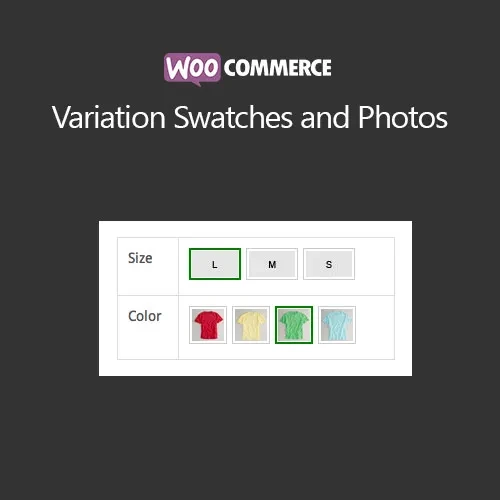
WooCommerce Variation Swatches and Photos enhances WooCommerce variable products by replacing traditional variation dropdowns with visual selection options such as colors, images, and text labels. This makes product attributes easier to understand and gives shoppers a more convenient way to choose the variation they want. It can be useful for stores selling clothing, accessories, furniture, electronics, fabrics, customizable products, and other items with multiple attributes.
WooCommerce Variation Swatches and Photos (GPL) WooCommerce Variation Swatches and Photos enhances WooCommerce variable products by replacing traditional variation dropdowns with visual selection options such as colors, images, and text labels. This makes product attributes easier to understand and gives shoppers a more convenient way to choose the variation they want. It can be useful for stores selling clothing, accessories, furniture, electronics, fabrics, customizable products, and other items with multiple attributes. ✨ Feature Highlights Color, Image & Label Swatches: Replace standard variation dropdowns with visually clear selection buttons. Custom Attribute Images: Assign custom images to product attributes to give customers a better visual representation. Shop & Category Page Display: Show variation swatches on supported product archive, shop, and category pages. Attribute Tooltips: Provide additional information when customers interact with variation options. Responsive Design: Make variation selectors accessible across desktops, tablets, and smartphones. Variable Product Support: Designed to handle products with multiple attributes and variation combinations. WooCommerce Admin Configuration: Manage swatch types and attribute settings from the WordPress/WooCommerce dashboard. Visual Product Selection: Help customers compare available options without relying entirely on text-based dropdowns. 📖 Detailed Overview WooCommerce normally presents variable product attributes through dropdown menus. While this approach works, it can make visual products such as clothing colors, fabric patterns, or product styles harder to compare. WooCommerce Variation Swatches and Photos provides an alternative by presenting available attributes as clickable visual elements. Depending on the product configuration, customers can select a color, image, or text-based label directly from the product page. For example, a clothing store can display actual color swatches instead of listing colors inside a dropdown. A furniture store could use images to represent different finishes, while another business could use label buttons for sizes or styles. This approach can make variation selection clearer and reduce unnecessary clicks during the shopping process. Swatches can also be displayed in supported shop and category layouts, allowing customers to see available options before opening individual product pages. 📊 Variation Swatches vs Default WooCommerce Feature Variation Swatches & Photos Default WooCommerce Attribute Selection ✔ Color, image, and label options ✔ Standard dropdowns Visual Variation Display ✔ Yes ✖ Limited Custom Attribute Images ✔ Supported ✖ Not provided by default Tooltip Information ✔ Available ✖ Not included by default Shop/Category Swatches ✔ Supported configuration ✖ Standard display Mobile-Friendly Selection ✔ Responsive design ✔ Basic responsive behavior Variable Product Support ✔ Yes ✔ Yes ⚙️ Installation Guide Obtain the WooCommerce Variation Swatches and Photos plugin ZIP package. Sign in to your WordPress dashboard. Navigate to Plugins → Add New → Upload Plugin. Upload the ZIP file and select Install Now. Activate the plugin. Go to Products → Attributes and review your available product attributes. Configure supported attributes as colors, images, or labels where appropriate. Assign the desired visual options to your variable products. Open your product and archive pages to verify the variation selectors. Test the options on desktop and mobile devices.
Get Support
Please Sign In to contact our support.