🎃 Halloween Sale — Scary Good Deals, Up to 20% OFF! Don't be spooked by these prices — grab them before they disappear at midnight.
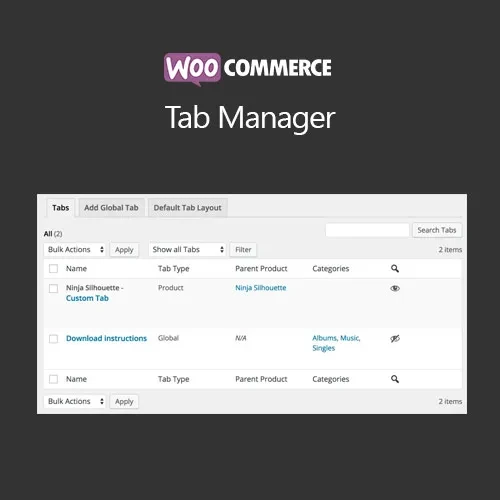
WooCommerce Tab Manager gives you greater control over the information displayed inside WooCommerce product tabs. Create additional tabs, customize existing ones, change their order, and remove unnecessary tabs through an easy-to-manage interface without writing custom code. Add dedicated sections for FAQs, specifications, shipping information, size guides, product videos, warranty details, installation instructions, and other supporting content. Global tabs can be applied across your catalog, while product-specific tabs let you provide information tailored to individual products.
WooCommerce Tab Manager – Custom Product Tabs GPL Plugin WooCommerce Tab Manager gives you greater control over the information displayed inside WooCommerce product tabs. Create additional tabs, customize existing ones, change their order, and remove unnecessary tabs through an easy-to-manage interface without writing custom code. Add dedicated sections for FAQs, specifications, shipping information, size guides, product videos, warranty details, installation instructions, and other supporting content. Global tabs can be applied across your catalog, while product-specific tabs let you provide information tailored to individual products. Distributed through 5ivecode.com under the GNU General Public License (GPL), with package-specific update and support terms. Feature Highlights Create Custom Product Tabs — Add additional tabs to WooCommerce product pages for product-specific or general information. Manage Default Tabs — Rename, reorder, or remove standard WooCommerce tabs according to your store requirements. Global Tabs — Create tabs that can be displayed across multiple or all applicable products. Product-Specific Tabs — Add unique content to individual products when different products require different information. Drag-and-Drop Management — Arrange tab positions through an intuitive visual workflow. HTML & Shortcode Support — Add formatted text, supported shortcodes, media, links, and other content to tab areas. Role-Based Visibility — Control which customer or user groups can see selected tabs where supported by the plugin configuration. Better Product Content Organization — Separate important information into clearly labeled sections. SEO-Friendly Structure — Organize supporting product information into useful content sections, while remembering that tabbed content alone does not guarantee improved rankings. GPL Licensed — Use the software according to the applicable GPL terms and package conditions. Detailed Overview Standard WooCommerce product pages commonly provide sections such as the main description, additional information, and reviews. However, many stores need more structured areas to communicate important product details. WooCommerce Tab Manager expands the possibilities by allowing you to create additional product tabs for different types of information. For example, an online fashion store could add: Size Guide Material & Care Shipping Information Returns Policy FAQs An electronics store could create: Technical Specifications Installation Guide User Manual Compatibility Warranty Information A furniture store might use: Dimensions Assembly Instructions Materials Delivery Information Care Guide Instead of placing everything inside one long product description, you can divide information into clearly labeled sections that customers can access when needed. Create Custom Product Tabs Add tabs beyond the standard WooCommerce product information areas. Custom tabs can be used for: Product specifications Frequently asked questions Shipping information Warranty details Size charts Installation instructions Product guides Product videos Return information Care instructions Additional product information This gives you greater flexibility when designing product pages for different types of products. Global Tabs for Multiple Products Some information applies to many products throughout your store. Instead of manually creating the same tab for every product, you can configure global tabs where supported. Examples include: Store-wide shipping information General return policy Warranty information Frequently asked questions Product care instructions Installation resources This can simplify content management when the same information needs to appear across a large product catalog. Product-Specific Tabs Not every product needs the same information. With product-level tab controls, you can create custom sections for individual products. For example: Laptop Product Specifications Ports & Connectivity Warranty Operating System Downloads Office Chair Dimensions Materials Assembly Guide Weight Capacity Care Instructions This combination of global and product-specific content gives store administrators greater control over how product information is presented.
Get Support
Please Sign In to contact our support.